planet.freedesktop.org
Blog posts are like buses sometimes...
I've spent time over the last month enabling Blackwell support on NVK, the Mesa vulkan driver for NVIDIA GPUs. Faith from Collabora, the NVK maintainer has cleaned up and merged all the major pieces of this work and landed them into mesa this week. Mesa 25.2 should ship with a functioning NVK on blackwell. The code currently in mesa main passes all tests in the Vulkan CTS.
Quick summary of the major fun points:
Ben @ NVIDIA had done the initial kernel bringup in to r570 firmware in the nouveau driver. I worked with Ben on solidifying that work and ironing out a bunch of memory leaks and regressions that snuck in.
Once the kernel was stable, there were a number of differences between Ada and Blackwell that needed to be resolved. Thanks to Faith, Mel and Mohamed for their help, and NVIDIA for providing headers and other info.
I did most of the work on a GB203 laptop and a desktop 5080.
1. Instruction encoding: a bunch of instructions changed how they were encoded. Mel helped sort out most of those early on.
2. Compute/QMD: the QMD which is used to launch compute shaders, has a new encoding. NVIDIA released the official QMD headers which made this easier in the end.
3. Texture headers: texture headers were encoded different from Hopper on, so we had to use new NVIDIA headers to encode those properly
4. Depth/Stencil: NVIDIA added support for separate d/s planes and this also has some knock on effects on surface layouts.
5. Surface layout changes. NVIDIA attaches a memory kind to memory allocations, due to changes in Blackwell, they now use a generic kind for all allocations. You now longer know the internal bpp dependent layout of the surfaces. This means changes to the dma-copy engine to provide that info. This means we have some modifier changes to cook with NVIDIA over the next few weeks at least for 8/16 bpp surfaces. Mohamed helped get this work and host image copy support done.
6. One thing we haven't merged is bound texture support. Currently blackwell is using bindless textures which might be a little slower. Due to changes in the texture instruction encoding, you have to load texture handles to intermediate uniform registers before using them as bound handles. This causes a lot of fun with flow control and when you can spill uniform registers. I've written a few efforts at using bound textures, so we understand how to use them, just have some compiler issues to maybe get it across the line.
7. Proper instruction scheduling isn't landed yet. I have a spreadsheet with all the figures, and I started typing, so will try and get that into an MR before I take some holidays.
I should have mentioned this here a week ago. The Vulkan AV1 encode extension has been out for a while, and I'd done the initial work on enabling it with radv on AMD GPUs. I then left it in a branch, which Benjamin from AMD picked up and fixed a bunch of bugs, and then we both got distracted. I realised when doing VP9 that it hasn't landed, so did a bit of cleanup. Then David from AMD picked it up and carried it over the last mile and it got merged last week.
So radv on supported hw now supports all vulkan decode/encode formats currently available.
It’s hot out. I know this because Big Triangle allowed me a peek through my three-sided window for good behavior, and all the pixels were red. Sure am glad I’m inside.
Today’s a new day in a new month, which means it’s time to talk about new GL stuff. I’m allowed to do that once in a while, even though GL stuff is never actually new. In this post we’re going to be looking at GL_NV_timeline_semaphore, an extension everyone has definitely heard of.
Mesa has supported GL_EXT_external_objects for a long while, and it’s no exaggeration to say that this is the reference implementation: there are no proprietary drivers of which I’m aware that can pass the super-strict piglit tests we’ve accumulated over the years. Yes, that includes Green Triangle. Also Red Triangle, but we knew that already–it’s in the name.
This MR adds support for importing and using Vulkan timeline semaphores into GL, which further improves interop-reliant workflows by eliminating binary semaphore requirements. Zink supports it anywhere that additionally supports VK_KHR_timeline_semaphore, which is to say that any platform capable of supporting the base external objects spec will also support this.
For testing, we get to have even more fun with the industry-standard ping-pong test originally contributed by @gfxstrand. This verifies that timeline operations function as expected on every side of the API divide.
Next up: more optimizations. How fast is too fast?
Debian uses LDAP for storing information about users, hosts and other objects. The wrapping around this is called userdir-ldap, or ud-ldap for short. It provides a mail gateway, web UI and a couple of schemas for different object types.
Back in late 2018 and early 2019, we (DSA) removed support for ISO5218 in userdir-ldap, and removed the corresponding data. This made some people upset, since they were using that information, as imprecise as it was, to infer people’s pronouns. ISO5218 has four values for sex, unknown, male, female and N/A. This might have been acceptable when the standard was new (in 1976), but it wasn’t acceptable any longer in 2018.
A couple of days ago, I finally got around to adding support to userdir-ldap to let people specify their pronouns. As it should be, it’s a free-form text field. (We don’t have localised fields in LDAP, so it probably makes sense for people to put the English version of their pronouns there, but the software does not try to control that.)
So far, it’s only exposed through the LDAP gateway, not in the web UI.
If you’re a Debian developer, you can set your pronouns using
echo "pronouns: he/him" | gpg --clearsign | mail changes@db.debian.org
I see that four people have already done so in the time I’ve taken to write this post.
The DRM GPU scheduler is a shared Direct Rendering Manager (DRM) Linux Kernel level component used by a number of GPU drivers for managing job submissions from multiple rendering contexts to the hardware. Some of the basic functions it can provide are dependency resolving, timeout detection, and most importantly for this article, scheduling algorithms whose essential purpose is picking the next queued unit of work to execute once there is capacity on the GPU.
Different kernel drivers use the scheduler in slightly different ways - some simply need the dependency resolving and timeout detection part, while the actual scheduling happens in the proprietary firmware, while others rely on the scheduler’s algorithms for choosing what to run next. The latter ones is what the work described here is suggesting to improve.
More details about the other functionality provided by the scheduler, including some low level implementation details, are available in the generated kernel documentation repository[1].
Three DRM scheduler data structures (or objects) are relevant for this topic: the scheduler, scheduling entities and jobs.
First we have a scheduler itself, which usually corresponds with some hardware unit which can execute certain types of work. For example, the render engine can often be single hardware instance in a GPU and needs arbitration for multiple clients to be able to use it simultaneously.
Then there are scheduling entities, or in short entities, which broadly speaking correspond with userspace rendering contexts. Typically when an userspace client opens a render node, one such rendering context is created. Some drivers also allow userspace to create multiple contexts per open file.
Finally there are jobs which represent units of work submitted from userspace into the kernel. These are typically created as a result of userspace doing an ioctl(2) operation, which are specific to the driver in question.
Jobs are usually associated with entities and entities are then executed by schedulers. Each scheduler instance will have a list of runnable entities (entities with least one queued job) and when the GPU is available to execute something it will need to pick one of them.
Typically every userspace client will submit at least one such job per rendered frame and the desktop compositor may issue one or more to render the final screen image. Hence, on a busy graphical desktop, we can find dozens of active entities submitting multiple GPU jobs, sixty or more times per second.
In order to select the next entity to run, the scheduler defaults to the First In First Out (FIFO) mode of operation where selection criteria is the job submit time.
The FIFO algorithm in general has some well known disadvantages around the areas of fairness and latency, and also because selection criteria is based on job submit time, it couples the selection with the CPU scheduler, which is also not desirable because it creates an artifical coupling between different schedulers, different sets of tasks (CPU processes and GPU tasks), and different hardware blocks.
This is further amplified by the lack of guarantee that clients are submitting jobs with equal pacing (not all clients may be synchronised to the display refresh rate, or not all may be able to maintain it), the fact their per frame submissions may consist of unequal number of jobs, and last but not least the lack of preemption support. The latter is true both for the DRM scheduler itself, but also for many GPUs in their hardware capabilities.
Apart from uneven GPU time distribution, the end result of the FIFO algorithm picking the sub-optimal entity can be dropped frames and choppy rendering.
Apart from the default FIFO scheduling algorithm, the scheduler also implements the round-robin (RR) strategy, which can be selected as an alternative at kernel boot time via a kernel argument. Round-robin, however, suffers from its own set of problems.
Whereas round-robin is typically considered a fair algorithm when used in systems with preemption support and ability to assign fixed execution quanta, in the context of GPU scheduling this fairness property does not hold. Here quanta are defined by userspace job submissions and, as mentioned before, the number of submitted jobs per rendered frame can also differ between different clients.
The final result can again be unfair distribution of GPU time and missed deadlines.
In fact, round-robin was the initial and only algorithm until FIFO was added to resolve some of these issue. More can be read in the relevant kernel commit. [2]
Another issue in the current scheduler design are the priority queues and the strict priority order execution.
Priority queues serve the purpose of implementing support for entity priority, which usually maps to userspace constructs such as VK_EXT_global_priority and similar. If we look at the wording for this specific Vulkan extension, it is described like this[3]:
The driver implementation *will attempt* to skew hardware resource allocation in favour of the higher-priority task. Therefore, higher-priority work *may retain similar* latency and throughput characteristics even if the system is congested with lower priority work.
As emphasised, the wording is giving implementations leeway to not be entirely strict, while the current scheduler implementation only executes lower priorities when the higher priority queues are all empty. This over strictness can lead to complete starvation of the lower priorities.
To solve both the issue of the weak scheduling algorithm and the issue of priority starvation we tried an algorithm inspired by the Linux kernel’s original Completely Fair Scheduler (CFS)[4].
With this algorithm the next entity to run will be the one with least virtual GPU time spent so far, where virtual GPU time is calculated from the the real GPU time scaled by a factor based on the entity priority.
Since the scheduler already manages a rbtree[5] of entities, sorted by the job submit timestamp, we were able to simply replace that timestamp with the calculated virtual GPU time.
When an entity has nothing more to run it gets removed from the tree and we store the delta between its virtual GPU time and the top of the queue. And when the entity re-enters the tree with a fresh submission, this delta is used to give it a new relative position considering the current head of the queue.
Because the scheduler does not currently track GPU time spent per entity this is something that we needed to add to make this possible. It however did not pose a significant challenge, apart having a slight weakness with the up to date utilisation potentially lagging slightly behind the actual numbers due some DRM scheduler internal design choices. But that is a different and wider topic which is out of the intended scope for this write-up.
The virtual GPU time selection criteria largely decouples the scheduling decisions from job submission times, to an extent from submission patterns too, and allows for more fair GPU time distribution. With a caveat that it is still not entirely fair because, as mentioned before, neither the DRM scheduler nor many GPUs support preemption, which would be required for more fairness.
Because priority is now consolidated into a single entity selection criteria we were also able to remove the per priority queues and eliminate priority based starvation. All entities are now in a single run queue, sorted by the virtual GPU time, and the relative distribution of GPU time between entities of different priorities is controlled by the scaling factor which converts the real GPU time into virtual GPU time.
Another benefit of being able to remove per priority run queues is a code base simplification. Going further than that, if we are able to establish that the fair scheduling algorithm has no regressions compared to FIFO and RR, we can also remove those two which further consolidates the scheduler. So far no regressions have indeed been identified.
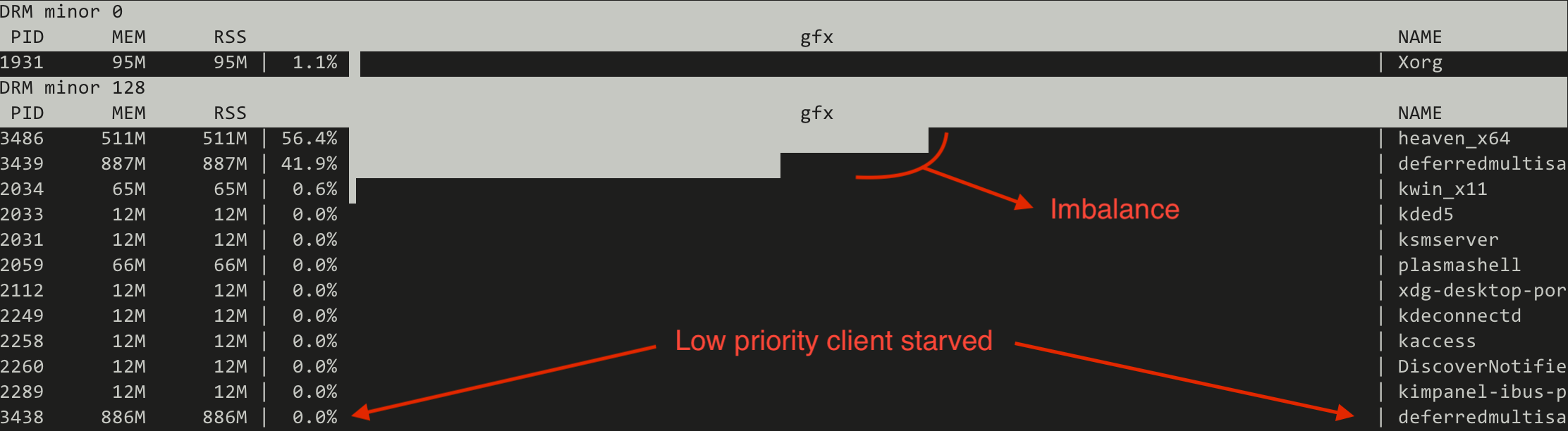
As an first example we set up three demanding graphical clients, one of which was set to run with low priority (VK_QUEUE_GLOBAL_PRIORITY_LOW_EXT).
One client is the Unigine Heaven benchmark[6] which is simulating a game, while the other two are two instances of the deferredmultisampling Vulkan demo from Sascha Willems[7], modified to support running with the user specified global priority. Those two are simulating very heavy GPU load running simultaneouosly with the game.
All tests are run on a Valve Steam Deck OLED with an AMD integrated GPU.
First we try the current FIFO based scheduler and we monitor the GPU utilisation using the gputop[8] tool. We can observe two things:
Switching to the CFS inspired (fair) scheduler the situation changes drastically:
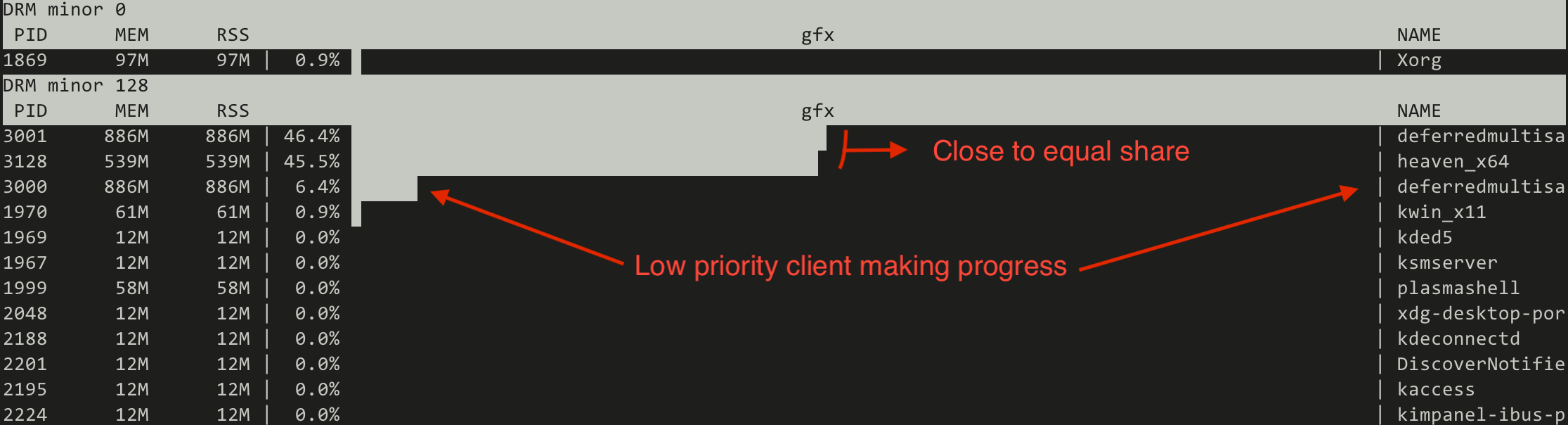
Note that the absolute numbers are not static but represent a trend.
This proves that the new algorithm can make the low priority useful for running heavy GPU tasks in the background, similar to what can be done on the CPU side of things using the nice(1) process priorities.
Apart from experimenting with real world workloads, another functionality we implemented in the scope of this work is a collection of simulated workloads implemented as kernel unit tests based on the recently merged DRM scheduler mock scheduler unit test framework[9][10]. The idea behind those is to make it easy for developers to check for scheduling regressions when modifying the code, without the need to set up sometimes complicated testing environments.
Let us look at a few examples on how the new scheduler compares with FIFO when using those simulated workloads.
First an easy, albeit exaggerated, illustration of priority starvation improvements.
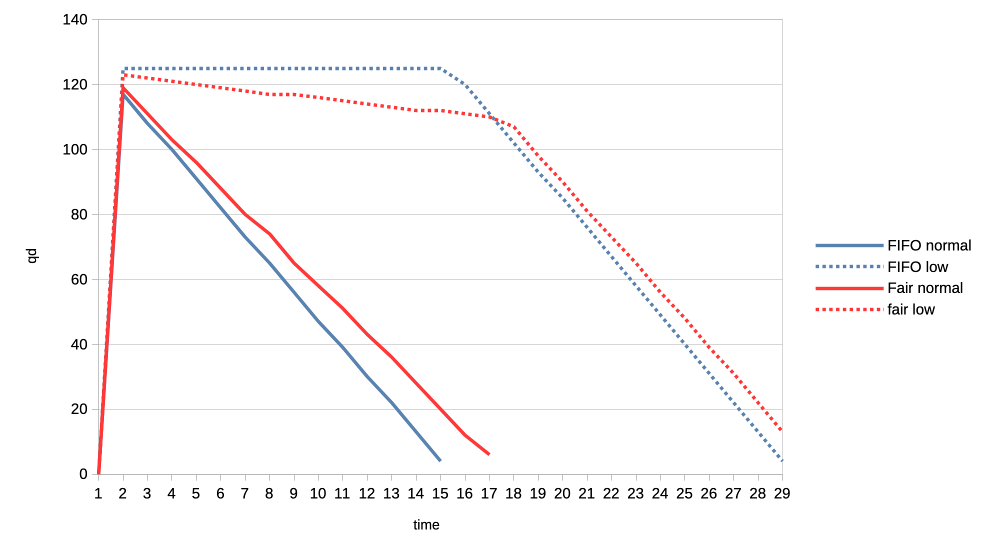
Here we have a normal priority client and a low priority client submitting many jobs asynchronously (only waiting for the submission to finish after having submitted the last job). We look at the number of outstanding jobs (queue depth - qd) on the Y axis and the passage of time on the X axis. With the FIFO scheduler (blue) we see that the low priority client is not making any progress whatsoever, all until the all submission of the normal client have been completed. Switching to the CFS inspired scheduler (red) this improves dramatically and we can see the low priority client making slow but steady progress from the start.
Second example is about fairness where two clients are of equal priority:
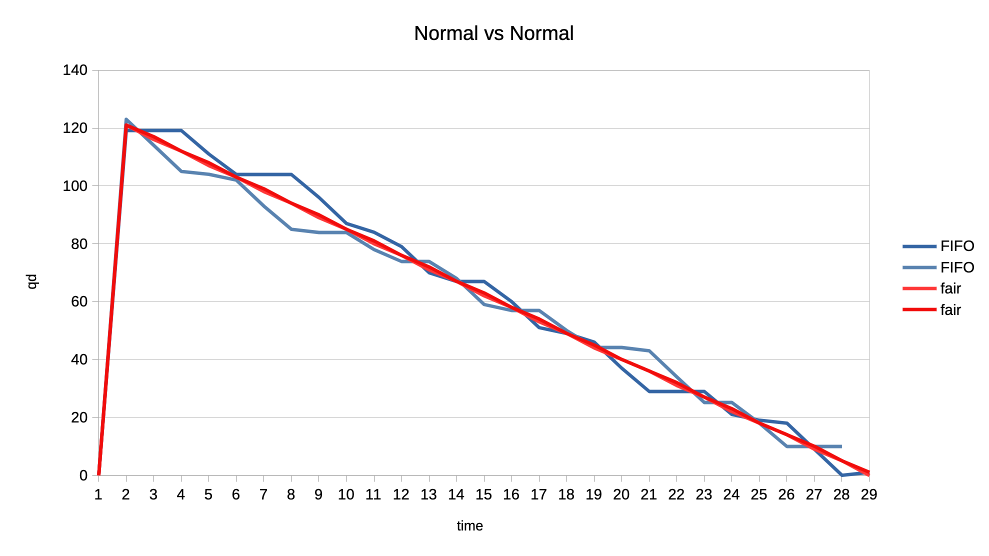
Here the interesting observation is that the new scheduler graphed lines are much more straight. This means that the GPU time distribution is more equal, or fair, because the selection criteria is decoupled from the job submission time but based on each client’s GPU time utilisation.
For the final set of test workloads we will look at the rate of progress (aka frames per second, or fps) between different clients.
In both cases we have one client representing a heavy graphical load, and one representing an interactive, lightweight client. They are running in parallel but we will only look at the interactive client in the graphs. Because the goal is to look at what frame rate the interactive client can achieve when competing for the GPU. In other words we use that as a proxy for assessing user experience of using the desktop while there is simultaneous heavy GPU usage from another client.
The interactive client is set up to spend 1ms of GPU time in every 10ms period, resulting in an effective GPU load of 10%.
First test is with a heavy client wanting to utilise 75% of the GPU by submitting three 2.5ms jobs back to back, repeating that cycle every 10ms.
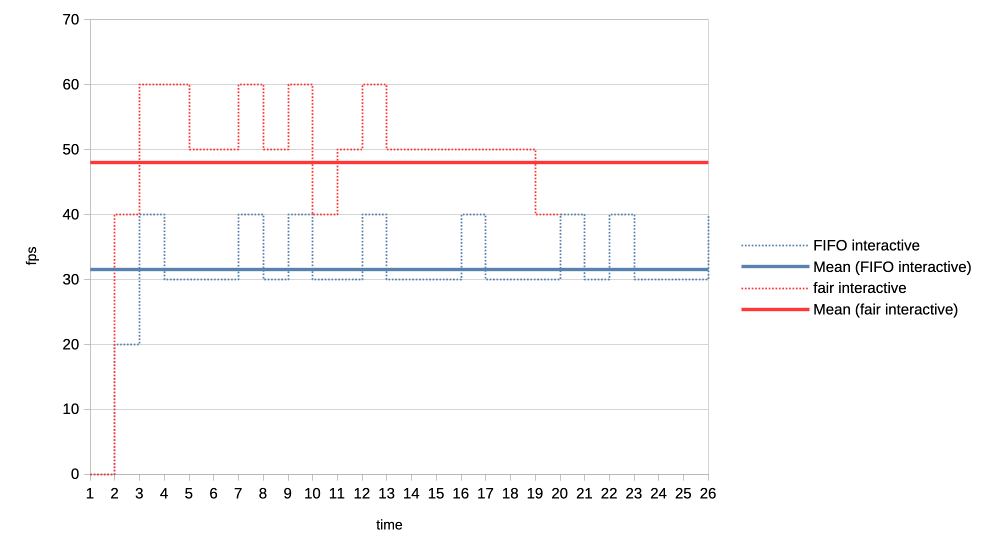
We can see that the average frame rate the interactive client achieves with the new scheduler is much higher than under the current FIFO algorithm.
For the second test we made the heavy GPU load client even more demanding by making it want to completely monopolise the GPU. It is now submitting four 50ms jobs back to back, and only backing off for 1us before repeating the loop.
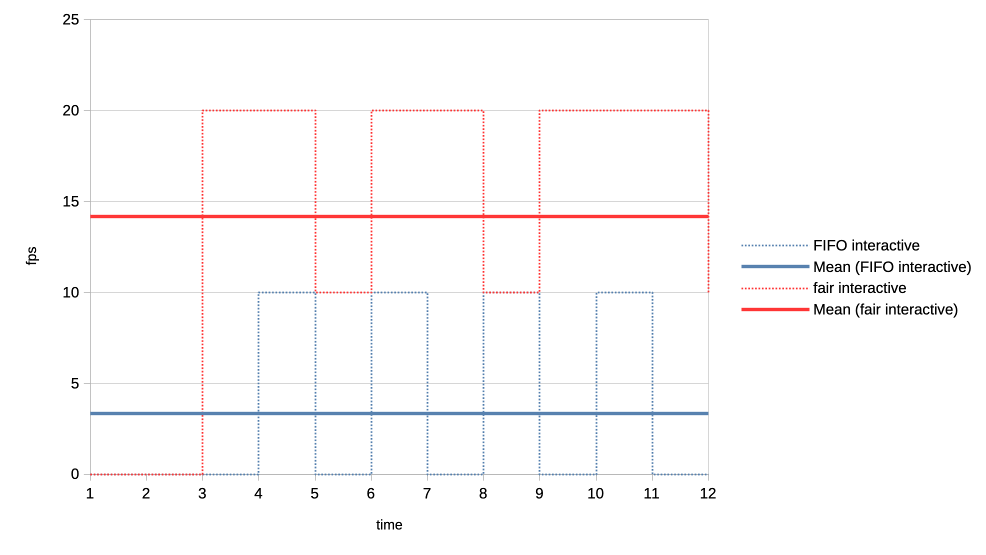
Again the new scheduler is able to give significantly more GPU time to the interactive client compared to what FIFO is able to do.
From all the above it appears that the experiment was successful. We were able to simplify the code base, solve the priority starvation and improve scheduling fairness and GPU time allocation for interactive clients. No scheduling regressions have been identified to date.
The complete patch series implementing these changes is available at[11].
Because this work has simplified the scheduler code base and introduced entity GPU time tracking, it also opens up the possibilities for future experimenting with other modern algorithms. One example could be an EEVDF[12] inspired scheduler, given that algorithm has recently improved upon the kernel’s CPU scheduler and is looking potentially promising for it is combining fairness and latency in one algorithm.
Another interesting angle is that, as this work implements scheduling based on virtual GPU time, which as a reminder is calculated by scaling the real time by a factor based on entity priority, it can be tied really elegantly to the previously proposed DRM scheduling cgroup controller.
There we had group weights already which can now be used when scaling the virtual time and lead to a simple but effective cgroup controller. This has already been prototyped[13], but more on that in a following blog post.
https://git.kernel.org/pub/scm/linux/kernel/git/torvalds/linux.git/commit/?h=v6.16-rc2&id=08fb97de03aa2205c6791301bd83a095abc1949c ↩︎
https://registry.khronos.org/vulkan/specs/latest/man/html/VK_EXT_global_priority.html ↩︎
https://gitlab.freedesktop.org/drm/igt-gpu-tools/-/blob/master/tools/gputop.c?ref_type=heads ↩︎
https://gitlab.freedesktop.org/tursulin/kernel/-/commit/486bdcac6121cfc5356ab75641fc702e41324e27 ↩︎
https://gitlab.freedesktop.org/tursulin/kernel/-/commit/50898d37f652b1f26e9dac225ecd86b3215a4558 ↩︎
https://gitlab.freedesktop.org/tursulin/kernel/-/tree/drm-sched-cfs?ref_type=heads ↩︎
https://lore.kernel.org/dri-devel/20250502123256.50540-1-tvrtko.ursulin@igalia.com/ ↩︎
Hi all!
This month, two large patch series have been merged into wlroots! The first one is toplevel capture, which will allow tools such as grim and xdg-desktop-portal-wlr to capture the contents of a specific window. The wlroots side is super simple because wlroots just sends an event when a client requests to capture a toplevel. Producing frames for a particular toplevel from scratch would be pretty cumbersome to implement for a compositor, so wlroots also exposes a helper to create a capture source from an arbitrary scene-graph node. The compositor can pass the toplevel’s scene-graph node to this helper to implement toplevel capture. This is pretty flexible and leaves a lot of freedom to the compositor, making it easy to customize the capture result and to add support other kinds of capture targets! This also handles well popups (which need a composition step) and off-screen toplevels (which would otherwise stop rendering). The grim and xdg-desktop-portal-wlr side are not ready yet, but hopefully they shouldn’t be too much work. Still missing are cursors and a using a fully transparent background color (right now the background is black).
The other large patch series is color management support (part 1 was merged a while back, part 2, part 3 and part 4 just got merged). This was very challenging because one needs to learn a lot about colors before even understanding how color management should be implemented from a high-level architectural point-of-view. Sway isn’t quite ready yet, we’re missing one last piece of the puzzle to finish up the scene-graph integration. Thanks a lot to Kenny Levinsen, M. Stoeckl and Félix Poisot for going through this big pile of patches and spotting all of the bugs!
Sway 1.11 finally got released, with all of the wlroots 0.19 niceties. I’ve
also started the Wayland 1.24 release cycle, hopefully the final release can go
out very soon. Speaking of releases, I’ve cut libdrm 2.4.125 with updated
kernel headers, an upgraded CI and a GitLab repository rename (“drm” was very
confusing and got mixed up with the kernel side). Last, drm_info 2.8.0 adds
Apple and MediaTek format modifiers and support for the IN_FORMATS_ASYNC
property (contributed by Intel).
David Turner has contributed three optimization patches for libliftoff, with more in the pipeline. Leandro Ribeiro and Sebastian Wick have upstreamed libdisplay-info support for HDR10+ and Dolby Vision vendor-specific video blocks, with HDMI, HDMI Forum and HDMI Forum Sink Capability on the way (yes, these are all separate blocks!).
I’ve migrated the wayland-devel mailing list to a new server powered by Mailman 3 and public-inbox. The old Mailman 2 setup has started showing its age more than a decade ago, and it was about time we started a migration. I’ve started making plans for migrating other mailing lists, hopefully we’ll be able to decommission Mailman 2 in the coming months. Next we’ll need to migrate the postfix server over too, but one step at a time.
delthas has plumbed replies and reactions in Goguma’s compact mode. I’ve
taken some time to clean up soju’s docs: the Getting started page has been
revamped, the contrib/ directory has an index page, and man pages are
linkified on the website. Let me know if you have ideas to improve our docs
further!
As part of $dayjob I took part of Hackdays 2025, a hackathon organized by DINUM to work on La Suite (open-source productivity software). With my team, we worked on adding support for importing Notion documents into Docs. It was great meeting a lot of European open-source enthusiasts, and I hope our work can eventually be merged!
Phew, this status update ended up being larger than I expected! Perhaps thanks to getting the wlroots and Sway releases out of the way, and spending less time on triaging issues and investigating bugs. Perhaps thanks to a lot of stuff getting merged, after slowly accumulating and growing patches for months. Either way, see you next month for another status update!
This is, to some degree, a followup to this 2014 post. The TLDR of that is that, many a moon ago, the corporate overlords at Microsoft that decide all PC hardware behaviour decreed that the best way to handle an eraser emulation on a stylus is by having a button that is hardcoded in the firmware to, upon press, send a proximity out event for the pen followed by a proximity in event for the eraser tool. Upon release, they dogma'd, said eraser button shall virtually move the eraser out of proximity followed by the pen coming back into proximity. Or, in other words, the pen simulates being inverted to use the eraser, at the push of a button. Truly the future, back in the happy times of the mid 20-teens.
In a world where you don't want to update your software for a new hardware feature, this of course makes perfect sense. In a world where you write software to handle such hardware features, significantly less so.
Anyway, it is now 11 years later, the happy 2010s are over, and Benjamin and I have fixed this very issue in a few udev-hid-bpf programs but I wanted something that's a) more generic and b) configurable by the user. Somehow I am still convinced that disabling the eraser button at the udev-hid-bpf level will make users that use said button angry and, dear $deity, we can't have angry users, can we? So many angry people out there anyway, let's not add to that.
To get there, libinput's guts had to be changed. Previously libinput would read the kernel events, update the tablet state struct and then generate events based on various state changes. This of course works great when you e.g. get a button toggle, it doesn't work quite as great when your state change was one or two event frames ago (because prox-out of one tool, prox-in of another tool are at least 2 events). Extracing that older state change was like swapping the type of meatballs from an ikea meal after it's been served - doable in theory, but very messy.
Long story short, libinput now has a internal plugin system that can modify the evdev event stream as it comes in. It works like a pipeline, the events are passed from the kernel to the first plugin, modified, passed to the next plugin, etc. Eventually the last plugin is our actual tablet backend which will update tablet state, generate libinput events, and generally be grateful about having fewer quirks to worry about. With this architecture we can hold back the proximity events and filter them (if the eraser comes into proximity) or replay them (if the eraser does not come into proximity). The tablet backend is none the wiser, it either sees proximity events when those are valid or it sees a button event (depending on configuration).
This architecture approach is so successful that I have now switched a bunch of other internal features over to use that internal infrastructure (proximity timers, button debouncing, etc.). And of course it laid the ground work for the (presumably highly) anticipated Lua plugin support. Either way, happy times. For a bit. Because for those not needing the eraser feature, we've just increased your available tool button count by 100%[2] - now there's a headline for tech journalists that just blindly copy claims from blog posts.
[1] Since this is a bit wordy, the libinput API call is just libinput_tablet_tool_config_eraser_button_set_button()
[2] A very small number of styli have two buttons and an eraser button so those only get what, 50% increase? Anyway, that would make for a less clickbaity headline so let's handwave those away.
What do concern trolls and privileged people without visible or invisible disabilities who share or make content about accessibility on Linux being trash without contributing anything to projects have in common? They don’t actually really care about the group they’re defending; they just exploit these victims’ unfortunate situation to fuel hate against groups and projects actually trying to make the world a better place.
I never thought I’d be this upset to a point I’d be writing an article about something this sensitive with a clickbait-y title. It’s simultaneously demotivating, unproductive, and infuriating. I’m here writing this post fully knowing that I could have been working on accessibility in GNOME, but really, I’m so tired of having my mood ruined because of privileged people spending at most 5 minutes to write erroneous posts and then pretending to be oblivious when confronted while it takes us 5 months of unpaid work to get a quarter of recognition, let alone acknowledgment, without accounting for the time “wasted” addressing these accusations. This is far from the first time, and it will certainly not be the last.
I’m not mad. I’m absolutely furious and disappointed in the Linux Desktop community for being quiet in regards to any kind of celebration to advancing accessibility, while proceeding to share content and cheer for random privileged people from big-name websites or social media who have literally put a negative amount of effort into advancing accessibility on Linux. I’m explicitly stating a negative amount because they actually make it significantly more stressful for us.
None of this is fair. If you’re the kind of person who stays quiet when we celebrate huge accessibility milestones, yet shares (or even makes) content that trash talks the people directly or indirectly contributing to the fucking software you use for free, you are the reason why accessibility on Linux is shit.
No one in their right mind wants to volunteer in a toxic environment where their efforts are hardly recognized by the public and they are blamed for “not doing enough”, especially when they are expected to take in all kinds of harassment, nonconstructive criticism, and slander for a salary of 0$.
There’s only one thing I am shamefully confident about: I am not okay in the head. I shouldn’t be working on accessibility anymore. The recognition-to-smearing ratio is unbearably low and arguably unhealthy, but leaving people in unfortunate situations behind is also not in accordance with my values.
I’ve been putting so much effort, quite literally hundreds of hours, into:
Number 5 is especially important to me. I personally go as far as to refuse to contribute to projects under a permissive license, and/or that utilize a contributor license agreement, and/or that utilize anything riskily similar to these two, because I am of the opinion that no amount of code for accessibility should either be put under a paywall or be obscured and proprietary.
Permissive licenses make it painlessly easy for abusers to fork, build an ecosystem on top of it which may include accessibility-related improvements, slap a price tag alongside it, all without publishing any of these additions/changes. Corporations have been doing that for decades, and they’ll keep doing it until there’s heavy push back. The only time I would contribute to a project under a permissive license is when the tool is the accessibility infrastructure itself. Contributor license agreements are significantly worse in that regard, so I prefer to avoid them completely.
KDE hired a legally blind contractor to work on accessibility throughout the KDE ecosystem, including complying with the EU Directive to allow selling hardware with Plasma.
GNOME’s new executive director, Steven Deobald, is partially blind.
The GNOME Foundation has been investing a lot of money to improve accessibility on Linux, for example funding Newton, a Wayland accessibility project and AccessKit integration into GNOME technologies. Around 250,000€ (1/4) of the STF budget was spent solely on accessibility. And get this: literally everybody managing these contracts and communication with funders are volunteers; they’re ensuring people with disabilities earn a living, but aren’t receiving anything in return. These are the real heroes who deserve endless praise.
Do you want to know who we should be blaming? Profiteers who are profiting from the community’s effort while investing very little to nothing into accessibility.
This includes a significant portion of the companies sponsoring GNOME and even companies that employ developers to work on GNOME. These companies are the ones making hundreds of millions, if not billions, in net profit indirectly from GNOME (and other free and open-source projects), and investing little to nothing into them. However, the worst offenders are the companies actively using GNOME without ever donating anything to fund the projects.
Some companies actually do put an effort, like Red Hat and Igalia. Red Hat employs people with disabilities to work on accessibility in GNOME, one of which I actually rely on when making accessibility-related contributions in GNOME. Igalia funds Orca, the screen reader as part of GNOME, which is something the Linux community should be thankful of. However, companies have historically invested what’s necessary to comply with governments’ accessibility requirements, and then never invest in it again.
The privileged people who keep sharing and making content around accessibility on Linux being bad without contributing anything to it are, in my opinion, significantly worse than the companies profiting off of GNOME. Companies are and stay quiet, but these privileged people add an additional burden to contributors by either trash talking or sharing trash talkers. Once again, no volunteer deserves to be in the position of being shamed and ridiculed for “not doing enough”, since no one is entitled to their free time, but themselves.
Earlier in this article, I mentioned, and I quote: “I’ve been putting so much effort, quite literally hundreds of hours […]”. Let’s put an emphasis on “hundreds”. Here’s a list of most accessibility-related merge requests that have been incorporated into GNOME:
GNOME Calendar’s !559 addresses an issue where event widgets were unable to be focused and activated by the keyboard. That was present since the very beginning of GNOME Calendar’s existence, to be specific: for more than a decade. This alone was was a two-week effort. Despite it being less than 100 lines of code, nobody truly knew what to do to have them working properly before. This was followed up by !576, which made the event buttons usable in the month view with a keyboard, and then !587, which properly conveys the states of the widgets. Both combined are another two-week effort.
Then, at the time of writing this article, !564 adds 640 lines of code, which is something I’ve been volunteering on for more than a month, excluding the time before I opened the merge request.
Let’s do a little bit of math together with ‘only’ !559, !576, and !587. Just as a reminder: these three merge requests are a four-week effort in total, which I volunteered full-time—8 hours a day, or 160 hours a month. I compiled a small table that illustrates its worth:
| Country | Average Wage for Professionals Working on Digital AccessibilityWebAIM | Total in Local Currency (160 hours) | Exchange Rate | Total (CAD) |
|---|---|---|---|---|
| Canada | 58.71$ CAD/hour | 9,393.60$ CAD | N/A | 9,393.60$ |
| United Kingdom | 48.20£ GBP/hour | 7,712£ GBP | 1.8502 | 14,268.74$ |
| United States of America | 73.08$ USD/hour | 11,692.80$ USD | 1.3603 | 15,905.72$ |
To summarize the table: those three merge requests that I worked on for free were worth 9,393.60$ CAD (6,921.36$ USD) in total at a minimum.
Just a reminder:
Now just imagine how I feel when I’m told I’m “not doing enough”, either directly or indirectly, by privileged people who don’t rely on any of these accessibility features. Whenever anybody says we’re “not doing enough”, I feel very much included, and I will absolutely take it personally.
I fully expect everything I say in this article to be dismissed or be taken out of context on the basis of ad hominem, simply by the mere fact I’m a GNOME Foundation member / regular GNOME contributor. Either that, or be subject to whataboutism because another GNOME contributor made a comment that had nothing to do with mine but ‘is somewhat related to this topic and therefore should be pointed out just because it was maybe-probably-possibly-perhaps ableist’. I can’t speak for other regular contributors, but I presume that they don’t feel comfortable talking about this because they dared be a GNOME contributor. At least, that’s how I felt for the longest time.
Any content related to accessibility that doesn’t dunk on GNOME doesn’t foresee as many engagement, activity, and reaction as content that actively attacks GNOME, regardless of whether the criticism is fair. Many of these people don’t even use these accessibility features; they’re just looking for every opportunity to say “GNOME bad” and will 🪄 magically 🪄 start caring about accessibility.
Regular GNOME contributors like myself don’t always feel comfortable defending ourselves because dismissing GNOME developers just for being GNOME developers is apparently a trend…
Dear people with disabilities,
I won’t insist that we’re either your allies or your enemies—I have no right to claim that whatsoever.
I wasn’t looking for recognition. I wasn’t looking for acknowledgment since the very beginning either. I thought I would be perfectly capable of quietly improving accessibility in GNOME, but because of the overall community’s persistence to smear developers’ efforts without actually tackling the underlying issues within the stack, I think I’ve justified myself to at least demand for acknowledgment from the wider community.
I highly doubt it will happen anyway, because the Linux community feeds off of drama and trash talking instead of being productive, without realizing that it negatively demotivates active contributors while pushing away potential contributors. And worst of all: people with disabilities are the ones affected the most because they are misled into thinking that we don’t care.
It’s so unfair and infuriating that all the work I do and share online gain very little activity compared to random posts and articles from privileged people without disabilities that rant about the Linux desktop’s accessibility being trash. It doesn’t help that I become severely anxious sharing accessibility-related work to avoid signs of virtue signalling. The last thing I want is to (unintentionally) give any sign and impression of pretending to care about accessibility.
I beg you, please keep writing banger posts like fireborn’s I Want to Love Linux. It Doesn’t Love Me Back series and their interluding post. We need more people with disabilities to keep reminding developers that you exist and your conditions and disabilities are a spectrum, and not absolute.
We simultaneously need more interest from people with disabilities to contribute to free and open-source software, and the wider community to be significantly more intolerant of bullies who profit from smearing and demotivating people who are actively trying.
We should take inspiration from “Accessibility on Linux sucks, but GNOME and KDE are making progress” by OSNews. They acknowledge that accessibility on Linux is suboptimal while recognizing the efforts of GNOME and KDE. As a community, we should promote progress more often.
The All Systems Go! 2025 Call for Participation Closes Tomorrow!
The Call for Participation (CFP) for All Systems Go! 2025 will close tomorrow, on 13th of June! We’d like to invite you to submit your proposals for consideration to the CFP submission site quickly!
The Vulkan WG has released VK_KHR_video_decode_vp9. I did initial work on a Mesa extensions for this a good while back, and I've updated the radv code with help from AMD and Igalia to the final specification.
There is an open MR[1] for radv to add support for vp9 decoding on navi10+ with the latest firmware images in linux-firmware. It is currently passing all VK-GL-CTS tests for VP9 decode.
Adding this decode extension is a big milestone for me as I think it now covers all the reasons I originally got involved in Vulkan Video as signed off, there is still lots to do and I'll stay involved, but it's been great to see the contributions from others and how there is a bit of Vulkan Video community upstream in Mesa.
[1] https://gitlab.freedesktop.org/mesa/mesa/-/merge_requests/35398
As many of you have seen, I’ve been deleting a lot of code lately. There’s a reason for this, aside from it being a really great feeling to just obliterate some entire subsystem, and that reason is time.
There are 24 hours in a day. You sleep for 6. You work for 8. Spend an hour eating, and then you’re down to only 9 hours at the gym minus a few minutes to manage those pesky social and romantic obligations. That doesn’t leave a lot of time for mucking around in random codebases.
For example. Suppose I maintain a Gallium driver. This likely means I know my way around that driver, various related infrastructure, the GL state tracker, NIR, maybe enough GLSL to rubber stamp some MRs from @tarceri, and I know which channel on IRC in which to scream when my MRs get blocked by something that is definitely not me failing to test-compile the patches before merging them. Everything outside of these areas is out of scope for this hypothetical version of me, which means it may as well be a black box.
Now imagine I am all the maintainers of all the Gallium drivers. My collective scope has expanded. I am the master of all things src/gallium/drivers. I wave my hand and src/mesa obeys my whim. CI is always green, except when matters beyond the control of mere mortals conspire against me. I have a blog. News sites cover my MRs as though OpenGL is still relevant.
But there are still black boxes. Vulkan drivers, for example, are a mystery. CI is an artifact from a distant civilization which, though alien, ensures everything functions as I know it does. And then there are the esoteric parts of the tree in src/gallium/frontends. People I’ve never met may file bug reports against my drivers with tags for one of these components. Who is sexypixel420, what is a teflon, and why is that my problem?
A key aspect of any good Open Source project is maintenance. This is, relatively speaking, how well it is expected to function if Joe Randomguy installs and runs it. Maintenance of projects requires people to work on them and fix bugs. These are maintainers. When a project has a maintainer, we say that it is maintained. A project which does not have a maintainer is unmaintained. Simple enough.
Mesa is a project comprised of many subprojects. We call this an ecosystem. An ecosystem functions when all its projects work together in harmony towards a common goal, in this case blasting out those pixels into as many green triangles per second as possible.
What happens when a maintained project has an issue? Well, that’s when the maintainer steps in to fix it (assuming some other random contributor doesn’t, but we’re assuming a very low bus factor here). Tickets are filed, maintainers analyze and fix, and end users are happy because the software they randomly installed happens to work as they expect.
But what happens when a project with no maintainer has an issue? In short, nothing. That issue is filed away into the void, never to be resolved ever in a million years (unless some kind soul happens to pitch an unreviewed #TrustMeBuddy patch into the repo, but this is rare). These issues accumulate, and nobody even notices because nobody is subscribed to that label on the issue tracker. The project is derelict. If the project accumulates enough of these issues, distributions may even stop packaging it; packaging a defective piece of software creates downstream tickets for packagers, and much of the time they are not looking to drag their editor upstream and solve all the problems because they have more than enough problems already with packaging.
Now here’s where things start to get messy: what happens when an unmaintained subproject in an ecosystem has an issue? Some might be tempted to say this is the same as the above scenario, but it’s subtly different because the issue might not be directly user-facing. It might be “what happens in this codebase if I change this thing over here?” And if a codebase is unmaintained, then nobody knows what happens. The code can be read, but without a maintainer who possesses deep knowledge about the intent of the machinery, such shallow readings can only do so much.
Like trees with dead limbs, dead parts of Open Source projects must be periodically pruned to keep the rest of the project healthy. Having all these dead limbs around creates a larger surface area for the ecosystem, which creates the potential for unintended side effects (and bizarro bugs from unknown components) to manifest. It also has a hidden cost, which is burnout. When a maintainer must step outside their area in an attempt to triage something in a codebase that they do not know, instinctual fear and distaste of Other Code kicks in: this code is terrible because I didn’t write it. Also what the fuck is with this formatting? Is that a same-line brace with no space after the closing parens?! That’s it, I’m clocking it for today.
We’ve all been out in the jungle with some code that may as well be written in dirt. It sucks. And any time you’re stuck out in the dirt for more than a couple minutes, you want to be able to call in an expert to bail you out. Those experts are called maintainers. When you enter territory which is unmaintained, you’re effectively stranded unless you can cut your way out. If you can’t cut your way out, you’re stuck, and being stuck is frustrating, and being frustrated makes you not want to work on your thing anymore, which is how you end up losing maintainers. One of the ways, that is, because we’re all just one sarcastic winky-face away from a ranty ragequit mail.
Now is when I reveal that this long-winded, circuitous explanation is not actually about everyone’s favorite D3D9 state tracker (pour one out for a legend) or whatever the hell XA was. I’m talking about last week when I deleted legacy renderpass support from Zink. It’s been a long time coming, and realistically I should have done this sooner.
Like Mesa, Zink is an ecosystem supporting a wide variety of projects, but it’s also a single project with a single maintainer. A bug in RadeonSI code will not affect me, but a bug in Zink code affects me even if it is not code which has been tested or even used in the past 5 years. While it’s likely true that any code in Zink is code that I have written, there’s a big difference between code written in the past year and code written back in like 2020: in the former case I probably know what’s happening and why, and in the latter case it’s more likely that I’m confused how the code still exists.
Vulkan is a moving target. Every month brings changes and improvements, fun new extensions to misuse, and long-lost validation errors to tell us that nobody actually knows how to use SPIR-V. Over time, these new features and changes become more widely adopted, which makes them reliable, but historically Zink has been very lax in requiring “new” features.
There is this idea that Zink should be able to provide high-level OpenGL support to any device which provides any amount of conformant Vulkan support. It’s a neat idea: provide Vulkan 1.0, and you get GL 4.6 + ES 3.2 for free. There are, however, a number of issues with this pie-in-the-sky thinking:
tiler renderpass tracking + GPL + descriptor templates vs desktop rendering + shader objects + descriptor buffer, now tell me which one gets better perf on RADV–it’s the first one because Zink does not ever create linked/optimized shader objects).I’m not saying all this as a cry for help, though help is always appreciated, encouraged, and welcomed. This is a notice that I’m going to be pruning some old and unused codepaths to keep things manageable. Zink isn’t going to work on Vulkan 1.0; that goal is a nice idea but not achievable, especially when there is fierce competition like ANGLE gunning for every fraction of a perf percent they can get. I don’t foresee requiring any new extensions/features the day they ship, but I also don’t foresee keeping legacy fallbacks for codepaths which should be standard by now.
TL;DR: If you want Zink on old drivers/hardware, try Mesa 25.1. Everyone else, business as usual.
I had intended to be writing this post over a month ago, but [for reasons] I’m here writing it now.
Way back in March of ‘25, I was doing work that I could talk about publicly, and a sizable chunk of that was working to improve Gallium. The stopping point of that work was the colossal !34054, which roughly amounts to “remove a single * from a struct”. The result was rewriting every driver and frontend in the tree to varying extents:
` 260 files changed, 2179 insertions(+), 2331 deletions(-)`
So as I was saying, I expected to merge this right after the 25.1 branchpoint back around mid-April, which would have allowed me to keep my train of thought and momentum. Sadly this did not come to pass, and as a result I’ve forgotten most of the key points of that blog post (and related memes). But I still have this:
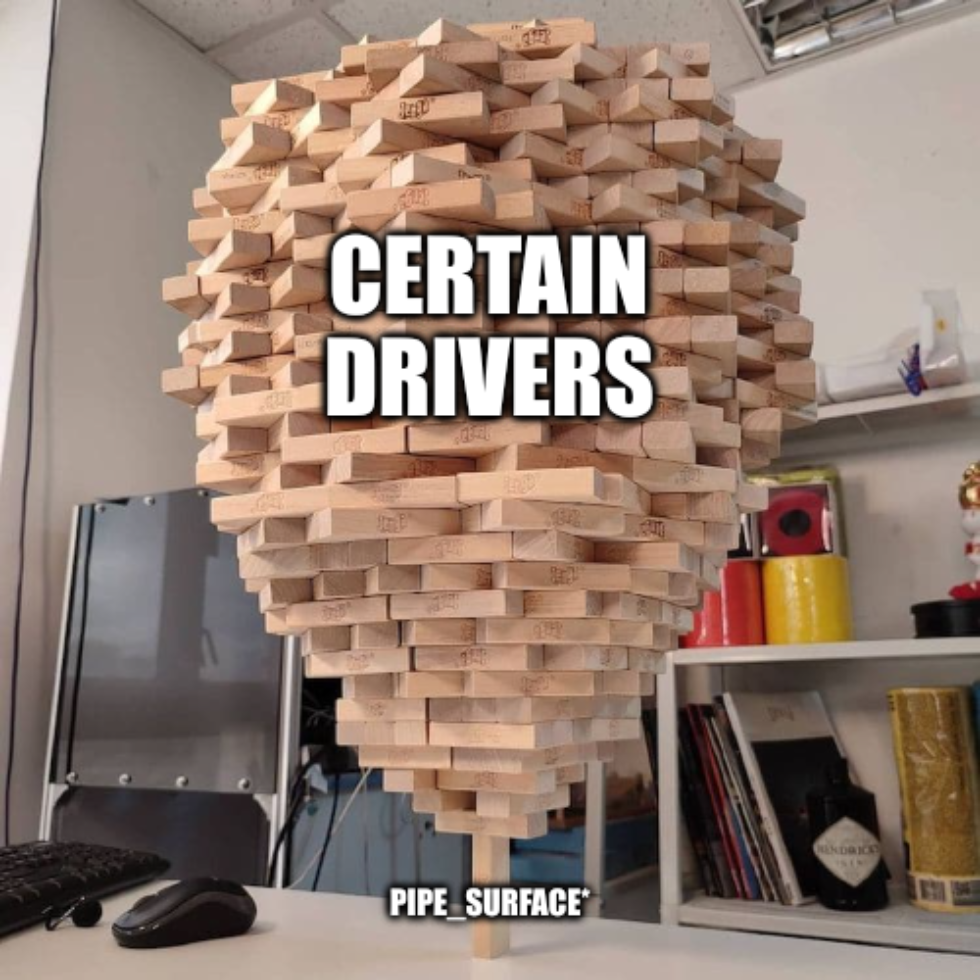
As readers of this blog, you’re all very smart. You can smell bullshit a country mile away. That’s why I’m going to treat you like the intelligent rhinoceroses you are and tell you right now that I no longer have any of the performance statistics I’d gathered for this post. We’re all gonna have to go on vibes and #TrustMeBuddy energy. I’ll begin by posing a hypothetical to you.
Suppose you’re running a complex application. Suppose this application has threads which share data. Now suppose you’re running this on an AMD CPU. What is your most immediate, significant performance concern?
If you said atomic operations, you are probably me from way back in February–Take that time machine and get back where you belong. The problems are not fixed.
AMD CPUs are bad with atomic operations. It’s a feature. No, I will not go into more detail; months have passed since I read all those dissertations, and I can’t remember what I ate for breakfast an hour ago. #TrustMeBuddy.
I know what you’re thinking. Mike, why aren’t you just pinning your threads?
Well, you incredibly handsome reader, the thing is thread pinning is a lie. You can pin threads by setting their affinity to keep them on the same CCX, and L3 cache, and blah blah blah, and even when you do that sometimes it has absolutely zero fucking effect and your fps is still 6. There is no explanation. PhDs who work on atomic operations in compilers cannot explain this. The dark lord Yog-Sothoth cowers in fear when pressed for details. Even tariffs on performance penalties cannot mitigate this issue.
In that sense, when you have your complex threadful application which uses atomic operations on an AMD CPU, and when you want to achieve the same performance it can have for free on a different type of CPU, you have four options:
Obviously none of these options are very appealing. If you have a complex application, you need threads, you need your AMD CPU with its bazillion cores, you need atomic operations, and, being realistic, the situation here with hardware/kernel/compiler is not going to improve before AI takes over my job and I quit to become a full-time novel writer in the budding rom-pixel-com genre.
While eliminating all atomic operations isn’t viable, eliminating a certain class of them is theoretically possible. I’m talking, of course, about reference counting, the means by which C developers LARP as Java developers.
In Mesa, nearly every object is reference counted, especially the ones which have no need for garbage collection. Haters will scream REWRITE IT IN RUST, but I’m not going to do that until someone finally rewrites the GLSL compiler in Rust to kick off the project. That’s right, I’m talking to all you rustaceans out there: do something useful for once instead of rewriting things that aren’t the best graphics stack on the planet.
A great example of this reference counting overreliance was sampler views, which I took a hatchet to some months ago. This is a context-specific object which has a clear ownership pattern. Why was it reference counted? Science cannot explain this, but psychologists will tell you that engineers will always follow existing development patterns without question regardless of how non-performant they may be. Don’t read any zink code to find examples. #TrustMeBuddy.
Sampler views were a relatively easy pickup, more like a proof of concept to see if the path was viable. Upon succeeding, I immediately rushed to the hardest possible task: the framebuffer. Framebuffer surfaces can be shared between contexts, which makes them extra annoying to solve in this case. For that reason, the solution was not to try a similar approach, it was to step back and analyze the usage and ownership pattern.
Originally the pipe_surface object was used solely for framebuffers, but this concept has since metastacized to clear operations and even video. It’s a useful object at a technical level: it provides a resource, format, miplevel, and layers. But does it really need to be an object?
Deeper analysis said no: the vast majority of drivers didn’t use this for anything special, and few drivers invested into architecture based on this being an actual object vs just having the state available. The majority of usage was pointlessly passing the object around because the caller handed it off to another function.
Of course, in the process of this analysis, I noted that zink was one of the heaviest investors into pipe_surface*. Pour one out for my past decision-making process. But I pulled myself up by my bootstraps, and I rewrote every driver and every frontend, and now whenever the framebuffer changes there are at least num_attachments * (frontend_thread + tc_thread + driver_thread) fewer atomic operations.
This saga is not over. There’s still base buffers and images to go, which is where a huge amount of performance is lost if you are hitting an affected codepath. Ideally those changes will be smaller and more concentrated than the framebuffer refactor.
Ideally I will find time for it.
#TrustMeBuddy.
The Linux 6.15 has just been released, bringing a lot of new features:
As always, I suggest to have a look at the Kernel Newbies summary. Now, let’s have a look at Igalia’s contributions.
In 3D graphics APIs such Vulkan and OpenGL, there are some mechanisms that applications can rely to check if the GPU had reset (you can read more about this in the kernel documentation). However, there was no generic mechanism to inform userspace that a GPU reset has happened. This is useful because in some cases the reset affected not only the app involved in the reset, but the whole graphic stack and thus needs some action to recover, like doing a module rebind or even bus reset to recovery the hardware. For this release, we helped to add an userspace event for this, so a daemon or the compositor can listen to it and trigger some recovery measure after the GPU has reset. Read more in the kernel docs.
In the DRM scheduler area, in preparation for the future scheduling improvements, we worked on cleaning up the code base, better separation of the internal and external interfaces, and adding formal interfaces at places where individual drivers had too much knowledge of the scheduler internals.
In the wider GPU stack area we optimised the most frequent dma-fence single fence merge operation to avoid memory allocations and array sorting. This should slightly reduce the CPU utilisation with workloads which use the DRM sync objects heavily, such as the modern composited desktops using Vulkan explicit sync.
Some releases ago, we helped to enable async page flips in the atomic DRM uAPI. So far, this feature was only enabled for the primary plane. In this release, we added a mechanism for the driver to decide which plane can perform async flips. We used this to enable overlay planes to do async flips in AMDGPU driver.
We also fixed a bug in the DRM fdinfo common layer which could cause use after free after driver unbind.
On the Intel GPU specific front we worked on adding better Alderlake-P support to the new Intel Xe driver by identifying and adding missing hardware workarounds, fixed the workaround application in general and also made some other smaller improvements.
When developing and optimizing a sched_ext-based scheduler, it is important to understand the interactions between the BPF scheduler and the in-kernel sched_ext core. If there is a mismatch between what the BPF scheduler developer expects and how the sched_ext core actually works, such a mismatch could often be the source of bugs or performance issues.
To address such a problem, we added a mechanism to count and report the internal events of the sched_ext core. This significantly improves the visibility of subtle edge cases, which might easily slip off. So far, eight events have been added, and the events can be monitored through a BPF program, sysfs, and a tracepoint.
As usual, as part of our work on diverse projects, we keep an eye on automated test results to look for potential security and stability issues in different kernel areas. We’re happy to have contributed to making this release a bit more robust by fixing bugs in memory management, network (SCTP), ext4, suspend/resume and other subsystems.
This is the complete list of Igalia’s contributions for this release:
v3d->cpu_jobFirst of all, what's outlined here should be available in libinput 1.29 but I'm not 100% certain on all the details yet so any feedback (in the libinput issue tracker) would be appreciated. Right now this is all still sitting in the libinput!1192 merge request. I'd specifically like to see some feedback from people familiar with Lua APIs. With this out of the way:
Come libinput 1.29, libinput will support plugins written in Lua. These plugins sit logically between the kernel and libinput and allow modifying the evdev device and its events before libinput gets to see them.
The motivation for this are a few unfixable issues - issues we knew how to fix but we cannot actually implement and/or ship the fixes without breaking other devices. One example for this is the inverted Logitech MX Master 3S horizontal wheel. libinput ships quirks for the USB/Bluetooth connection but not for the Bolt receiver. Unlike the Unifying Receiver the Bolt receiver doesn't give the kernel sufficient information to know which device is currently connected. Which means our quirks could only apply to the Bolt receiver (and thus any mouse connected to it) - that's a rather bad idea though, we'd break every other mouse using the same receiver. Another example is an issue with worn out mouse buttons - on that device the behavior was predictable enough but any heuristics would catch a lot of legitimate buttons. That's fine when you know your mouse is slightly broken and at least it works again. But it's not something we can ship as a general solution. There are plenty more examples like that - custom pointer deceleration, different disable-while-typing, etc.
libinput has quirks but they are internal API and subject to change without notice at any time. They're very definitely not for configuring a device and the local quirk file libinput parses is merely to bridge over the time until libinput ships the (hopefully upstreamed) quirk.
So the obvious solution is: let the users fix it themselves. And this is where the plugins come in. They are not full access into libinput, they are closer to a udev-hid-bpf in userspace. Logically they sit between the kernel event devices and libinput: input events are read from the kernel device, passed to the plugins, then passed to libinput. A plugin can look at and modify devices (add/remove buttons for example) and look at and modify the event stream as it comes from the kernel device. For this libinput changed internally to now process something called an "evdev frame" which is a struct that contains all struct input_events up to the terminating SYN_REPORT. This is the logical grouping of events anyway but so far we didn't explicitly carry those around as such. Now we do and we can pass them through to the plugin(s) to be modified.
The aforementioned Logitech MX master plugin would look like this: it registers itself with a version number, then sets a callback for the "new-evdev-device" notification and (where the device matches) we connect that device's "evdev-frame" notification to our actual code:
libinput:register(1) -- register plugin version 1
libinput:connect("new-evdev-device", function (_, device)
    if device:vid() == 0x046D and device:pid() == 0xC548 then
        device:connect("evdev-frame", function (_, frame)
            for _, event in ipairs(frame.events) do
                if event.type == evdev.EV_REL and
                   (event.code == evdev.REL_HWHEEL or
                    event.code == evdev.REL_HWHEEL_HI_RES) then
                    event.value = -event.value
                end
            end
            return frame
        end)
    end
end)
This file can be dropped into /etc/libinput/plugins/10-mx-master.lua and will be loaded on context creation.
I'm hoping the approach using named signals (similar to e.g. GObject) makes it easy to add different calls in future versions. Plugins also have access to a timer so you can filter events and re-send them at a later point in time. This is useful for implementing something like disable-while-typing based on certain conditions.
So why Lua? Because it's very easy to sandbox. I very explicitly did not want the plugins to be a side-channel to get into the internals of libinput - specifically no IO access to anything. This ruled out using C (or anything that's a .so file, really) because those would run a) in the address space of the compositor and b) be unrestricted in what they can do. Lua solves this easily. And, as a nice side-effect, it's also very easy to write plugins in.[1]
Whether plugins are loaded or not will depend on the compositor: an explicit call to set up the paths to load from and to actually load the plugins is required. No run-time plugin changes at this point either, they're loaded on libinput context creation and that's it. Otherwise, all the usual implementation details apply: files are sorted and if there are files with identical names the one from the highest-precedence directory will be used. Plugins that are buggy will be unloaded immediately.
If all this sounds interesting, please have a try and report back any APIs that are broken, or missing, or generally ideas of the good or bad persuation. Ideally before we ship it and the API is stable forever :)
[1] Benjamin Tissoires actually had a go at WASM plugins (via rust). But ... a lot of effort for rather small gains over Lua
This week, I reviewed the last available version of the Linux KMS Color API. Specifically, I explored the proposed API by Harry Wentland and Alex Hung (AMD), their implementation for the AMD display driver and tracked the parallel efforts of Uma Shankar and Chaitanya Kumar Borah (Intel) in bringing this plane color management to life. With this API in place, compositors will be able to provide better HDR support and advanced color management for Linux users.
To get a hands-on feel for the API’s potential, I developed a fork of
drm_info compatible with the new color properties. This allowed me to
visualize the display hardware color management capabilities being exposed. If
you’re curious and want to peek behind the curtain, you can find my exploratory
work on the
drm_info/kms_color branch.
The README there will guide you through the simple compilation and installation
process.
Note: You will need to update libdrm to match the proposed API. You can find
an updated version in my personal repository
here. To avoid
potential conflicts with your official libdrm installation, you can compile
and install it in a local directory. Then, use the following command: export
LD_LIBRARY_PATH="/usr/local/lib/"
In this post, I invite you to familiarize yourself with the new API that is
about to be released. You can start doing as I did below: just deploy a custom
kernel with the necessary patches and visualize the interface with the help of
drm_info. Or, better yet, if you are a userspace developer, you can start
developing user cases by experimenting with it.
The more eyes the better.
The great news is that AMD’s driver implementation for plane color operations is being developed right alongside their Linux KMS Color API proposal, so it’s easy to apply to your kernel branch and check it out. You can find details of their progress in the AMD’s series.
I just needed to compile a custom kernel with this series applied,
intentionally leaving out the AMD_PRIVATE_COLOR flag. The
AMD_PRIVATE_COLOR flag guards driver-specific color plane properties, which
experimentally expose hardware capabilities while we don’t have the generic KMS
plane color management interface available.
If you don’t know or don’t remember the details of AMD driver specific color properties, you can learn more about this work in my blog posts [1] [2] [3]. As driver-specific color properties and KMS colorops are redundant, the driver only advertises one of them, as you can see in AMD workaround patch 24.
So, with the custom kernel image ready, I installed it on a system powered by AMD DCN3 hardware (i.e. my Steam Deck). Using my custom drm_info, I could clearly see the Plane Color Pipeline with eight color operations as below:
└───"COLOR_PIPELINE" (atomic): enum {Bypass, Color Pipeline 258} = Bypass
    ├───Bypass
    └───Color Pipeline 258
        ├───Color Operation 258
        │   ├───"TYPE" (immutable): enum {1D Curve, 1D LUT, 3x4 Matrix, Multiplier, 3D LUT} = 1D Curve
        │   ├───"BYPASS" (atomic): range [0, 1] = 1
        │   └───"CURVE_1D_TYPE" (atomic): enum {sRGB EOTF, PQ 125 EOTF, BT.2020 Inverse OETF} = sRGB EOTF
        ├───Color Operation 263
        │   ├───"TYPE" (immutable): enum {1D Curve, 1D LUT, 3x4 Matrix, Multiplier, 3D LUT} = Multiplier
        │   ├───"BYPASS" (atomic): range [0, 1] = 1
        │   └───"MULTIPLIER" (atomic): range [0, UINT64_MAX] = 0
        ├───Color Operation 268
        │   ├───"TYPE" (immutable): enum {1D Curve, 1D LUT, 3x4 Matrix, Multiplier, 3D LUT} = 3x4 Matrix
        │   ├───"BYPASS" (atomic): range [0, 1] = 1
        │   └───"DATA" (atomic): blob = 0
        ├───Color Operation 273
        │   ├───"TYPE" (immutable): enum {1D Curve, 1D LUT, 3x4 Matrix, Multiplier, 3D LUT} = 1D Curve
        │   ├───"BYPASS" (atomic): range [0, 1] = 1
        │   └───"CURVE_1D_TYPE" (atomic): enum {sRGB Inverse EOTF, PQ 125 Inverse EOTF, BT.2020 OETF} = sRGB Inverse EOTF
        ├───Color Operation 278
        │   ├───"TYPE" (immutable): enum {1D Curve, 1D LUT, 3x4 Matrix, Multiplier, 3D LUT} = 1D LUT
        │   ├───"BYPASS" (atomic): range [0, 1] = 1
        │   ├───"SIZE" (atomic, immutable): range [0, UINT32_MAX] = 4096
        │   ├───"LUT1D_INTERPOLATION" (immutable): enum {Linear} = Linear
        │   └───"DATA" (atomic): blob = 0
        ├───Color Operation 285
        │   ├───"TYPE" (immutable): enum {1D Curve, 1D LUT, 3x4 Matrix, Multiplier, 3D LUT} = 3D LUT
        │   ├───"BYPASS" (atomic): range [0, 1] = 1
        │   ├───"SIZE" (atomic, immutable): range [0, UINT32_MAX] = 17
        │   ├───"LUT3D_INTERPOLATION" (immutable): enum {Tetrahedral} = Tetrahedral
        │   └───"DATA" (atomic): blob = 0
        ├───Color Operation 292
        │   ├───"TYPE" (immutable): enum {1D Curve, 1D LUT, 3x4 Matrix, Multiplier, 3D LUT} = 1D Curve
        │   ├───"BYPASS" (atomic): range [0, 1] = 1
        │   └───"CURVE_1D_TYPE" (atomic): enum {sRGB EOTF, PQ 125 EOTF, BT.2020 Inverse OETF} = sRGB EOTF
        └───Color Operation 297
            ├───"TYPE" (immutable): enum {1D Curve, 1D LUT, 3x4 Matrix, Multiplier, 3D LUT} = 1D LUT
            ├───"BYPASS" (atomic): range [0, 1] = 1
            ├───"SIZE" (atomic, immutable): range [0, UINT32_MAX] = 4096
            ├───"LUT1D_INTERPOLATION" (immutable): enum {Linear} = Linear
            └───"DATA" (atomic): blob = 0
Note that Gamescope is currently using
AMD driver-specific color properties
implemented by me, Autumn Ashton and Harry Wentland. It doesn’t use this KMS
Color API, and therefore COLOR_PIPELINE is set to Bypass. Once the API is
accepted upstream, all users of the driver-specific API (including Gamescope)
should switch to the KMS generic API, as this will be the official plane color
management interface of the Linux kernel.
On the Intel side, the driver implementation available upstream was built upon an earlier iteration of the API. This meant I had to apply a few tweaks to bring it in line with the latest specifications. You can explore their latest work here. For a more simplified handling, combining the V9 of the Linux Color API, Intel’s contributions, and my necessary adjustments, check out my dedicated branch.
I then compiled a kernel from this integrated branch and deployed it on a system featuring Intel TigerLake GT2 graphics. Running my custom drm_info revealed a Plane Color Pipeline with three color operations as follows:
├───"COLOR_PIPELINE" (atomic): enum {Bypass, Color Pipeline 480} = Bypass
│   ├───Bypass
│   └───Color Pipeline 480
│       ├───Color Operation 480
│       │   ├───"TYPE" (immutable): enum {1D Curve, 1D LUT, 3x4 Matrix, 1D LUT Mult Seg, 3x3 Matrix, Multiplier, 3D LUT} = 1D LUT Mult Seg
│       │   ├───"BYPASS" (atomic): range [0, 1] = 1
│       │   ├───"HW_CAPS" (atomic, immutable): blob = 484
│       │   └───"DATA" (atomic): blob = 0
│       ├───Color Operation 487
│       │   ├───"TYPE" (immutable): enum {1D Curve, 1D LUT, 3x4 Matrix, 1D LUT Mult Seg, 3x3 Matrix, Multiplier, 3D LUT} = 3x3 Matrix
│       │   ├───"BYPASS" (atomic): range [0, 1] = 1
│       │   └───"DATA" (atomic): blob = 0
│       └───Color Operation 492
│           ├───"TYPE" (immutable): enum {1D Curve, 1D LUT, 3x4 Matrix, 1D LUT Mult Seg, 3x3 Matrix, Multiplier, 3D LUT} = 1D LUT Mult Seg
│           ├───"BYPASS" (atomic): range [0, 1] = 1
│           ├───"HW_CAPS" (atomic, immutable): blob = 496
│           └───"DATA" (atomic): blob = 0
Observe that Intel’s approach introduces additional properties like “HW_CAPS” at the color operation level, along with two new color operation types: 1D LUT with Multiple Segments and 3x3 Matrix. It’s important to remember that this implementation is based on an earlier stage of the KMS Color API and is awaiting review.
I’m impressed by the solid implementation and clear direction of the V9 of the KMS Color API. It aligns with the many insightful discussions we’ve had over the past years. A huge thank you to Harry Wentland and Alex Hung for their dedication in bringing this to fruition!
Beyond their efforts, I deeply appreciate Uma and Chaitanya’s commitment to updating Intel’s driver implementation to align with the freshest version of the KMS Color API. The collaborative spirit of the AMD and Intel developers in sharing their color pipeline work upstream is invaluable. We’re now gaining a much clearer picture of the color capabilities embedded in modern display hardware, all thanks to their hard work, comprehensive documentation, and engaging discussions.
Finally, thanks all the userspace developers, color science experts, and kernel developers from various vendors who actively participate in the upstream discussions, meetings, workshops, each iteration of this API and the crucial code review process. I’m happy to be part of the final stages of this long kernel journey, but I know that when it comes to colors, one step is completed for new challenges to be unlocked.
Looking forward to meeting you in this year Linux Display Next hackfest, organized by AMD in Toronto, to further discuss HDR, advanced color management, and other display trends.
Hi!
Today wlroots 0.19.0 has finally been released! Among the newly supported protocols, color-management-v1 lays the first stone of HDR support (backend and renderer bits are still being reviewed) and ext-image-copy-capture-v1 enhances the previous screen capture protocol with better performance. Explicit synchronization is now fully supported, and display-only devices such as gud or DisplayLink can now be used with wlroots. See the release notes for more details! I hope I’ll be able to go back to some feature work and reviews now that the release is out of the way.
In other graphics news, I’ve finished my review of the core DRM patches for the new KMS color pipeline. Other kernel folks have reviewed the patches, we’re just waiting on a user-space implementation now (which various compositor folks are working on). I’ve started a discussion about libliftoff support.
In addition to wlroots, this month I’ve also released a new version of my mobile IRC client, Goguma 0.8.0. delthas has sent a patch to synchronize pinned and muted conversations across devices via soju. Thanks to pounce, Goguma now supports message reactions (not included in the release):
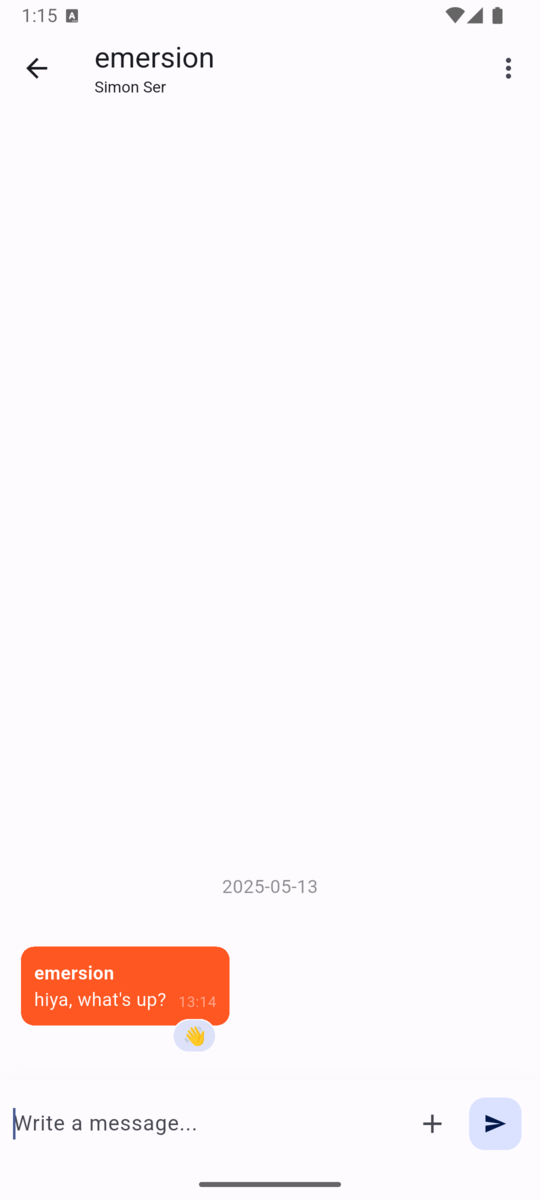
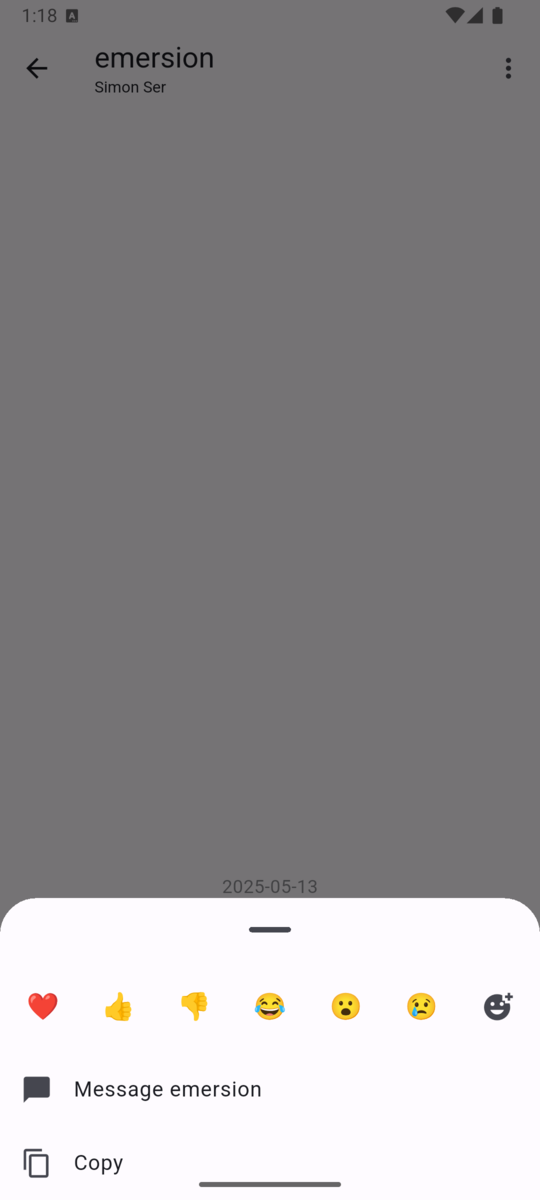


My extended-isupport IRCv3 specification has been accepted. It allows servers to advertise metadata such as the maximum nickname length or IRC network name early (before the user provides a nickname and authentication details), which is useful for building nice connection UIs. I’ve posted another proposal for IRC network icons.
go-smtp 0.22.0 has been released with an improved DATA command API, RRVS
support (Require Recipient Valid Since), and custom hello after reset or
STARTTLS. I’ve also spent quite a bit of time reaching out to companies for
XDC 2025 sponsorships.
See you next month!
It has been almost a year since my last update on the Rockchip NPU, and though I'm a bit sad that I haven't had more time to work on it, I'm happy that I found some time earlier this year for this.
Quoting from my last update on the Rockchip NPU driver:
The kernel driver is able to fully use the three cores in the NPU, giving us the possibility of running 4 simultaneous object detection inferences such as the one below on a stream, at almost 30 frames per second.
All feedback has been incorporated in a new revision of the kernel driver and it was submitted to the Linux kernel mailing list.
Though I'm very happy with the direction the kernel driver is taking, I would have liked to make faster progress on it. I have spent the time since the first revision on making the Etnaviv NPU driver ready to be deployed in production (will be blogging about this soon), and also had to take some non-upstream work to pay my bills.
Next I plan to cleanup the userspace driver so it's ready for review, and then I will go for a third revision of the kernel driver.
2025 was my first year at FOSDEM, and I can say it was an incredible experience where I met many colleagues from Igalia who live around the world, and also many friends from the Linux display stack who are part of my daily work and contributions to DRM/KMS. In addition, I met new faces and recognized others with whom I had interacted on some online forums and we had good and long conversations.
During FOSDEM 2025 I had the opportunity to present about kworkflow in the kernel devroom. Kworkflow is a set of tools that help kernel developers with their routine tasks and it is the tool I use for my development tasks. In short, every contribution I make to the Linux kernel is assisted by kworkflow.
The goal of my presentation was to spread the word about kworkflow. I aimed to show how the suite consolidates good practices and recommendations of the kernel workflow in short commands. These commands are easily configurable and memorized for your current work setup, or for your multiple setups.
For me, Kworkflow is a tool that accommodates the needs of different agents in the Linux kernel community. Active developers and maintainers are the main target audience for kworkflow, but it is also inviting for users and user-space developers who just want to report a problem and validate a solution without needing to know every detail of the kernel development workflow.
Something I didn’t emphasize during the presentation but would like to correct this flaw here is that the main author and developer of kworkflow is my colleague at Igalia, Rodrigo Siqueira. Being honest, my contributions are mostly on requesting and validating new features, fixing bugs, and sharing scripts to increase feature coverage.
So, the video and slide deck of my FOSDEM presentation are available for download here.
And, as usual, you will find in this blog post the script of this presentation and more detailed explanation of the demo presented there.
Hi, I’m Melissa, a GPU kernel driver developer at Igalia and today I’ll be giving a very inclusive talk to not let your motivation go by saving time with kworkflow.

So, you’re a kernel developer, or you want to be a kernel developer, or you don’t want to be a kernel developer. But you’re all united by a single need: you need to validate a custom kernel with just one change, and you need to verify that it fixes or improves something in the kernel.

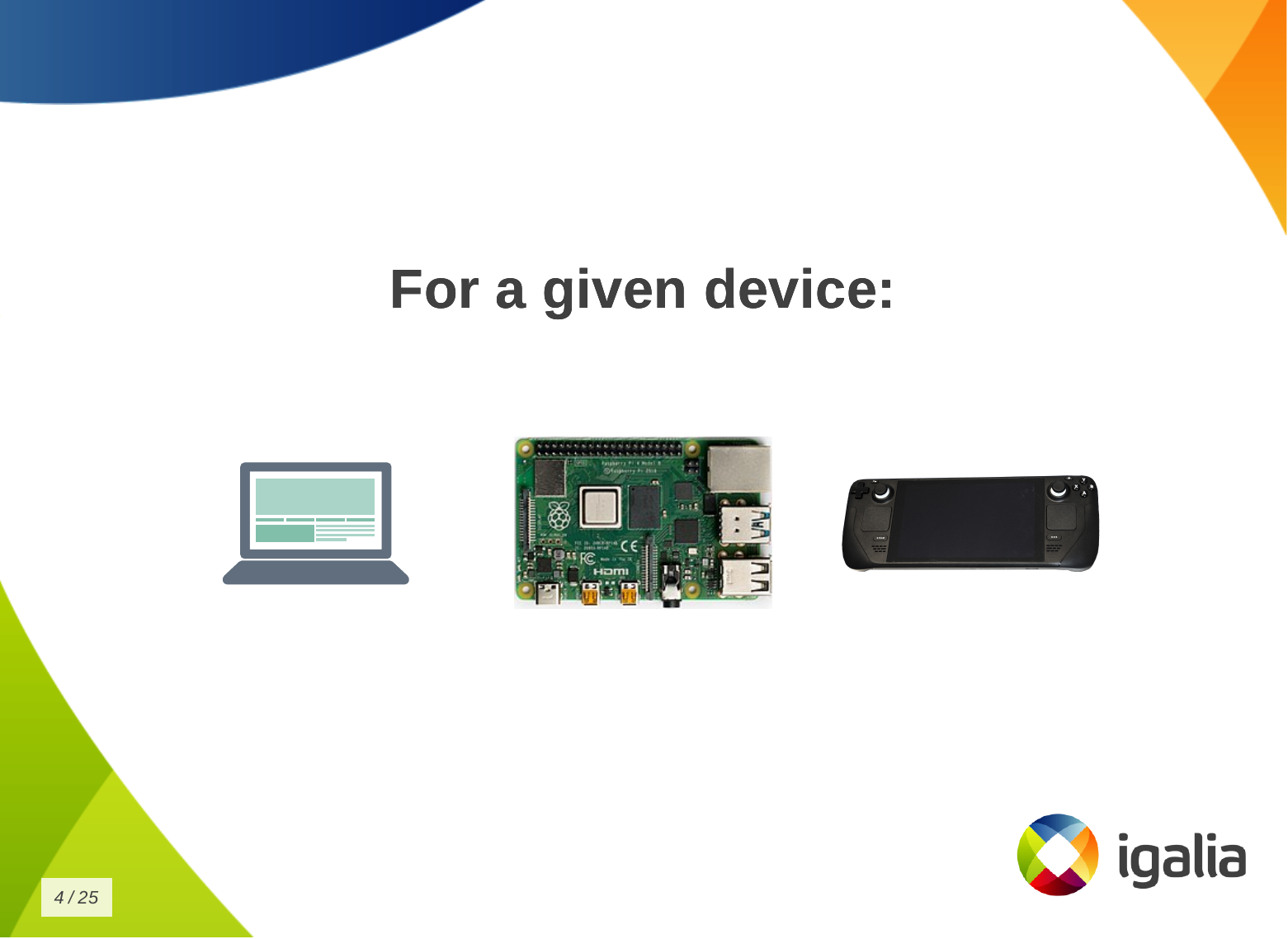
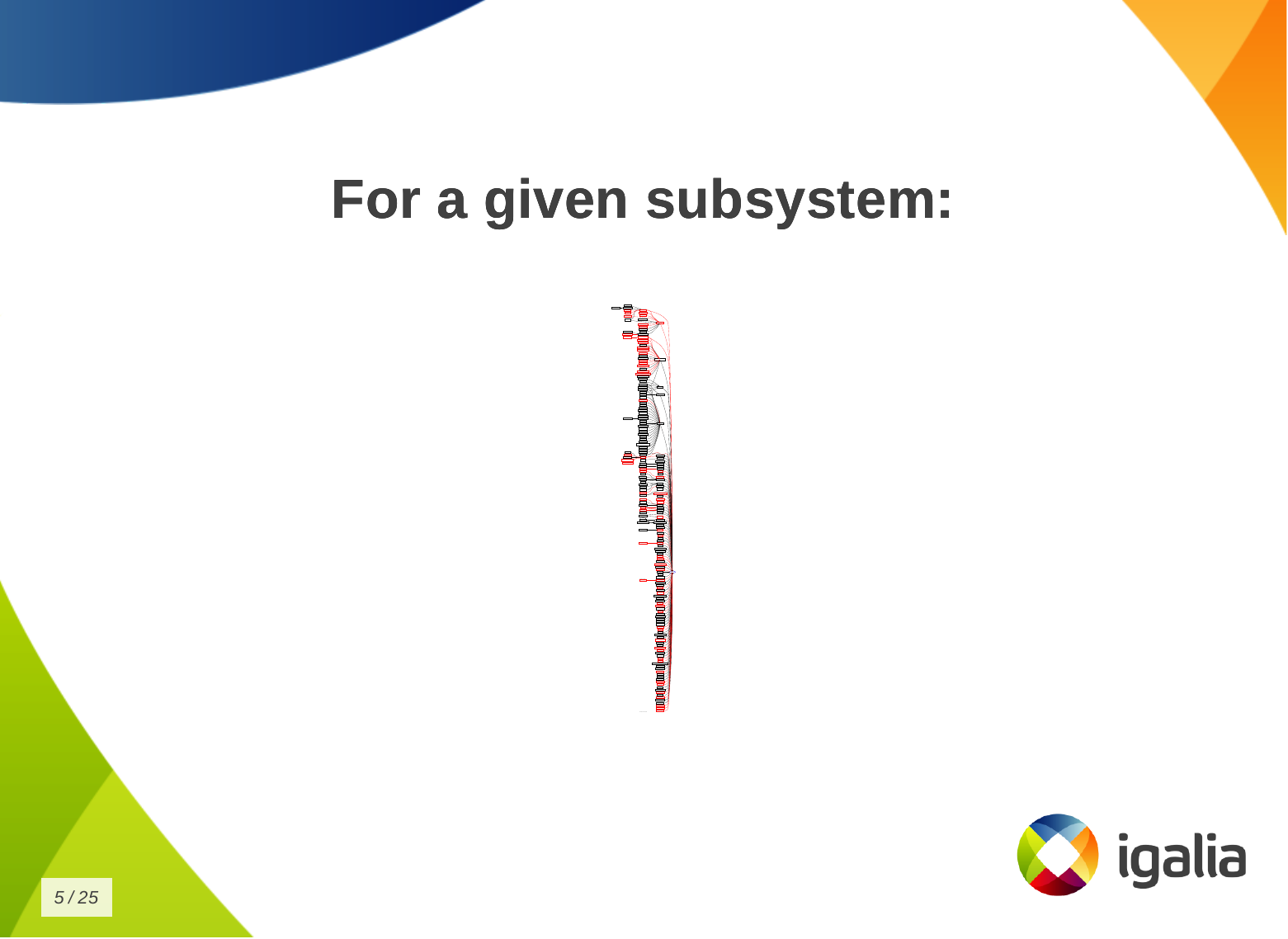
And that’s a given change for a given distribution, or for a given device, or for a given subsystem…
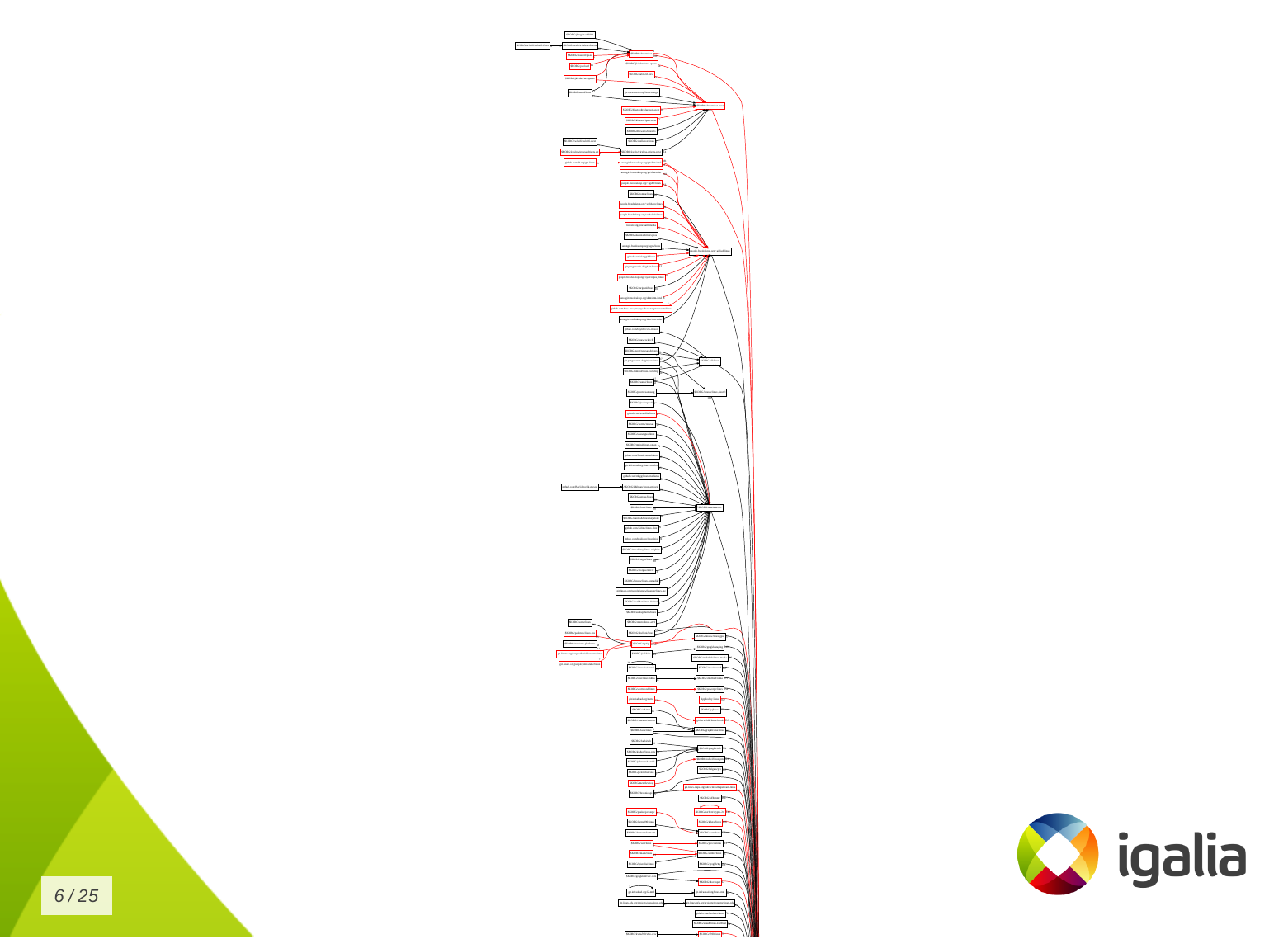
Look to this diagram and try to figure out the number of subsystems and related work trees you can handle in the kernel.
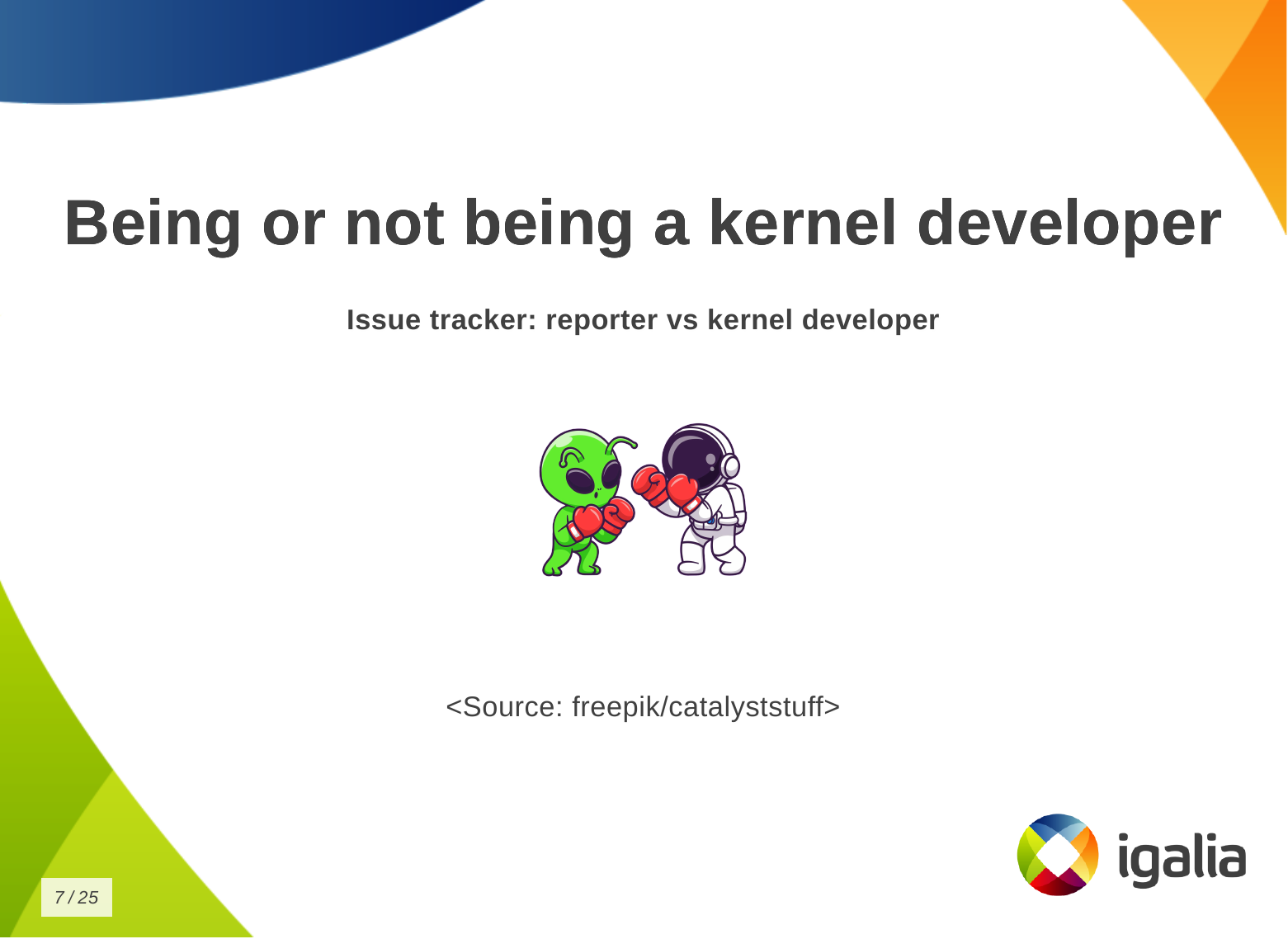
So, whether you are a kernel developer or not, at some point you may come across this type of situation:
 There is a userspace developer who wants to report a kernel issue and says:
But the userspace developer has never compiled and installed a custom kernel before. So they have to read a lot of tutorials and kernel documentation to create a kernel compilation and deployment script. Finally, the reporter managed to compile and deploy a custom kernel and reports:
And then, the kernel developer needs to reproduce this issue on their side, but they have never worked with this distribution, so they just created a new script, but the same script created by the reporter.
What’s the problem of this situation? The problem is that you keep creating new scripts!
Every time you change distribution, change architecture, change hardware, change project - even in the same company - the development setup may change when you switch to a different project, you create another script for your new kernel development workflow!

You know, you have a lot of babies, you have a collection of “my precious scripts”, like Sméagol (Lord of the Rings) with the precious ring.
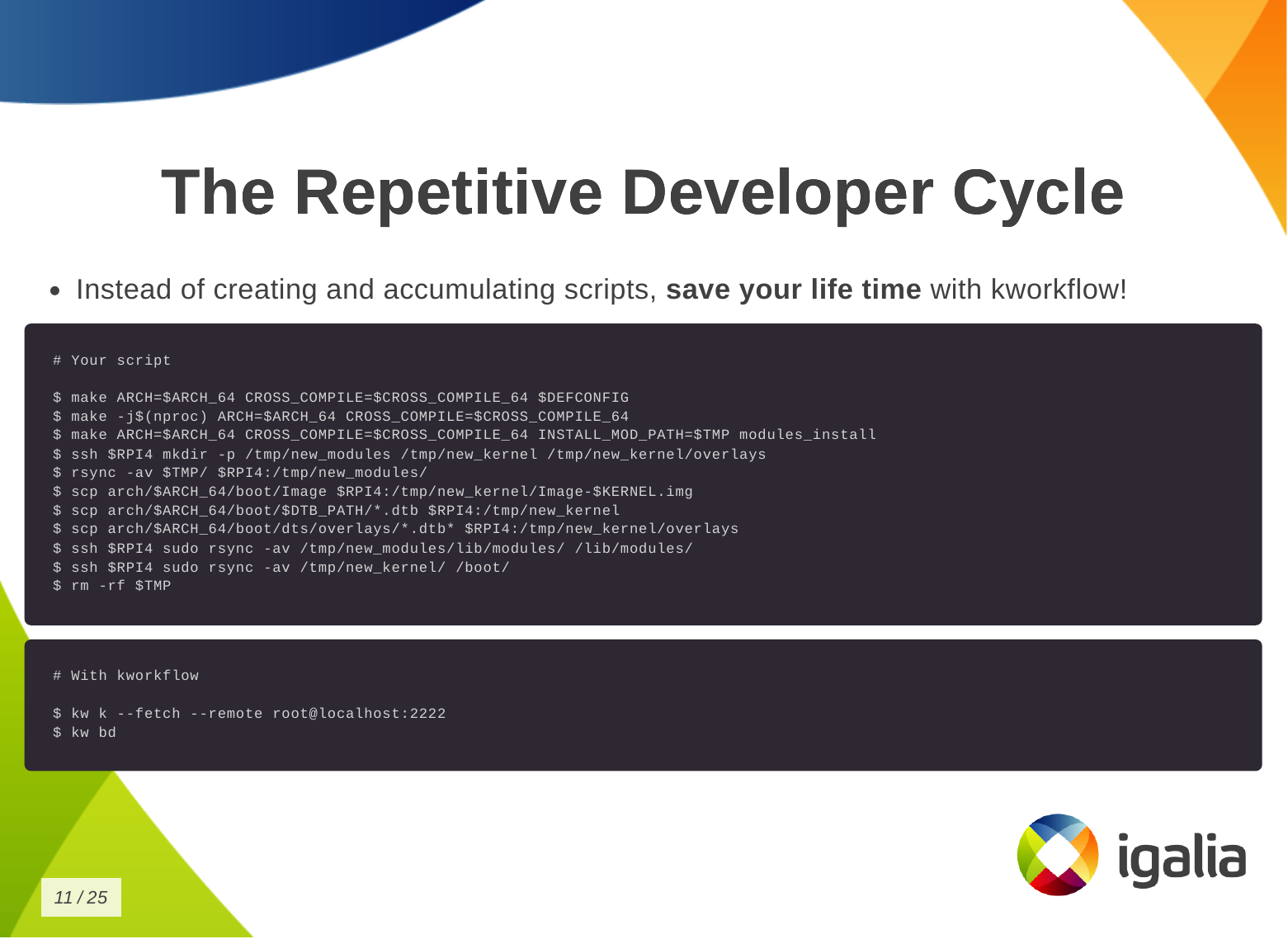
Instead of creating and accumulating scripts, save yourself time with kworkflow. Here is a typical script that many of you may have. This is a Raspberry Pi 4 script and contains everything you need to memorize to compile and deploy a kernel on your Raspberry Pi 4.
With kworkflow, you only need to memorize two commands, and those commands are not specific to Raspberry Pi. They are the same commands to different architecture, kernel configuration, target device.
Kworkflow is a collection of tools and software combined to:

I don’t know if you will get this analogy, but kworkflow is for me a megazord of scripts. You are combining all of your scripts to create a very powerful tool.
There are many, but these are the most important for me:
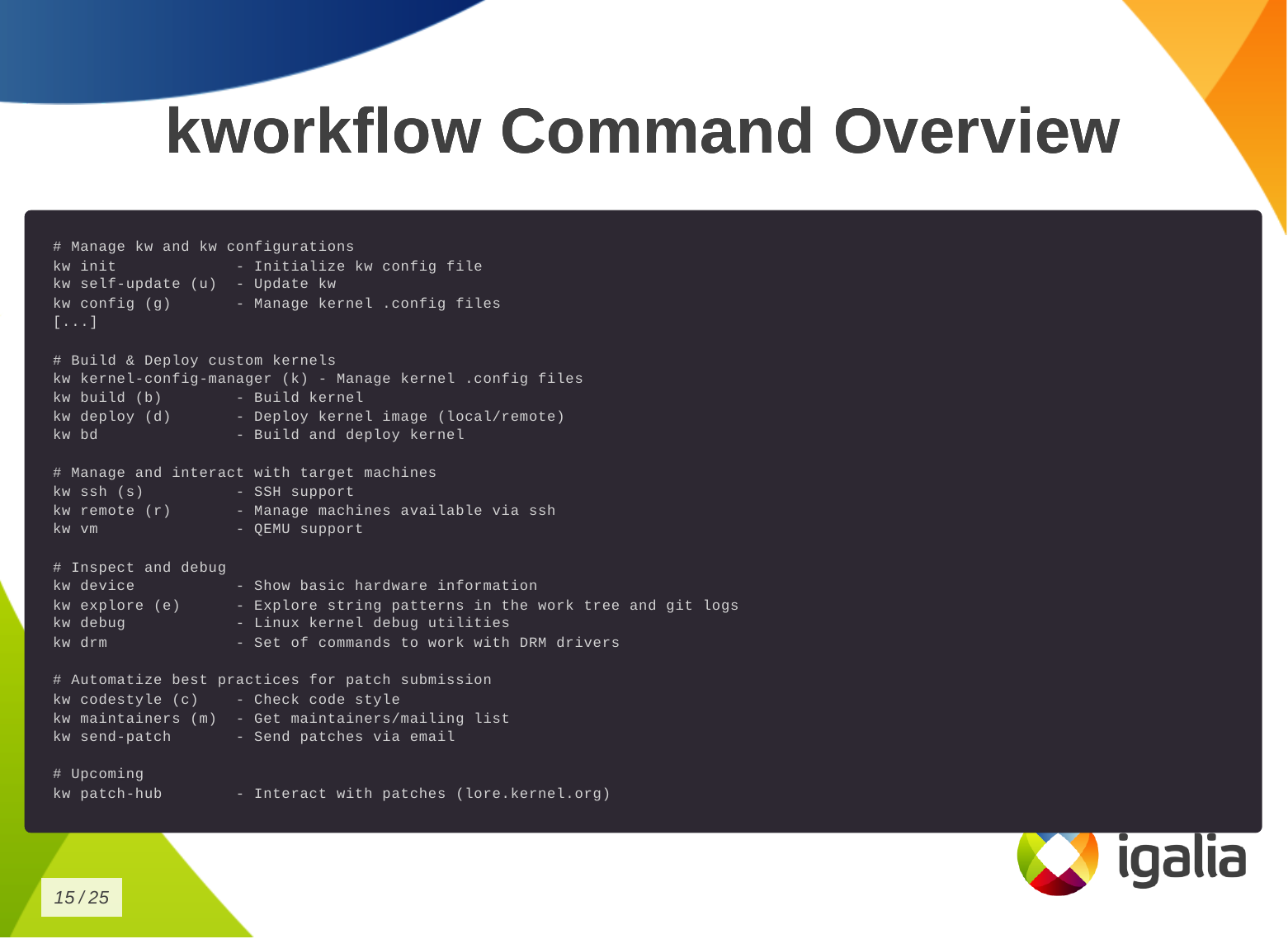
This is the list of commands you can run with kworkflow. The first subset is to configure your tool for various situations you may face in your daily tasks.
# Manage kw and kw configurations
kw init             - Initialize kw config file
kw self-update (u)  - Update kw
kw config (g)       - Manage kernel .config files
The second subset is to build and deploy custom kernels.
# Build & Deploy custom kernels
kw kernel-config-manager (k) - Manage kernel .config files
kw build (b)        - Build kernel
kw deploy (d)       - Deploy kernel image (local/remote)
kw bd               - Build and deploy kernel
We have some tools to manage and interact with target machines.
# Manage and interact with target machines
kw ssh (s)          - SSH support
kw remote (r)       - Manage machines available via ssh
kw vm               - QEMU support
To inspect and debug a kernel.
# Inspect and debug
kw device           - Show basic hardware information
kw explore (e)      - Explore string patterns in the work tree and git logs
kw debug            - Linux kernel debug utilities
kw drm              - Set of commands to work with DRM drivers
To automatize best practices for patch submission like codestyle, maintainers and the correct list of recipients and mailing lists of this change, to ensure we are sending the patch to who is interested in it.
# Automatize best practices for patch submission
kw codestyle (c)    - Check code style
kw maintainers (m)  - Get maintainers/mailing list
kw send-patch       - Send patches via email
And the last one, the upcoming patch hub.
# Upcoming
kw patch-hub        - Interact with patches (lore.kernel.org)
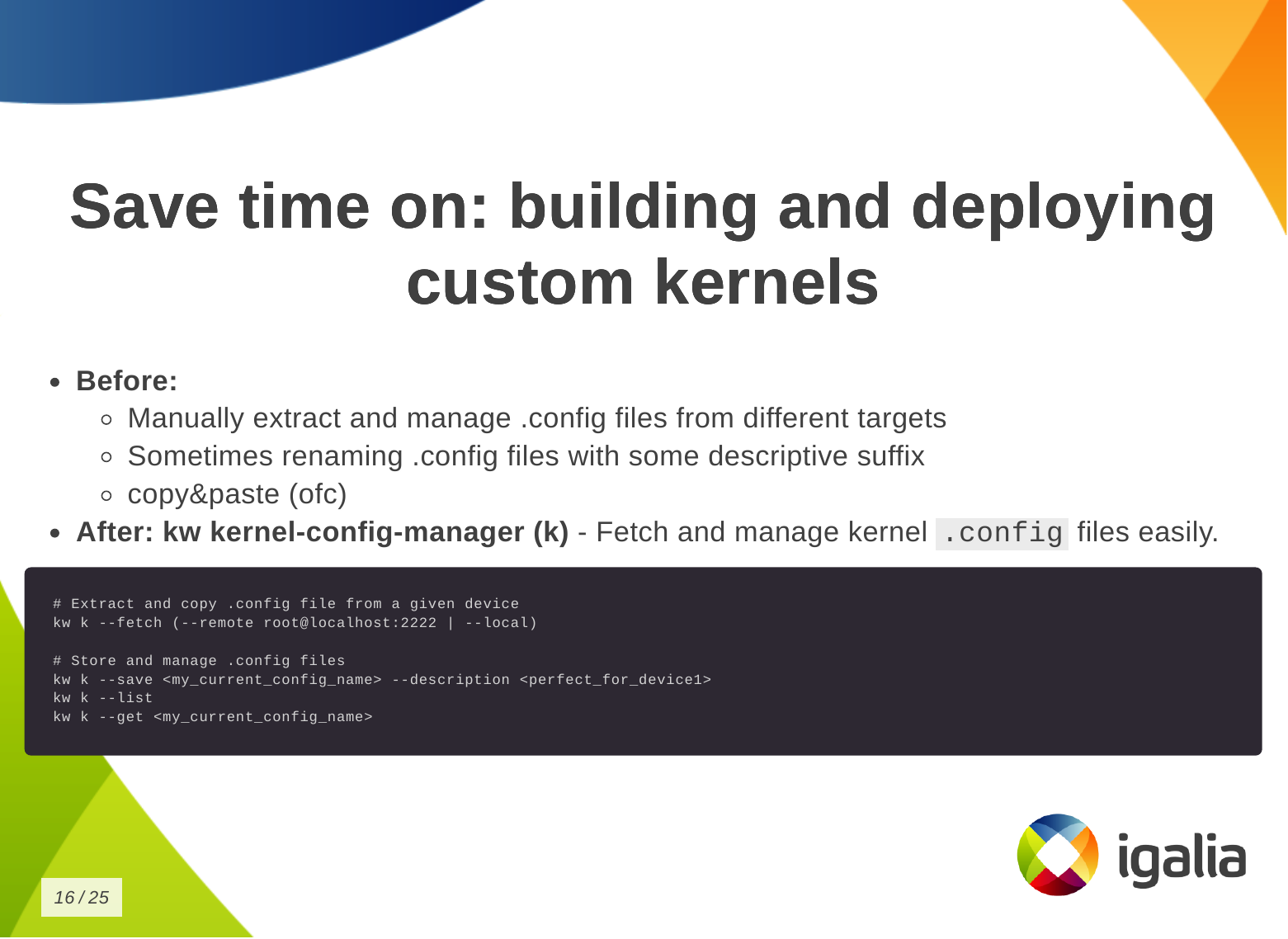
So how can you save time building and deploying a custom kernel?
First, you need a .config file.
kw k, to store, describe and retrieve a specific .config file very easily,
according to your current needs.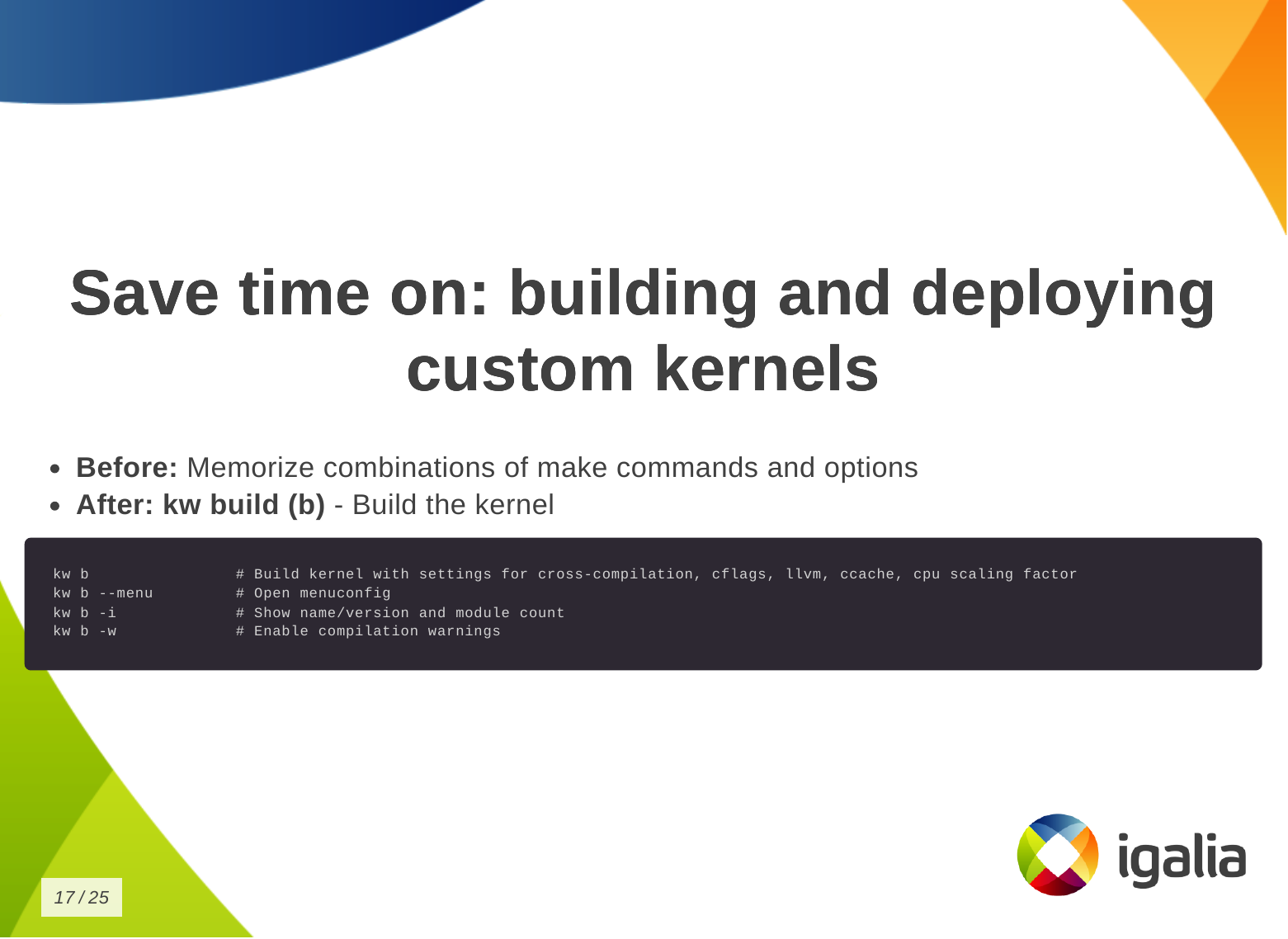
Then you want to build the kernel:
kw b (kw build) to build the kernel with
the correct settings for cross-compilation, compilation warnings, cflags,
etc. It also shows some information about the kernel, like number of modules.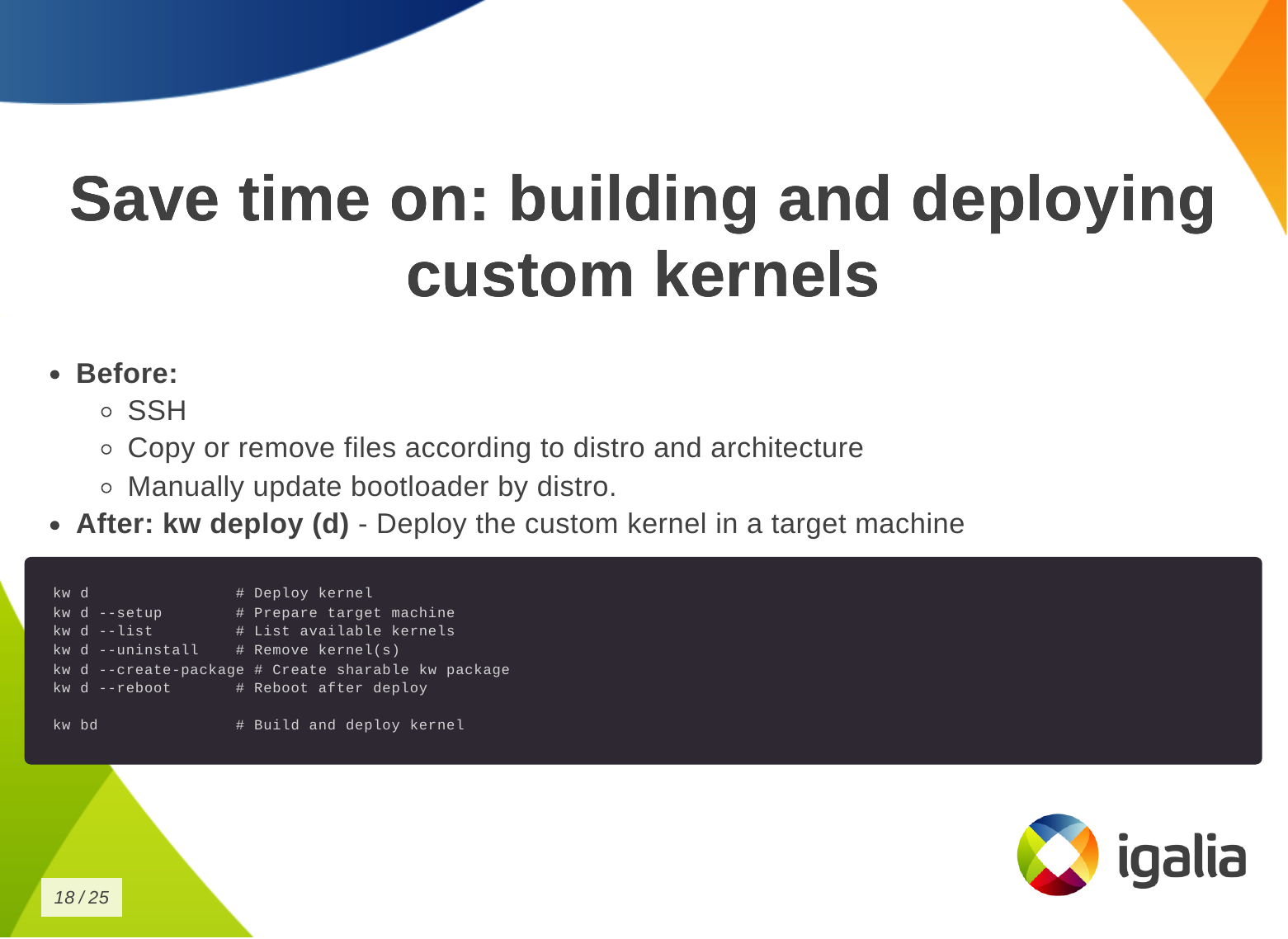
Finally, to deploy the kernel in a target machine.
kw d which does a lot of things for you,
like: deploying the kernel, preparing the target machine for the new
installation, listing available kernels and uninstall them, creating a tarball,
rebooting the machine after deploying the kernel, etc.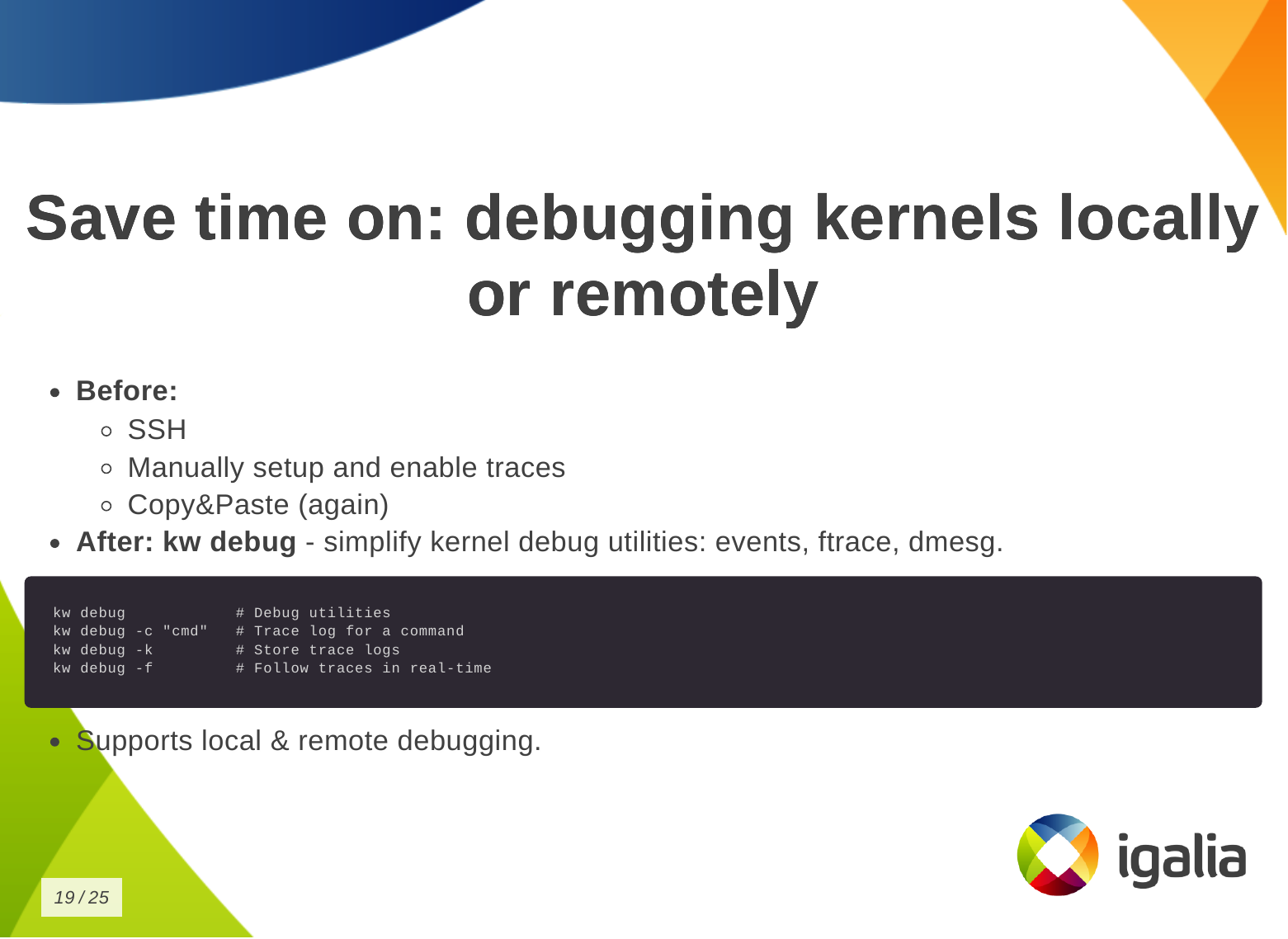
You can also save time on debugging kernels locally or remotely.

You can save time on managing multiple kernel images in the same work tree.
kw env to isolate multiple contexts in the
same worktree as environments, so you can keep different configurations in
the same worktree and switch between them easily without losing anything from
the last time you worked in a specific context.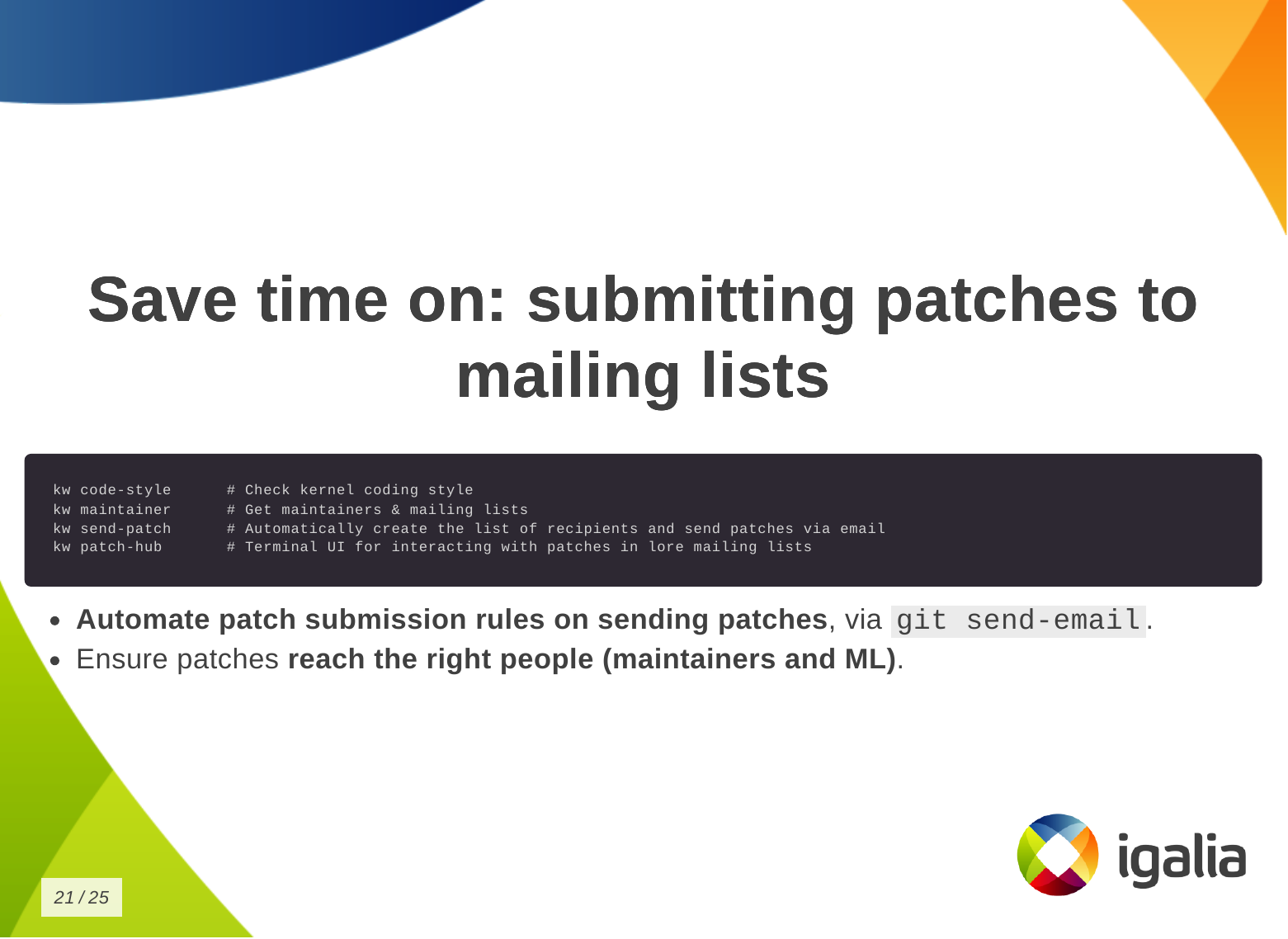
Finally, you can save time when submitting kernel patches. In kworkflow, you can find everything you need to wrap your changes in patch format and submit them to the right list of recipients, those who can review, comment on, and accept your changes.
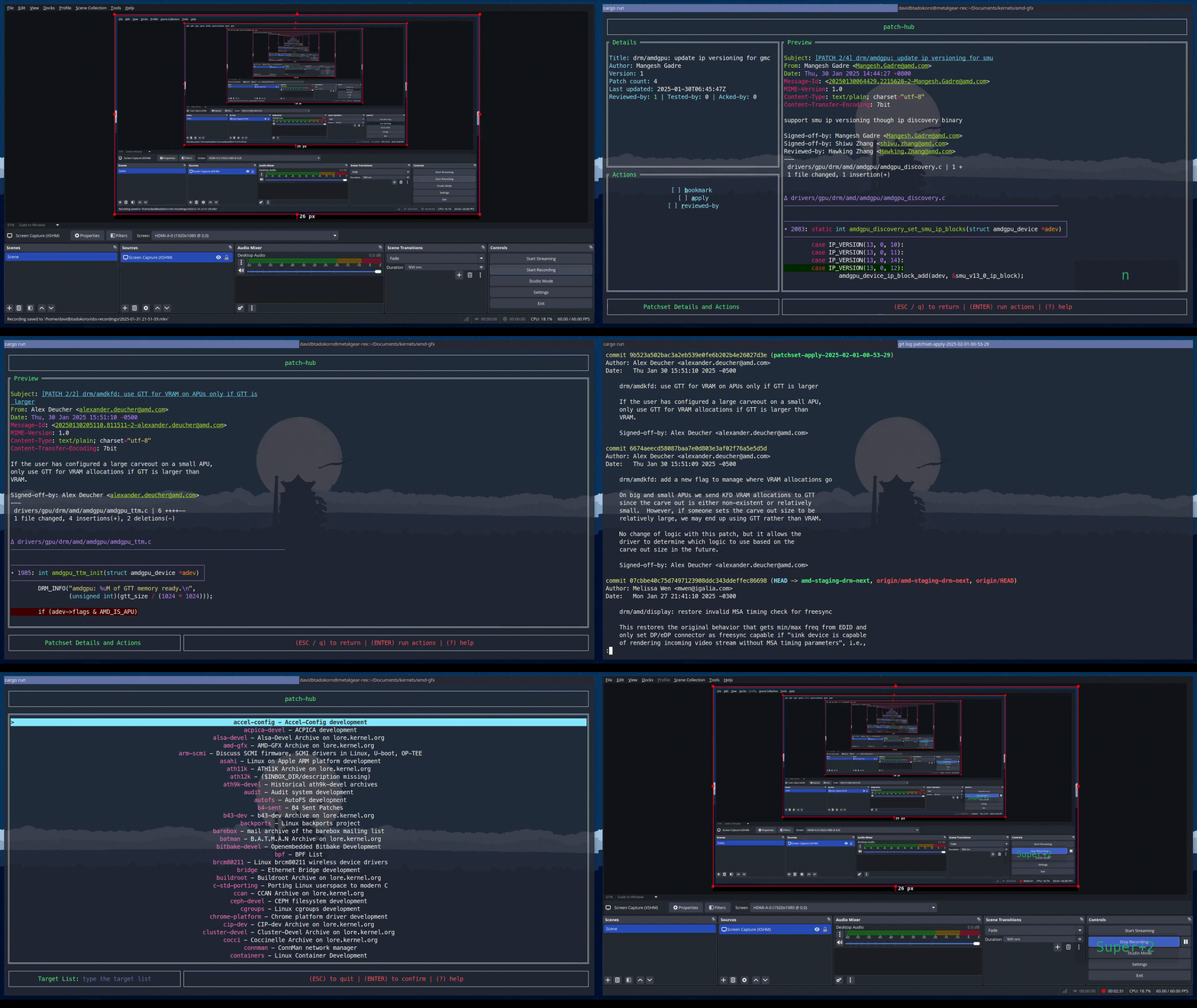
This is a demo that the lead developer of the kw patch-hub feature sent me. With this feature, you will be able to check out a series on a specific mailing list, bookmark those patches in the kernel for validation, and when you are satisfied with the proposed changes, you can automatically submit a reviewed-by for that whole series to the mailing list.
Now a demo of how to use kw environment to deal with different devices, architectures and distributions in the same work tree without losing compiled files, build and deploy settings, .config file, remote access configuration and other settings specific for those three devices that I have.
| laptop (debian | x86 | intel | local) |
| SteamDeck (steamos | x86 | amd | remote) |
| RaspberryPi 4 (raspbian | arm64 | broadcomm | remote) |
In the same terminal and worktree.
$ kw env --list # list environments available in this work tree
$ kw env --use LOCAL # select the environment of local machine (laptop) to use: loading pre-compiled files, kernel and kworkflow settings.
$ kw device # show device information
$ sudo modinfo vkms # show VKMS module information before applying kernel changes.
$ <open VKMS file and change module info>
$ kw bd # compile and install kernel with the given change
$ sudo modinfo vkms # show VKMS module information after kernel changes.
$ git checkout -- drivers
$ kw env --use RPI_64 # move to the environment for a different target device.
$ kw device # show device information and kernel image name
$ kw drm --gui-off-after-reboot # set the system to not load graphical layer after reboot
$ kw b # build the kernel with the VKMS change
$ kw d --reboot # deploy the custom kernel in a Raspberry Pi 4 with Raspbian 64, and reboot
$ kw s # connect with the target machine via ssh and check the kernel image name
$ exit
$ kw env --use STEAMDECK # move to the environment for a different target device
$ kw device # show device information
$ kw debug --dmesg --follow --history --cmd="modprobe vkms" # run a command and show the related dmesg output
$ kw debug --dmesg --follow --history --cmd="modprobe -r vkms" # run a command and show the related dmesg output
$ <add a printk with a random msg to appear on dmesg log>
$ kw bd # deploy and install custom kernel to the target device
$ kw debug --dmesg --follow --history --cmd="modprobe vkms" # run a command and show the related dmesg output after build and deploy the kernel change
Most of the questions raised at the end of the presentation were actually suggestions and additions of new features to kworkflow.
The first participant, that is also a kernel maintainer, asked about two features: (1) automatize getting patches from patchwork (or lore) and triggering the process of building, deploying and validating them using the existing workflow, (2) bisecting support. They are both very interesting features. The first one fits well the patch-hub subproject, that is under-development, and I’ve actually made a similar request a couple of weeks before the talk. The second is an already existing request in kworkflow github project.
Another request was to use kexec and avoid rebooting the kernel for testing. Reviewing my presentation I realized I wasn’t very clear that kworkflow doesn’t support kexec. As I replied, what it does is to install the modules and you can load/unload them for validations, but for built-in parts, you need to reboot the kernel.
Another two questions: one about Android Debug Bridge (ADB) support instead of SSH and another about support to alternative ways of booting when the custom kernel ended up broken but you only have one kernel image there. Kworkflow doesn’t manage it yet, but I agree this is a very useful feature for embedded devices. On Raspberry Pi 4, kworkflow mitigates this issue by preserving the distro kernel image and using config.txt file to set a custom kernel for booting. For ADB, there is no support too, and as I don’t see currently users of KW working with Android, I don’t think we will have this support any time soon, except if we find new volunteers and increase the pool of contributors.
The last two questions were regarding the status of b4 integration, that is under development, and other debugging features that the tool doesn’t support yet.
Finally, when Andrea and I were changing turn on the stage, he suggested to add support for virtme-ng to kworkflow. So I opened an issue for tracking this feature request in the project github.
With all these questions and requests, I could see the general need for a tool that integrates the variety of kernel developer workflows, as proposed by kworflow. Also, there are still many cases to be covered by kworkflow.
Despite the high demand, this is a completely voluntary project and it is unlikely that we will be able to meet these needs given the limited resources. We will keep trying our best in the hope we can increase the pool of users and contributors too.
Hi!
Last week wlroots 0.19.0-rc1 has been released! It includes the new color management protocol, however it doesn’t include HDR10 support because the renderer and backend bits haven’t yet been merged. Also worth noting is full explicit synchronization support as well as the new screen capture protocols. I plan to release new release candidates weekly until we’re happy with the stability. Please test!
Sway is also getting close to its first release candidate. I plan to publish
version 1.11.0-rc1 this week-end. Thanks to Ferdinand Bachmann, Sway no longer
aborts on shutdown due to dangling signal listeners. I’ve also updated my
HDR10 patch to add an output hdr command (but it’s Sway 1.12 material).
I’ve spent a bit of time on libicc, my C library to manipulate ICC profiles.
I’ve introduced an encoder to make it easy to write new ICC profiles, and used
that to write a small program to create an ICC profile which
inverts colors. The encoder doesn’t support as many ICC elements as the decoder
yet (patches welcome!), but does support many interesting bits for display
profiles: basic matrices and curves, lut16Type elements and more advanced
lutAToBType elements. New APIs have been introduced to apply ICC profile
transforms to a color value. I’ve also added tests which compare the results
given by libicc and by LittleCMS. For some reason lut16Type and lutAToBType
results are multiplied by 2 by LittleCMS, I haven’t yet understood why that is,
even after reading the spec in depth and staring at LittleCMS source code for a
few hours (if you have a guess please ping me). In the future I’d like to add a
small tool to convert ICC profiles to and from JSON files to make it easy to
create new files or adjust exist ones.
Version 0.9.0 of the soju IRC bouncer has been released. Among the most notable changes, the database is used by default to store messages, pinned/muted channels and buffers can be synchronized across devices, and database queries have been optimized. I’ve continued working on the Goguma mobile IRC client, fixing a few bugs such as dangling Firebase push subscriptions and message notifications being dismissed too eagerly.
Max Ehrlich has contributed a mako patch to introduce a Notifications
property to the mako-specific D-Bus API, so that external programs can monitor
active notifications (e.g. display a count in a status bar, or display a list
on a lockscreen).
That’s all I have in store, see you next month!
We are excited about the Fedora Workstation 42 released today. Having worked on some great features for it.
Fedora Workstation 42 HDR edition
I would say that the main feature that landed was HDR or High Dynamic Range. It is a feature we spent years on with many team members involved and a lot of collaboration with various members of the wider community.
GNOME Settings menu showing HDR settings
HDR setup in Ori and Will of the Wisps
One area that should benefit from HDR support are games. In the screenshot about you see the game Ori and the Will of the Wisps which is known for great HDR support. Valve will need to update to a Wine version for Proton that supports Wayland natively though before this just works, at the moment you can get it working using gamescope, but hopefully soon it will just work under both Mutter and Kwin.
Also a special shoutout to the MPV community for quickly jumping on this and releasing a HDR capable video player recently.
MPV video player playing HDR content
Of course getting Fedora Workstation 42 to out with these features is just the beginning, with the baseline support it now is really the time when application maintainers have a real chance of starting to make use of these features, so I would expect various content creative applications for instance to start having support over the next year.
For the desktop itself there are also open questions we need to decide on like:
VK_EXT_hdr_metadata and VK_COLOR_SPACE_HDR10_ST2084_EXT Vulkan extension on LinuxAccessibility
Our accessibility team has been hard at work trying to ensure we have a great accessibility story in Fedora Workstation 42. Our accessibility team with Lukas Tyrychtr and Bohdan Milar has been working hard together with others to ensure that Fedora Workstation 42 has the best accessibility support you can get on Linux. One major effort that landed was the new keyboard monitoring interface which is critical for making Orca work well under Wayland. This was a collaboration of between Lukas Tyrychtr, Matthias Clasen and Carlos Garnacho on our team. If you are interested in Accessibility, as a user or a developer or both then make sure to join in by reaching out to the Accessibility Working group
PipeWire
PipeWire also keeps going strong with continuous improvements and bugfixes. Thanks to the great work by Jan Grulich the support for PipeWire in Firefox and Chrome is now working great, including for camera handling. It is an area where we want to do an even better job though, so Wim Taymans is currently looking at improving video handling to ensure we are using the best possible video stream the camera can provide and handle conversion between formats transparently. He is currently testing it out using a ffmpeg software backend, but the end goal is to have it all hardware accelerated through directly using Vulkan.
Another feature Wim Taymans added recently is MIDI2 support. This is the next generation of MIDI with only a limited set of hardware currently supporting it, but on the other hand it feels good that we are now able to be ahead of the curve instead of years behind thanks to the solid foundation we built with Pipewire.
Wayland
For a long time the team has been focused on making sure Wayland has all the critical pieces and was functionality wise on the same level as X11. For instance we spent a lot of time and effort on ensuring proper remote desktop support. That work all landed in the previous Fedora release which means that over the last 6 Months the team has had more time to look at things like various proposed Wayland protocols and get them supported in GNOME. Thanks to that we helped ensure the Cursor Shape Protocol and Toplevel Drag protocols got landed in time for this release. We are already looking and what to help land for the next release, so expect a continued acceleration in Wayland protocol adoption going forward.
First steps into AI
So an effort we been plugging away at recently is starting to bring AI tooling to Open Source desktop applications. Our first effort in this regard is Granite.code. Granite.code is a extension for Visual Studio Code that sets up a local AI engine on your system to help with various tasks including code generation and chat inside Visual Studio Code. So what is special about this effort is that it relies on downloading and running a copy of the open source AI Granite LLM model to your system instead on relying on it being run in a cloud instance somewhere. That means you can use Granite.code without having to share your data and work with someone else. Granite.code is still very early stage and it requires a NVIDIA or AMD GPU with over 8GB of video ram to use under Linux. (It also runs under Windows and MacOS X). It is still in a pre-release stage, we are waiting for the Granite 3.3 model update to enable some major features for us before we make the first formal release, but for those willing to help us test you can search for Granite in the Visual Studio Code extension marketplace and install it.
We are hoping though that this will just the starting point where our work can get picked up and used by other IDEs out there too and also we are thinking about how we can offer AI features in other parts of the desktop too.
Granite.code running on Linux
Linux 6.14 is the second release of 2025, and as usual Igalia took part on it. It’s a very normal release, except that it was release on Monday, instead of the usual Sunday release that has been going on for years now. The reason behind this? Well, quoting Linus himself:
I’d like to say that some important last-minute thing came up and delayed things.
But no. It’s just pure incompetence.
But we did not forget about it, so here’s our Linux 6.14 blog post!
A part of the development cycle for this release happened during late December, when a lot of maintainers and developers were taking their deserved breaks. As a result of this, this release contains less changes than usual as stated by LWN as the “lowest level of merge-window activity seen in years”. Nevertheless, some cool features made through this release:
futex_waitv() work and now developed a virtual driver that is more compliant with the precise semantics that the NT kernel exposes. This allows Wine to behave closer to Windows without the need to create new syscalls, since this driver uses ioctl() as the front-end uAPI.As usual Kernel Newbies provides a very good summary, you should check it for more details: Linux 6.14 changelog. Now let’s jump to see what were the merged contributions by Igalia for this release!
For the DRM common infrastructure, we helped to land a standardization for DRM client memory usage reporting. Additionally, we contributed to improve and fix bugs found in drivers of AMD, Intel, Broadcom, and Vivante.
For the AMD driver, we fixed bugs experienced by users of Cosmic Desktop Environment on several AMD hardware versions. One was uncovered with the introduction of overlay cursor mode, and a definition mismatch across the display driver caused a page-fault in the usage of multiple overlay planes. Another bug was related to division by zero on plane scaling. Also, we fixed regressions on VRR and MST generated by the series of changes to migrate AMD display driver from open-coded EDID handling to drm_edid struct.
For the Intel drivers, we fixed a bug in the xe GPU driver which prevented certain type of workarounds from being applied, helped with the maintainership of the i915 driver, handled external code contributions, maintained the development branch and sent several pull requests.
We fixed the GPU resets for the Raspberry Pi 4 as we found out to be broken as per a user bug report.
Also in the V3D driver, the active performance monitor is now properly stopped before being destroyed, addressing a potential use-after-free issue. Additionally, support for a global performance monitor has been added via a new DRM_IOCTL_V3D_PERFMON_SET_GLOBAL ioctl. This allows all jobs to share a single, globally configured perfmon, enabling more consistent performance tracking and paving the way for integration with user-space tools such as perfetto.
A small video demo of perfetto integration with V3D
On the etnaviv side, fdinfo support has been implemented to expose memory usage statistics per file descriptor, enhancing observability and debugging capabilities for memory-related behavior.
Many BPF schedulers (e.g., scx_lavd) frequently call bpf_ktime_get_ns() for tracking tasks’ runtime properties. bpf_ktime_get_ns() eventually reads a hardware timestamp counter (TSC). However, reading a hardware TSC is not performant in some hardware platforms, degrading instructions per cycyle (IPC).
We addressed the performance problem of reading hardware TSC by leveraging the rq clock in the scheduler core, introducing a scx_bpf_now() function for BPF schedulers. Whenever the rq clock is fresh and valid, scx_bpf_now() provides the rq clock, which is already updated by the scheduler core, so it can reduce reading the hardware TSC. Using scx_bpf_now() reduces the number of reading hardware TSC by 50-80% (e.g., 76% for scx_lavd).
Continuing our efforts on cleaning up kernel bugs, we provided a few fixes that address issues reported by syzbot with the goal of increasing stability and security, leveraging the fuzzing capabilities of syzkaller to bring to the surface certain bugs that are hard to notice otherwise. We’re addressing bug reports from different kernel areas, including drivers and core subsystems such as the memory manager. As part of this effort, several fixes were done for the probe path of the rtlwifi driver.
Hi all!
This month I’ve finally finished my initial work on HDR10 support for wlroots! My branch supports playing both SDR and HDR content on either an SDR or HDR output. It’s a pretty basic version: wlroots only performs very basic gamut mapping, and has a simple luminance multiplier instead of proper tone mapping. Additionally the source content luminance and mastering display metadata isn’t taken into account. Thus the result isn’t as good as it could be, but that can be improved once the initial work is merged!
I’ve also been talking with dnkl about blending optical color values rather than electrical values in foot (“gamma-correct blending”). Thanks to the color-management protocol, foot can specify that its buffers contain linearly encoded values (as opposed to the default, sRGB) and can implement this blending method without sacrificing performance. See the foot pull request for more details.
We’ve been working on fixing the few last known blockers remaining for the next wlroots release, in particular related to scene-graph clipping, custom modes, and explicit synchronization. I hope we’ll be able to start the release candidate dance soon.
The NPotM is Bakah, a small utility to build Docker Bake configuration files with Buildah (the library powering Podman). I’ve written more about the motivation and design of this tool in a separate article.
I’ve released tlstunnel 0.4 with better support for certificate files and
some bugfixes. The sogogi WebDAV file server got support for graceful
shutdown and Unix socket listeners thanks to Krystian Chachuła. Last,
mako 1.10 adds a bunch of useful features such as include directives,
more customization for border sizes and icon border radius, and a
--no-history flag for makoctl dismiss.
See you next month!
This time I have three topics.
First, I want to promote the blog post I wrote to celebrate the landing of the Wayland color-management extension into wayland-protocols staging area. It's a brief historique of the journey.
Second, I want to discuss SDR and HDR video modes on monitors and TVs. I have seen people expect that the same sRGB content displayed on the SDR video mode and the HDR (BT.2100/PQ) video mode on the same monitor will look the same, and they can arbitrarily switch between the modes at any time. I have argued that this is a false expectation. Why?
Monitors tend to have a slew of settings. I tend to call them monitor "knobs". There are brightness, contrast, color temperature, picture mode, dynamic contrast, sharpness, gamma, and whatever. Many people have noticed that when the video source puts the monitor into BT.2100/PQ video mode, the monitor locks out some settings, often brightness and/or contrast included. So, SDR and HDR video modes do not play by the same rules. Hence, one cannot generally expect a match even if the video source does everything correctly.
Third, there is marketing. Have a look at the first third of this video. They discuss video streaming services, TV selling, and HDR from the picture quality point of view. My take of that is, that (some? most?) monitors and TVs come with a screaming broken picture out-of-the-box because marketing has to sell them. If all displays displayed a given content as intended, they would all look the same, major technology differences notwithstanding, but marketing wants to make each individual stand out.
Have you heard of TV calibration services? If I buy a new TV from a local electronics department store, they offer a calibration service, for a considerable additional fee. Why would anyone need a calibration service, the factory settings should be good, right?
A month ago I attended Vulkanised 2025 in Cambridge, UK, to present a talk about Device-Generated Commands in Vulkan. The event was organized by Khronos and took place in the Arm Cambridge office. The talk I presented was similar to the one from XDC 2024, but instead of being a lightning 5-minutes talk, I had 25-30 minutes to present and I could expand the contents to contain proper explanations of almost all major DGC concepts that appear in the spec.
I attended the event together with my Igalia colleagues Lucas Fryzek and Stéphane Cerveau, who presented about lavapipe and Vulkan Video, respectively. We had a fun time in Cambridge and I can sincerely recommend attending the event to any Vulkan enthusiasts out there. It allows you to meet Khronos members and people working on both the specification and drivers, as well as many other Vulkan users from a wide variety of backgrounds.
The recordings for all sessions are now publicly available, and the one for my talk can be found embedded below. For those of you preferring slides and text, I’m also providing a transcription of my presentation together with slide screenshots further down.
In addition, at the end of the video there’s a small Q&A section but I’ve always found it challenging to answer questions properly on the fly and with limited time. For this reason, instead of transcribing the Q&A section literally, I’ve taken the liberty of writing down the questions and providing better answers in written form, and I’ve also included an extra question that I got in the hallways as bonus content. You can find the Q&A section right after the embedded video.
Question: can you give an example of when it’s beneficial to use Device-Generated Commands?
There are two main use cases where DGC would improve performance: on the one hand, many times game engines use compute pre-passes to analyze the scene they want to draw and prepare some data for that scene. This includes maybe deciding LOD levels, discarding content, etc. After that compute pre-pass, results would need to be analyzed from the CPU in some way. This implies a stall: the output from that compute pre-pass needs to be transferred to the CPU so the CPU can use it to record the right drawing commands, or maybe you do this compute pre-pass during the previous frame and it contains data that is slightly out of date. With DGC, this compute dispatch (or set of compute dispatches) could generate the drawing commands directly, so you don’t stall or you can use more precise data. You also save some memory bandwidth because you don’t need to copy the compute results to host-visible memory.
On the other hand, sometimes scenes contain so much detail and geometry that recording all the draw calls from the CPU takes a nontrivial amount of time, even if you distribute this draw call recording among different threads. With DGC, the GPU itself can generate these draw calls, so potentially it saves you a lot of CPU time.
Question: as the extension makes heavy use of buffer device addresses, what are the challenges for tools like GFXReconstruct when used to record and replay traces that use DGC?
The extension makes use of buffer device addresses for two separate things. First, it uses them to pass some buffer information to different API functions, instead of passing buffer handles, offsets and sizes. This is not different from other APIs that existed before. The VK_KHR_buffer_device_address extension contains APIs like vkGetBufferOpaqueCaptureAddressKHR, vkGetDeviceMemoryOpaqueCaptureAddressKHR that are designed to take care of those cases and make it possible to record and reply those traces. Contrary to VK_KHR_ray_tracing_pipeline, which has a feature to indicate if you can capture and replay shader group handles (fundamental for capture and replay when using ray tracing), DGC does not have any specific feature for capture-replay. DGC does not add any new problem from that point of view.
Second, the data for some commands that is stored in the DGC buffer sometimes includes device addresses. This is the case for the index buffer bind command, the vertex buffer bind command, indirect draws with count (double indirection here) and ray tracing command. But, again, the addresses in those commands are buffer device addresses. That does not add new challenges for capture and replay compared to what we already had.
Question: what is the deal with the last token being the one that dispatches work?
One minor detail from DGC, that’s important to remember, is that, by default, DGC respects the order in which sequences appear in the DGC buffer and the state used for those sequences. If you have a DGC buffer that dispatches multiple draws, you know the state that is used precisely for each draw: it’s the state that was recorded before the execute-generated-commands call, plus the small changes that a particular sequence modifies like push constant values or vertex and index buffer binds, for example. In addition, you know precisely the order of those draws: executing the DGC buffer is equivalent, by default, to recording those commands in a regular command buffer from the CPU, in the same order they appear in the DGC buffer.
However, when you create an indirect commands layout you can indicate that the sequences in the buffer may run in an undefined order (this is VK_INDIRECT_COMMANDS_LAYOUT_USAGE_UNORDERED_SEQUENCES_BIT_EXT). If the sequences could dispatch work and then change state, we would have a logical problem: what do those state changes affect? The sequence that is executed right after the current one? Which one is that? We would not know the state used for each draw. Forcing the work-dispatching command to be the last one is much easier to reason about and is also logically tight.
Naturally, if you have a series of draws on the CPU where, for some of them, you change some small bits of state (e.g. like disabling the depth or stencil tests) you cannot do that in a single DGC sequence. For those cases, you need to batch your sequences in groups with the same state (and use multiple DGC buffers) or you could use regular draws for parts of the scene and DGC for the rest.
Question from the hallway: do you know what drivers do exactly at preprocessing time that is so important for performance?
Most GPU drivers these days have a kernel side and a userspace side. The kernel driver does a lot of things like talking to the hardware, managing different types of memory and buffers, talking to the display controller, etc. The kernel driver normally also has facilities to receive a command list from userspace and send it to the GPU.
These command lists are particular for each GPU vendor and model. The packets that form it control different aspects of the GPU. For example (this is completely made-up), maybe one GPU has a particular packet to modify depth buffer and test parameters, and another packet for the stencil test and its parameters, while another GPU from another vendor has a single packet that controls both. There may be another packet that dispatches draw work of all kinds and is flexible to accomodate the different draw commands that are available on Vulkan.
The Vulkan userspace driver translates Vulkan command buffer contents to these GPU-specific command lists. In many drivers, the preprocessing step in DGC takes the command buffer state, combines it with the DGC buffer contents and generates a final command list for the GPU, storing that final command list in the preprocess buffer. Once the preprocess buffer is ready, executing the DGC commands is only a matter of sending that command list to the GPU.
Hello, everyone! I’m Ricardo from Igalia and I’m going to talk about device-generated commands in Vulkan.
First, some bits about me. I have been part of the graphics team at Igalia since 2019. For those that don’t know us, Igalia is a small consultancy company specialized in open source and my colleagues in the graphics team work on things such as Mesa drivers, Linux kernel drivers, compositors… that kind of things. In my particular case the focus of my work is contributing to the Vulkan Conformance Test Suite and I do that as part of a collaboration between Igalia and Valve that has been going on for a number of years now. Just to highlight a couple of things, I’m the main author of the tests for the mesh shading extension and device-generated commands that we are talking about today.
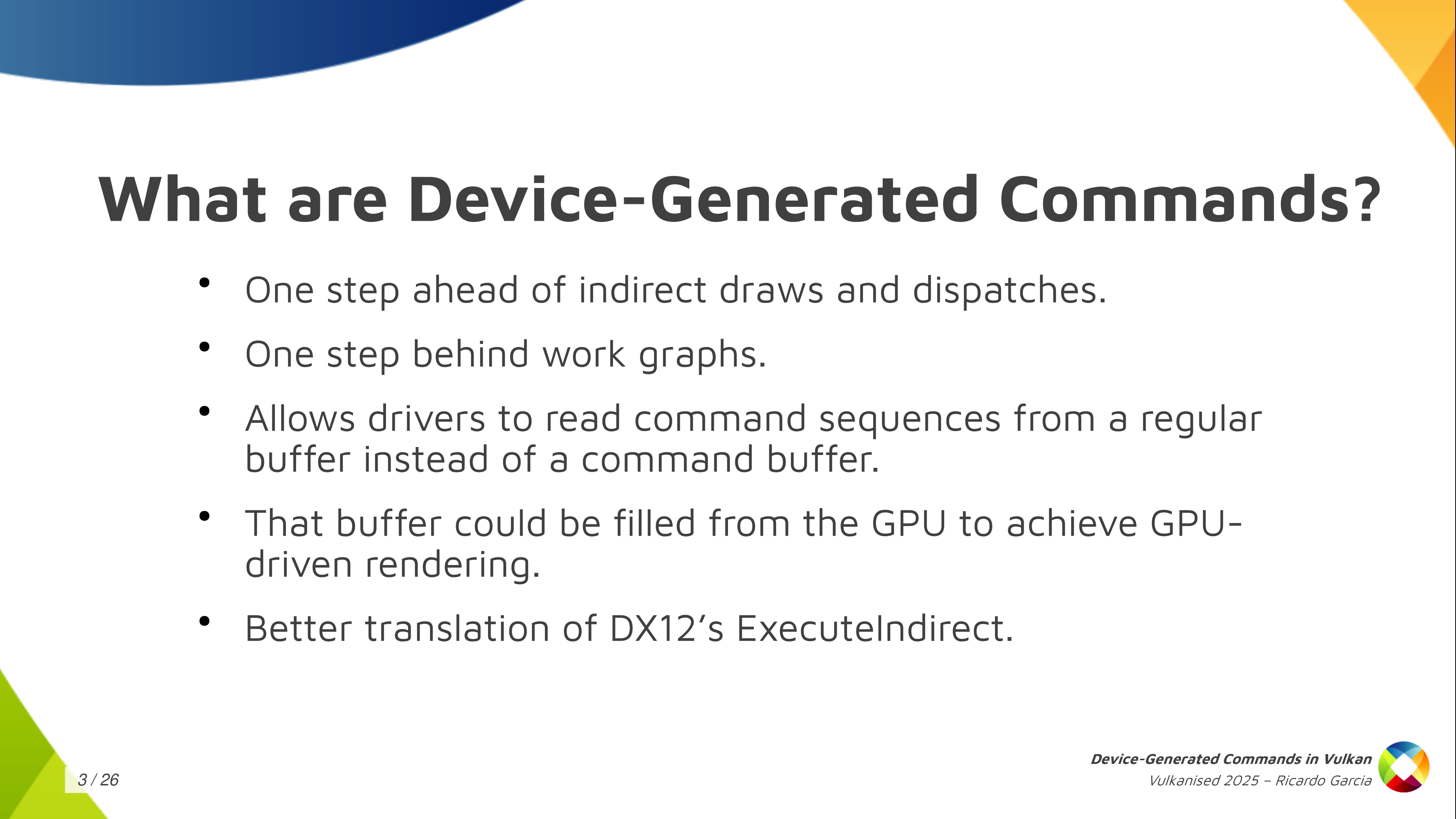
So what are device-generated commands? So basically it’s a new extension, a new functionality, that allows a driver to read command sequences from a regular buffer: something like, for example, a storage buffer, instead of the usual regular command buffers that you use. The contents of the DGC buffer could be filled from the GPU itself. This is what saves you the round trip to the CPU and, that way, you can improve the GPU-driven rendering process in your application. It’s like one step ahead of indirect draws and dispatches, and one step behind work graphs. And it’s also interesting because device-generated commands provide a better foundation for translating DX12. If you have a translation layer that implements DX12 on top of Vulkan like, for example, Proton, and you want to implement ExecuteIndirect, you can do that much more easily with device generated commands. This is important for Proton, which Valve uses to run games on the Steam Deck, i.e. Windows games on top of Linux.
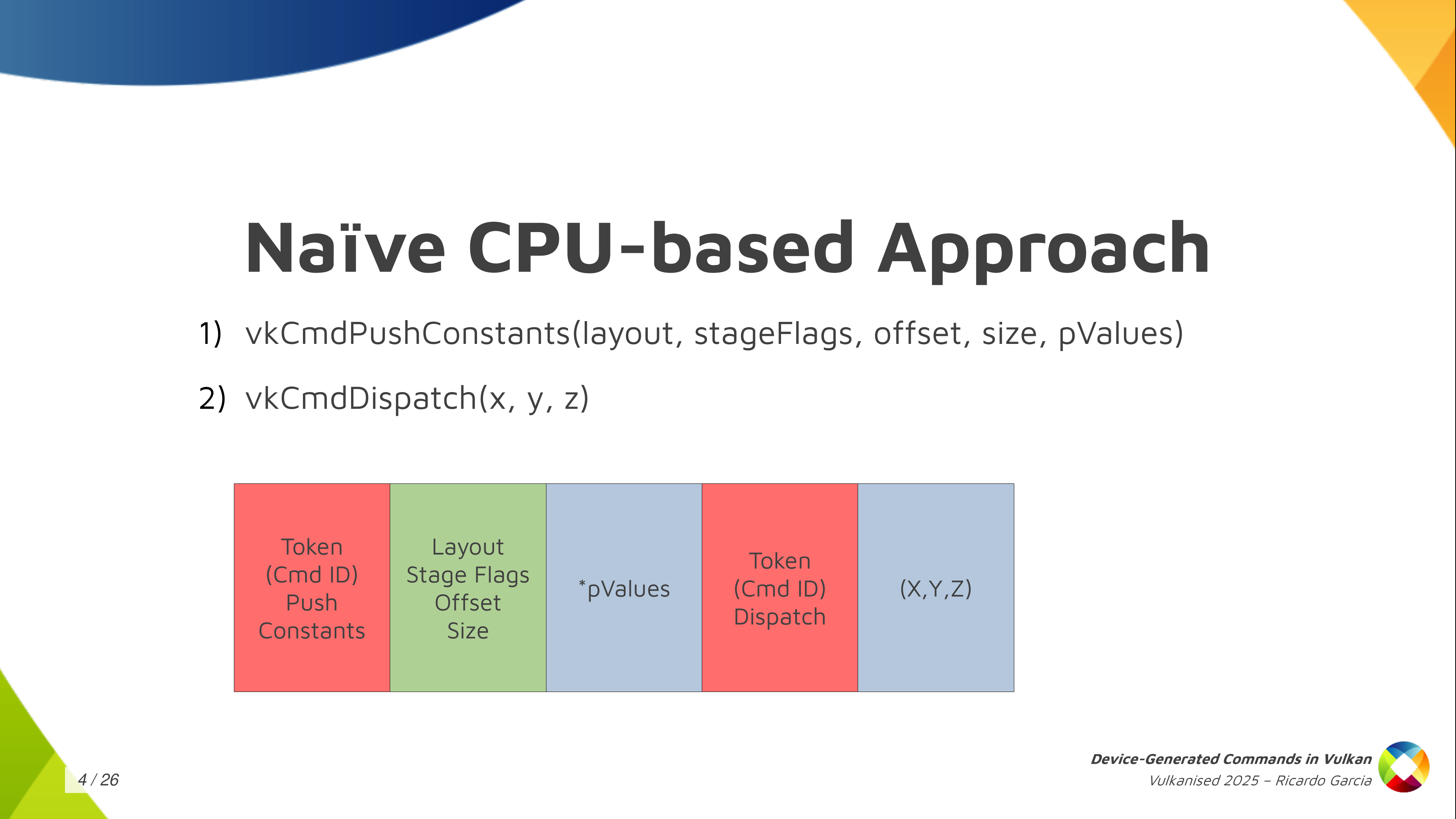
If we set aside Vulkan for a moment, and we stop thinking about GPUs and such, and you want to come up with a naive CPU-based way of running commands from a storage buffer, how do you do that? Well, one immediate solution we can think of is: first of all, I’m going to assign a token, an identifier, to each of the commands I want to run, and I’m going to store that token in the buffer first. Then, depending on what the command is, I want to store more information.
For example, if we have a sequence like we see here in the slide where we have a push constant command followed by dispatch, I’m going to store the token for the push constants command first, then I’m going to store some information that I need for the push constants command, like the pipeline layout, the stage flags, the offset and the size. Then, after that, depending on the size that I said I need, I am going to store the data for the command, which is the push constant values themselves. And then, after that, I’m done with it, and I store the token for the dispatch, and then the dispatch size, and that’s it.
But this doesn’t really work: this is not how GPUs work. A GPU would have a hard time running commands from a buffer if we store them this way. And this is not how Vulkan works because in Vulkan you want to provide as much information as possible in advance and you want to make things run in parallel as much as possible, and take advantage of the GPU.
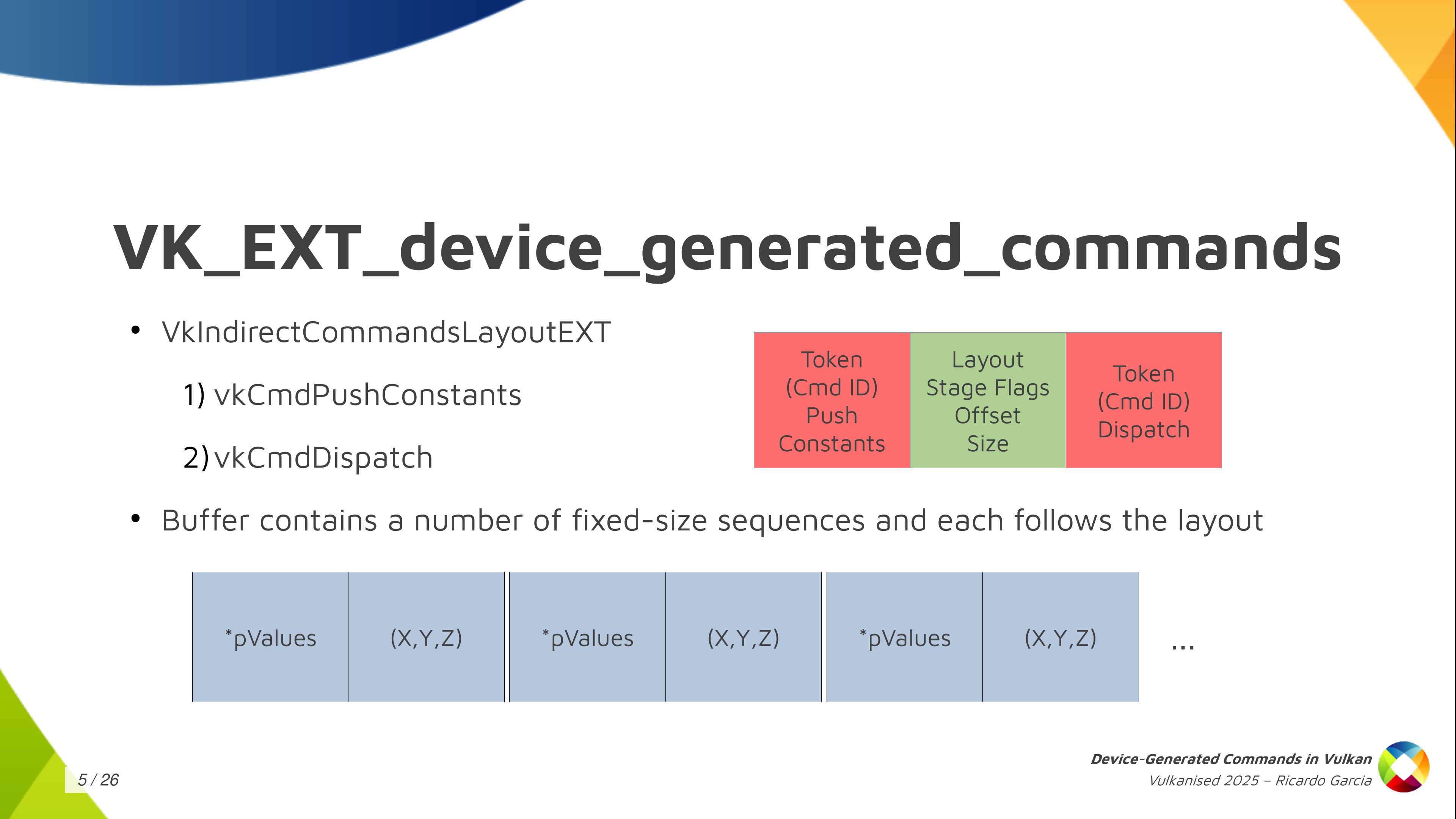
So what do we do in Vulkan? In Vulkan, and in the Vulkan VK_EXT_device_generated_commands extension, we have this central concept, which is called the Indirect Commands Layout. This is the main thing, and if you want to remember just one thing about device generated commands, you can remember this one.
The indirect commands layout is basically like a template for a short sequence of commands. The way you build this template is using the tokens and the command information that we saw colored red and green in the previous slide, and you build that in advance and pass that in advance so that, in the end, in the command buffer itself, in the buffer that you’re filling with commands, you don’t need to store that information. You just store the data for each command. That’s how you make it work.
And the result of this is that with the commands layout, that I said is a template for a short sequence of commands (and by short I mean a handful of them like just three, four or five commands, maybe 10), the DGC buffer can be pretty large, but it does not contain a random sequence of commands where you don’t know what comes next. You can think about it as divided into small chunks that the specification calls sequences, and you get a large number of sequences stored in the buffer but all of them follow this template, this commands layout. In the example we had, push constant followed by dispatch, the contents of the buffer would be push constant values, dispatch size, push content values, dispatch size, many times repeated.
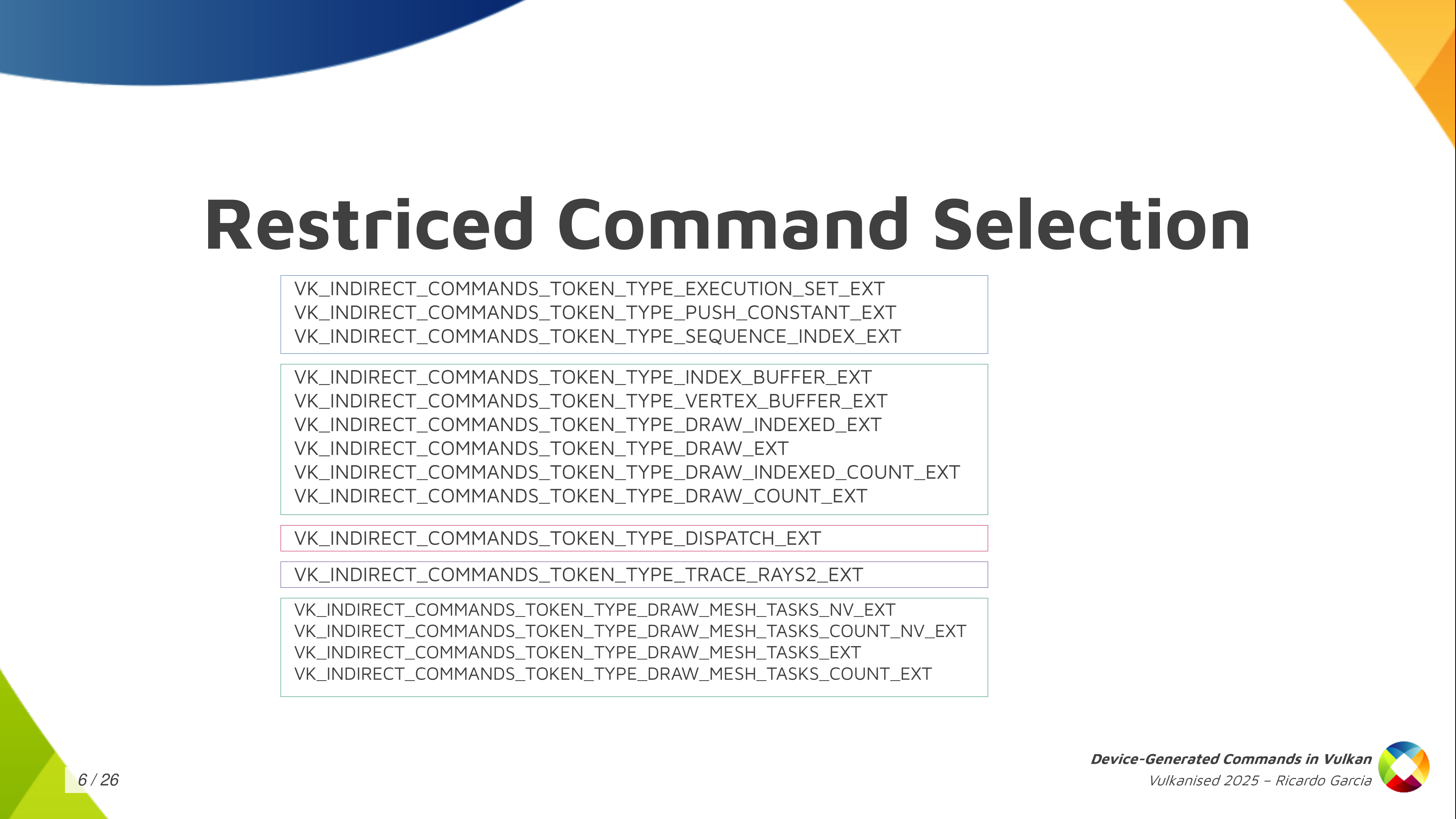
The second thing that Vulkan does to be able to make this work is that we limit a lot what you can do with device-generated commands. There are a lot of things you cannot do. In fact, the only things you can do are the ones that are present in this slide.
You have some things like, for example, update push constants, you can bind index buffers, vertex buffers, and you can draw in different ways, using mesh shading maybe, you can dispatch compute work and you can dispatch raytracing work, and that’s it. You also need to check which features the driver supports, because maybe the driver only supports device-generated commands for compute or ray tracing or graphics. But you notice you cannot do things like start render passes or insert barriers or bind descriptor sets or that kind of thing. No, you cannot do that. You can only do these things.
This indirect commands layout, which is the backbone of the extension, specifies, as I said, the layout for each sequence in the buffer and it has additional restrictions. The first one is that it must specify exactly one token that dispatches some kind of work and it must be the last token in the sequence. You cannot have a sequence that dispatches graphics work twice, or that dispatches computer work twice, or that dispatches compute first and then draws, or something like that. No, you can only do one thing with each DGC buffer and each commands layout and it has to be the last one in the sequence.
And one interesting thing that also Vulkan allows you to do, that DX12 doesn’t let you do, is that it allows you (on some drivers, you need to check the properties for this) to choose which shaders you want to use for each sequence. This is a restricted version of the bind pipeline command in Vulkan. You cannot choose arbitrary pipelines and you cannot change arbitrary states but you can switch shaders. For example, if you want to use a different fragment shader for each of the draws in the sequence, you can do that. This is pretty powerful.
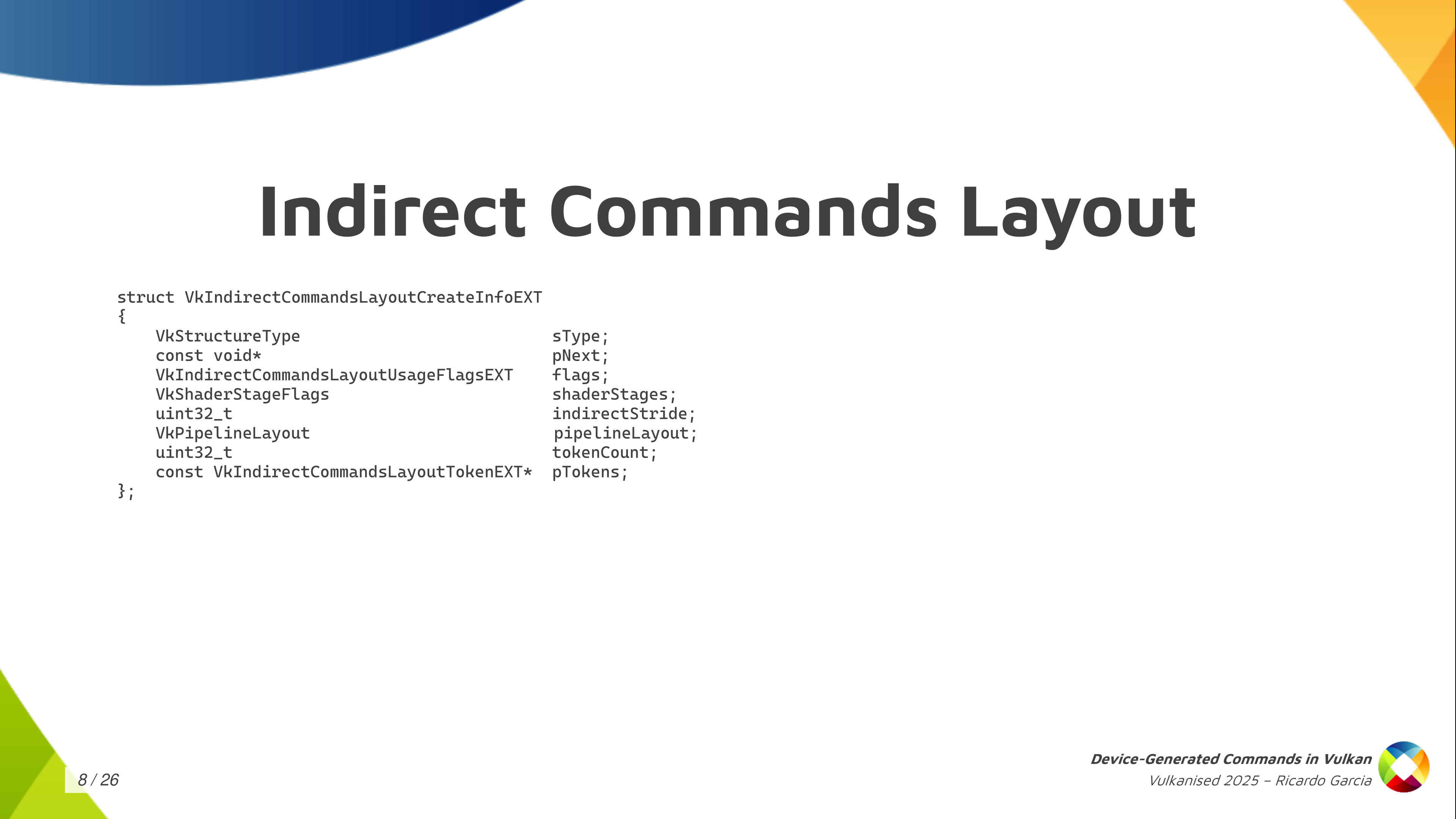
How do you create one of those indirect commands layout? Well, with one of those typical Vulkan calls, to create an object that you pass these CreateInfo structures that are always present in Vulkan.
And, as you can see, you have to pass these shader stages that will be used, will be active, while you draw or you execute those indirect commands. You have to pass the pipeline layout, and you have to pass in an indirect stride. The stride is the amount of bytes for each sequence, from the start of a sequence to the next one. And the most important information of course, is the list of tokens: an array of tokens that you pass as the token count and then the pointer to the first element.
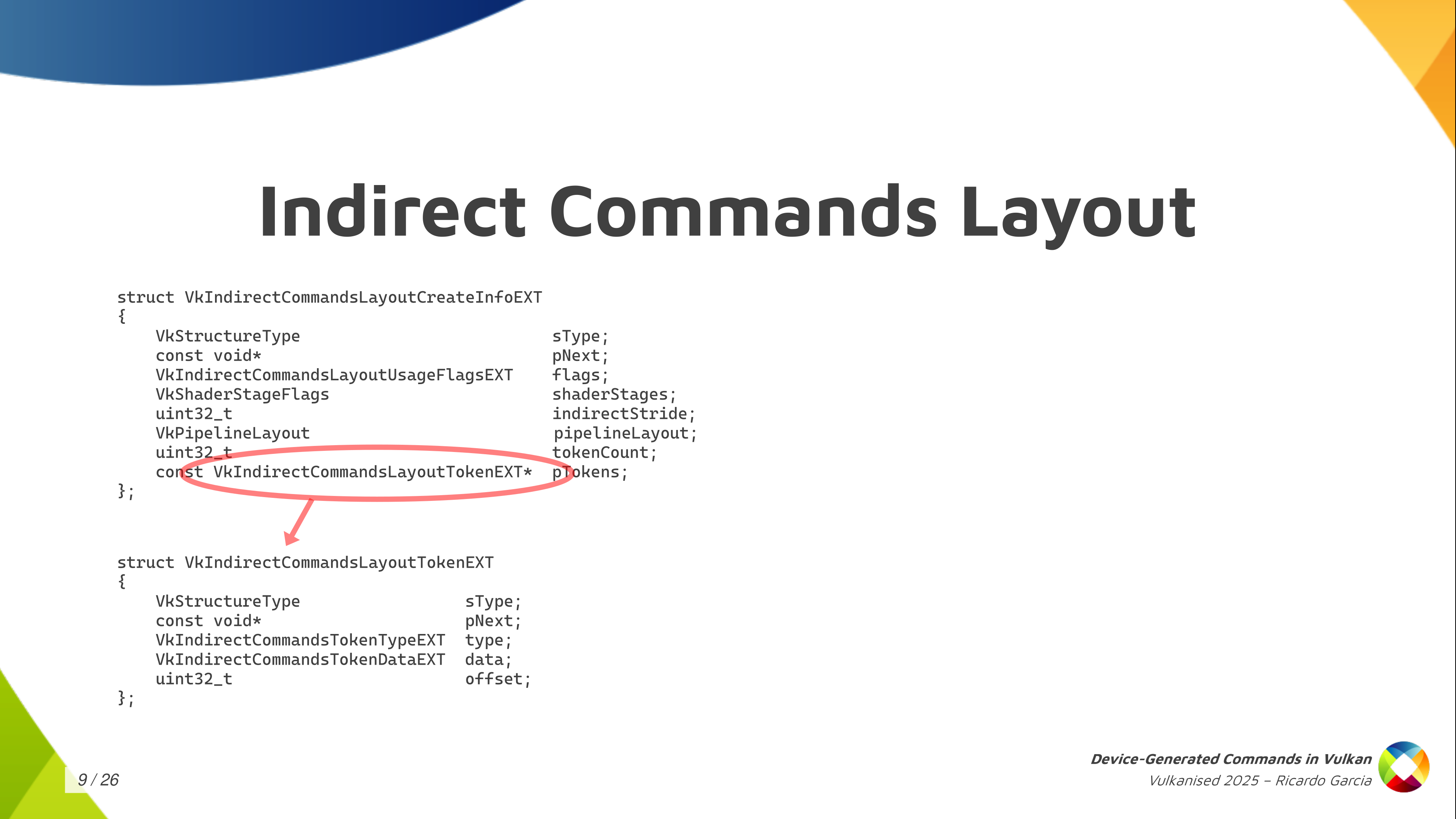
Now, each of those tokens contains a bit of information and the most important one is the type, of course. Then you can also pass an offset that tells you how many bytes into the sequence for the start of the data for that command. Together with the stride, it tells us that you don’t need to pack the data for those commands together. If you want to include some padding, because it’s convenient or something, you can do that.
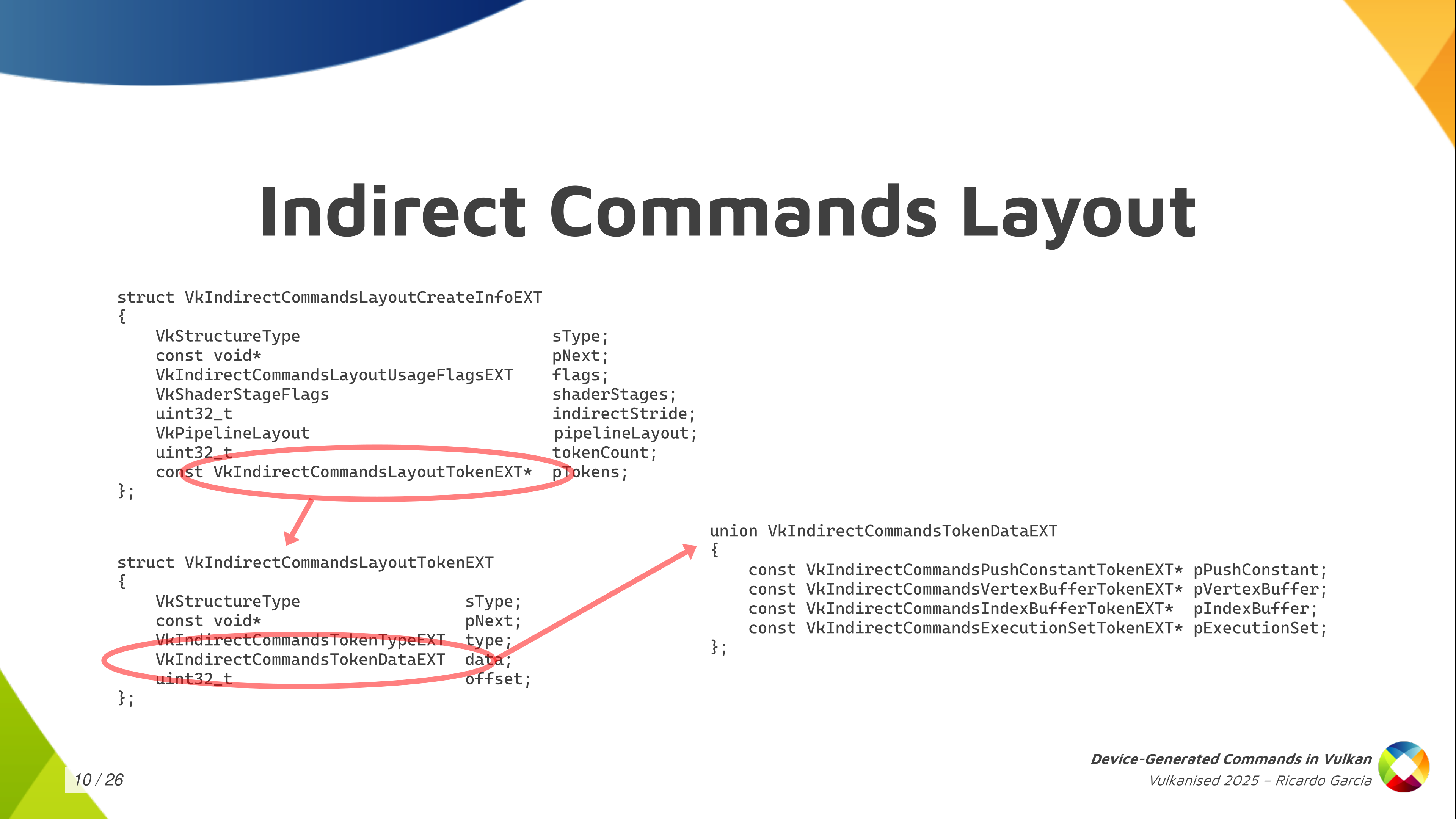
And then there’s also the token data which allows you to pass the information that I was painting in green in other slides like information to be able to run the command with some extra parameters. Only a few tokens, a few commands, need that. Depending on the command it is, you have to fill one of the pointers in the union but for most commands they don’t need this kind of information. Knowing which command it is you just know you are going to find some fixed data in the buffer and you just read that and process that.
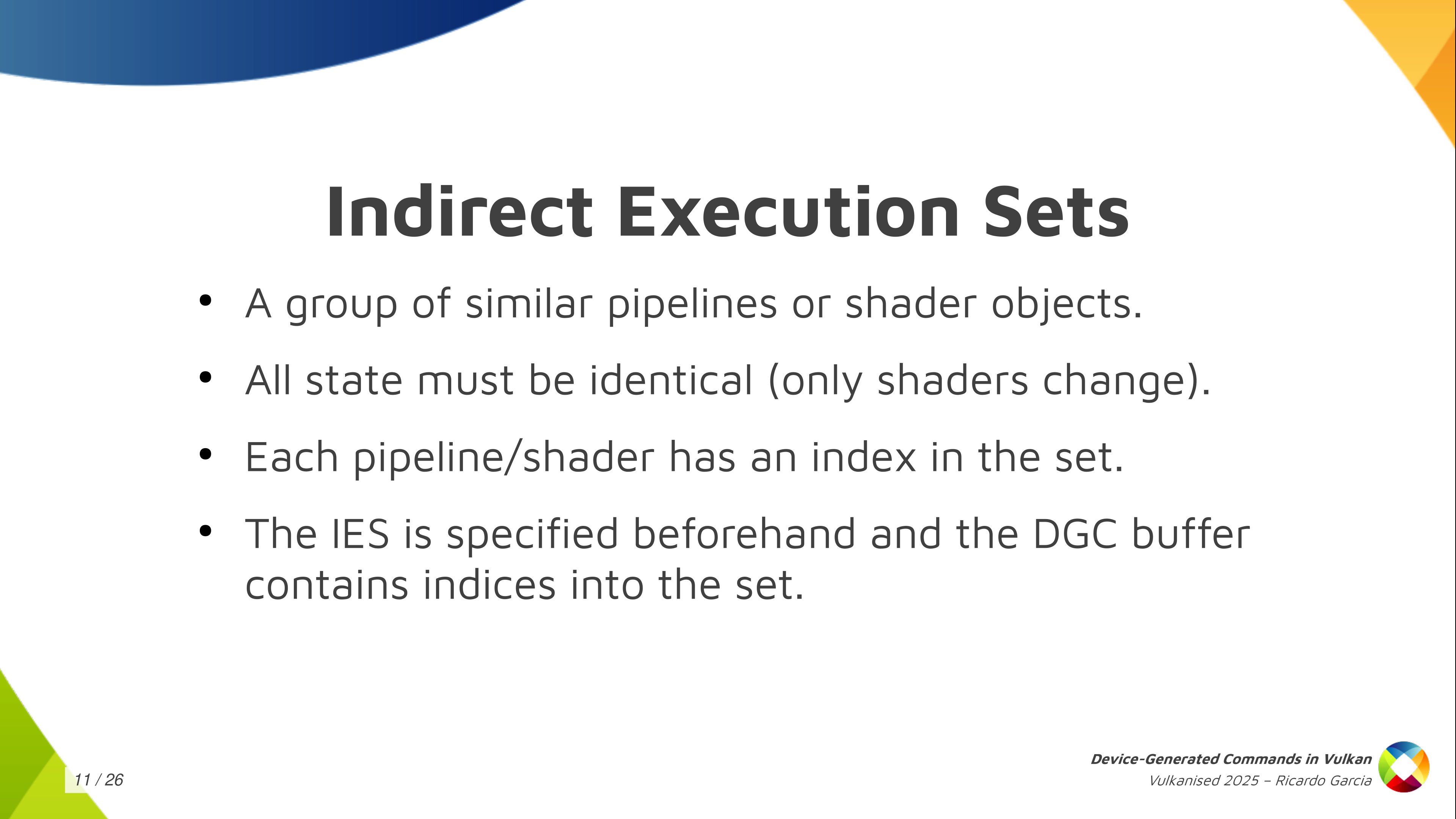
One thing that is interesting, like I said, is the ability to switch shaders and to choose which shaders are going to be used for each of those individual sequences. Some form of pipeline switching, or restricted pipeline switching. To do that you have to create something that is called Indirect Execution Sets.
Each of these execution sets is like a group or an array, if you want to think about it like that, of pipelines: similar pipelines or shader objects. They have to share something in common, which is that all of the state in the pipeline has to be identical, basically. Only the shaders can change.
When you create these execution sets and you start adding pipelines or shaders to them, you assign an index to each pipeline in the set. Then, you pass this execution set beforehand, before executing the commands, so that the driver knows which set of pipelines you are going to use. And then, in the DGC buffer, when you have this pipeline token, you only have to store the index of the pipeline that you want to use. You create the execution set with 20 pipelines and you pass an index for the pipeline that you want to use for each draw, for each dispatch, or whatever.
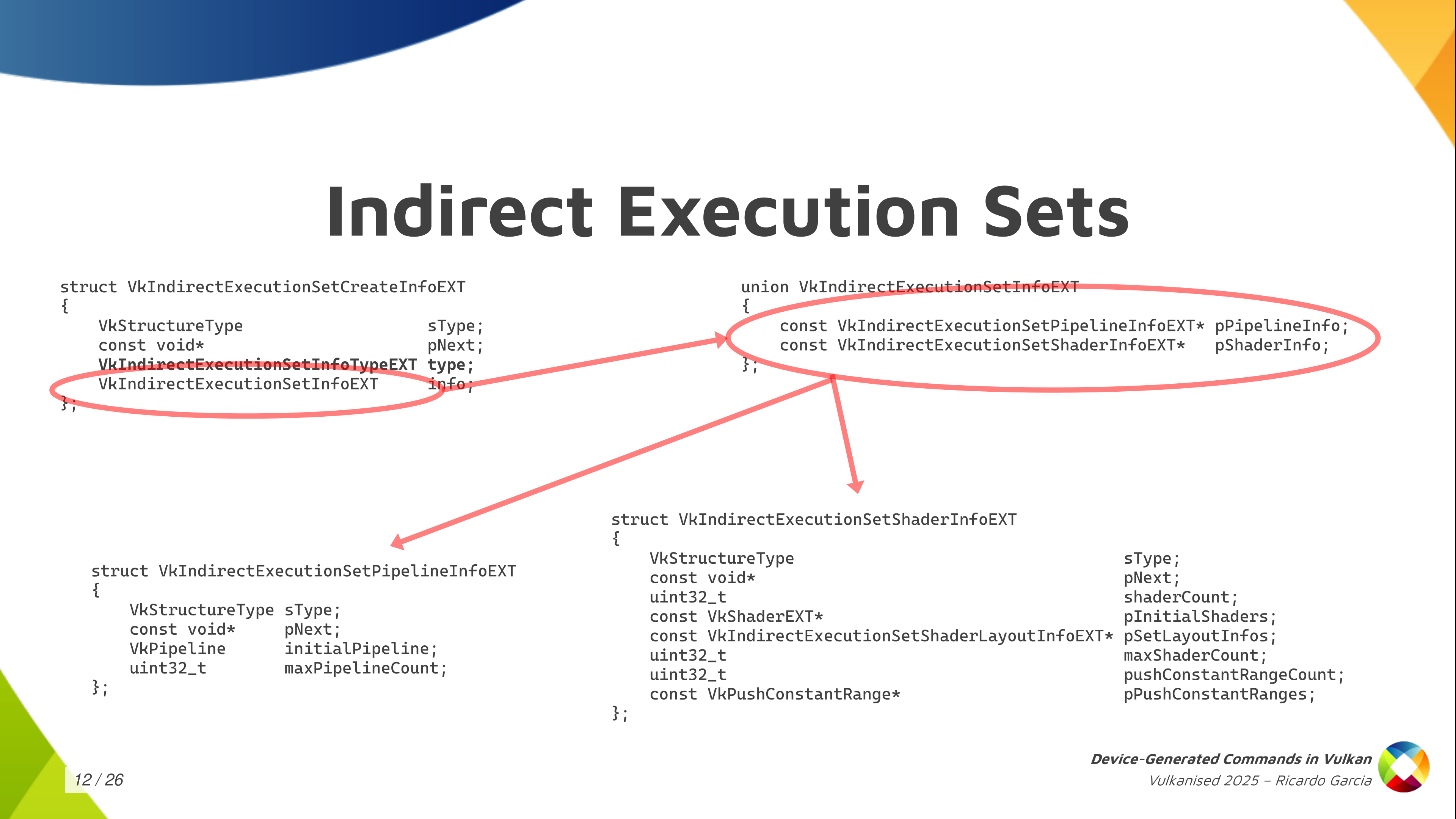
The way to create the execution sets is the one you see here, where we have, again, one of those CreateInfo structures. There, we have to indicate the type, which is pipelines or shader objects. Depending on that, you have to fill one of the pointers from the union on the top right here.
If we focus on pipelines because it’s easier on the bottom left, you have to pass the maximum pipeline count that you’re going to store in the set and an initial pipeline. The initial pipeline is what is going to set the template that all pipelines in the set are going to conform to. They all have to share essentially the same state as the initial pipeline and then you can change the shaders. With shader objects, it’s basically the same, but you have to pass more information for the shader objects, like the descriptor set layouts used by each stage, push-constant information… but it’s essentially the same.
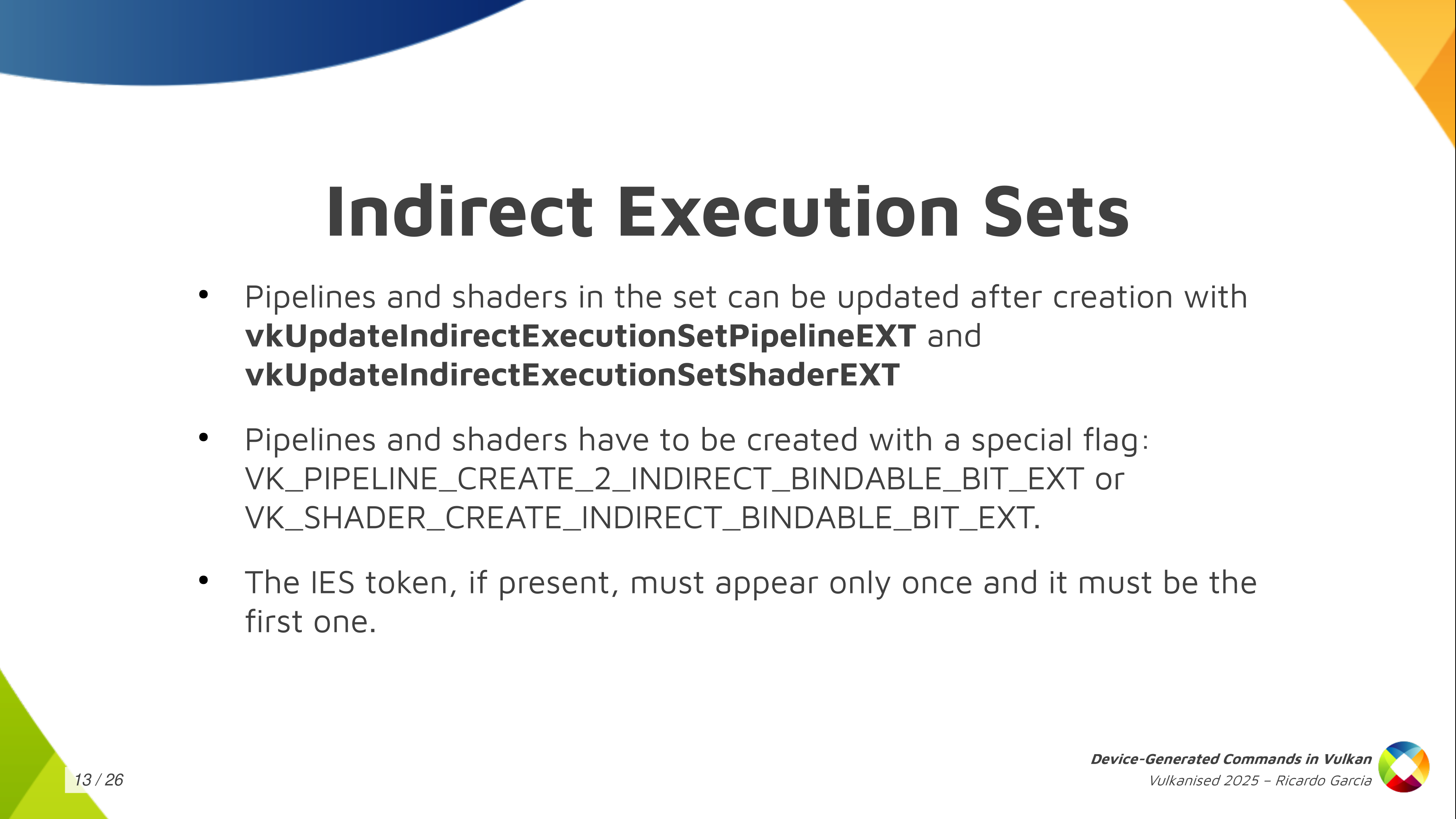
Once you have that execution set created, you can use those two functions (vkUpdateIndirectExecutionSetPipelineEXT and vkUpdateIndirectExecutionSetShaderEXT) to update and add pipelines to that execution set. You need to take into account that you have to pass a couple of special creation flags to the pipelines, or the shader objects, to tell the driver that you may use those inside an execution set because the driver may need to do something special for them. And one additional restriction that we have is that if you use an execution set token in your sequences, it must appear only once and it must be the first one in the sequence.
The recap, so far, is that the DGC buffer is divided into small chunks that we call sequences. Each sequence follows a template that we call the Indirect Commands Layout. Each sequence must dispatch work exactly once and you may be able to switch the set of shaders we used with with each sequence with an Indirect Execution Set.
Wow do we go about actually telling Vulkan to execute the contents of a specific buffer? Well, before executing the contents of the DGC buffer the application needs to have bound all the needed states to run those commands. That includes descriptor sets, initial push constant values, initial shader state, initial pipeline state. Even if you are going to use an Execution Set to switch shaders later you have to specify some kind of initial shader state.
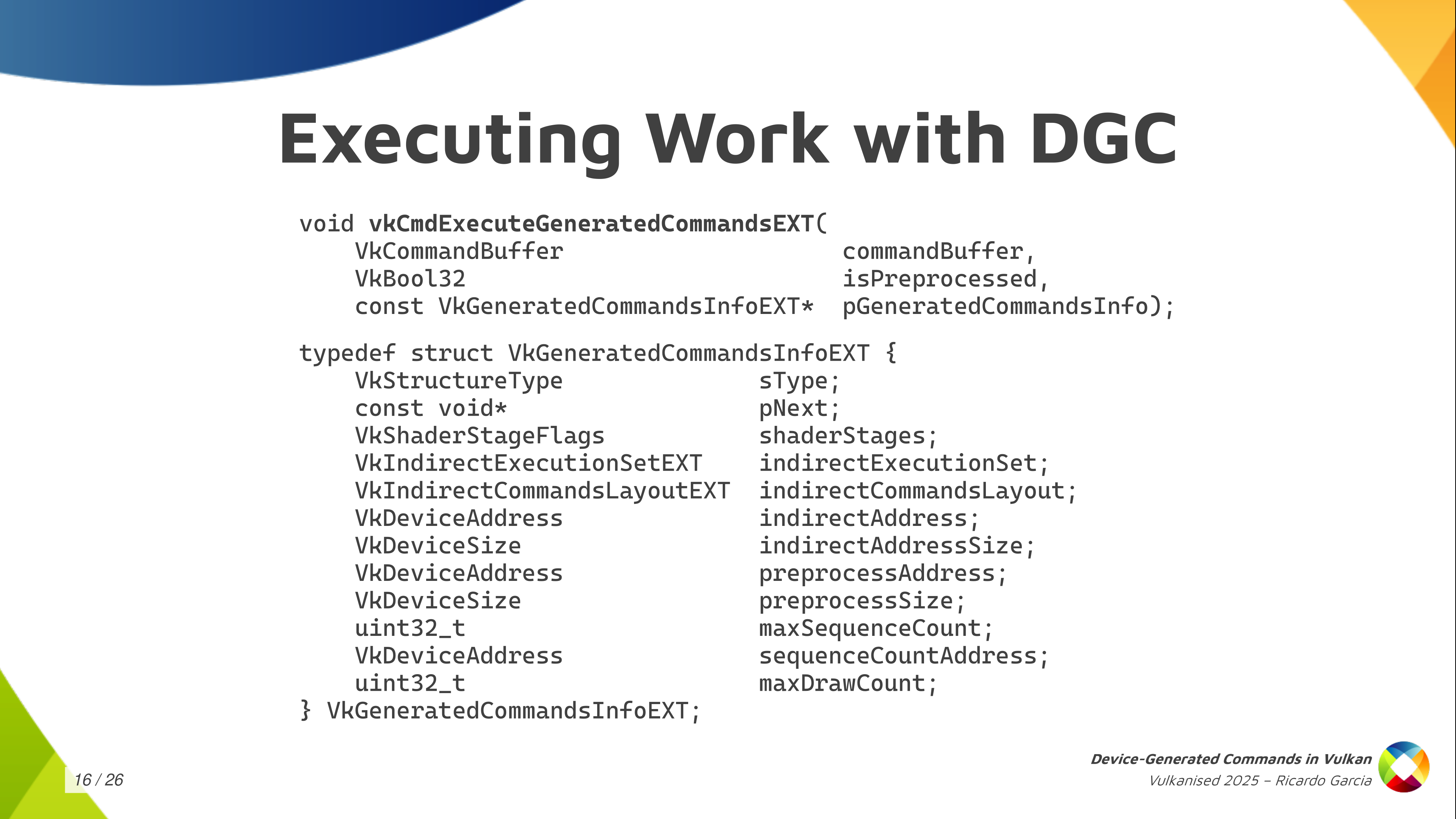
Once you have that, you can call this vkCmdExecuteGeneratedCommands. You bind all the state into your regular command buffer and then you record this command to tell the driver: at this point, execute the contents of this buffer. As you can see, you typically pass a regular command buffer as the first argument. Then there’s some kind of boolean value called isPreprocessed, which is kind of confusing because it’s the first time it appears and you don’t know what it is about, but we will talk about it in a minute. And then you pass a relatively larger structure containing information about what to execute.
In that GeneratedCommandsInfo structure, you need to pass again the shader stages that will be used. You have to pass the handle for the Execution Set, if you’re going to use one (if not you can use the null handle). Of course, the indirect commands layout, which is the central piece here. And then you pass the information about the buffer that you want to execute, which is the indirect address and the indirect address size as the buffer size. We are using buffer device address to pass information.
And then we have something again mentioning some kind of preprocessing thing, which is really weird: preprocess address and preprocess size which looks like a buffer of some kind (we will talk about it later). You have to pass the maximum number of sequences that you are going to execute. Optionally, you can also pass a buffer address for an actual counter of sequences. And the last thing that you need is the max draw count, but you can forget about that if you are not dispatching work using draw-with-count tokens as it only applies there. If not, you leave it as zero and it should work.
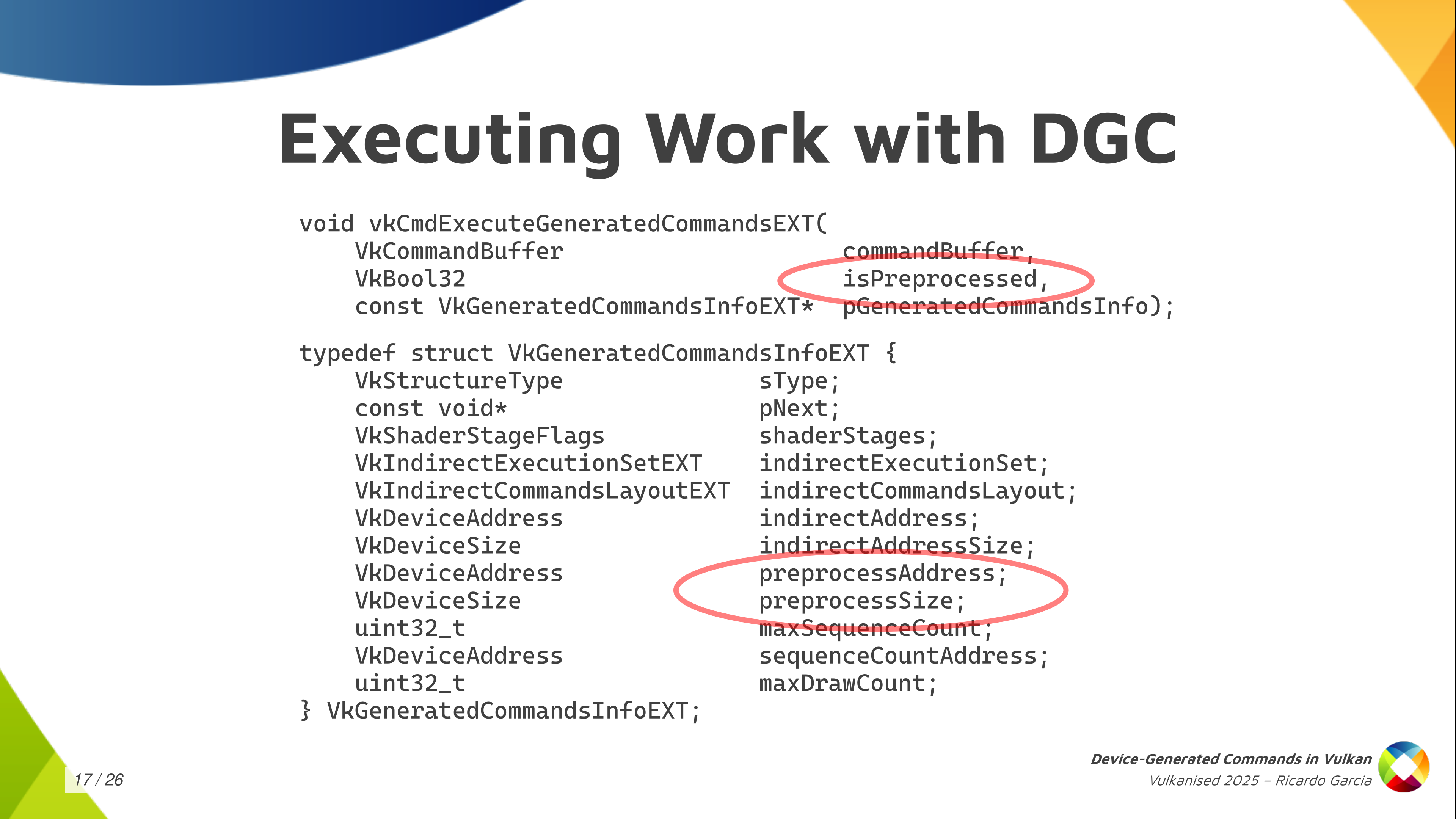
We have a couple of things here that we haven’t talked about yet, which are the preprocessing things. Starting from the bottom, that preprocess address and size give us a hint that there may be a pre-processing step going on. Some kind of thing that the driver may need to do before actually executing the commands, and we need to pass information about the buffer there.
The boolean value that we pass to the command ExecuteGeneratedCommands tells us that the pre-processing step may have happened before so it may be possible to explicitly do that pre-processing instead of letting the driver do that at execution time. Let’s take a look at that in more detail.
First of all, what is the pre-process buffer? The pre-process buffer is auxiliary space, a scratch buffer, because some drivers need to take a look at how the command sequence looks like before actually starting to execute things. They need to go over the sequence first and they need to write a few things down just to be able to properly do the job later to execute those commands.
Once you have the commands layout and you have the maximum number of sequences that you are going to execute, you can call this vkGetGeneratedCommandMemoryRequirementsEXT and the driver is going to tell you how much space it needs. Then, you can create a buffer, you can allocate the space for that, you need to pass a special new buffer usage flag (VK_BUFFER_USAGE_2_PREPROCESS_BUFFER_BIT_EXT) and, once you have that buffer, you pass the address and you pass a size in the previous structure.
Now the second thing is that we have the possibility of ding this preprocessing step explicitly. Explicit pre-processing is something that’s optional, but you probably want to do that if you care about performance because it’s the key to performance with some drivers.
When you use explicit pre-processing you don’t want to (1) record the state, (2) call this vkPreProcessGeneratedCommandsEXT and (3) call vkExecuteGeneratedCommandsEXT. That is what implicit pre-processing does so this doesn’t give you anything if you do it this way.
This is designed so that, if you want to do explicit pre-processing, you’re going to probably want to use a separate command buffer for pre-processing. You want to batch pre-processing calls together and submit them all together to keep the GPU busy and to give you the performance that you want. While you submit the pre-processing steps you may be still preparing the rest of the command buffers to enqueue the next batch of work. That’s the key to doing pre-processing optimally.
You need to decide beforehand if you are going to use explicit pre-processing or not because, if you’re going to use explicit preprocessing, you need to pass a flag when you create the commands layout, and then you have to call the function to preprocess generated commands. If you don’t pass that flag, you cannot call the preprocessing function, so it’s an all or nothing. You have to decide, and you do what you want.
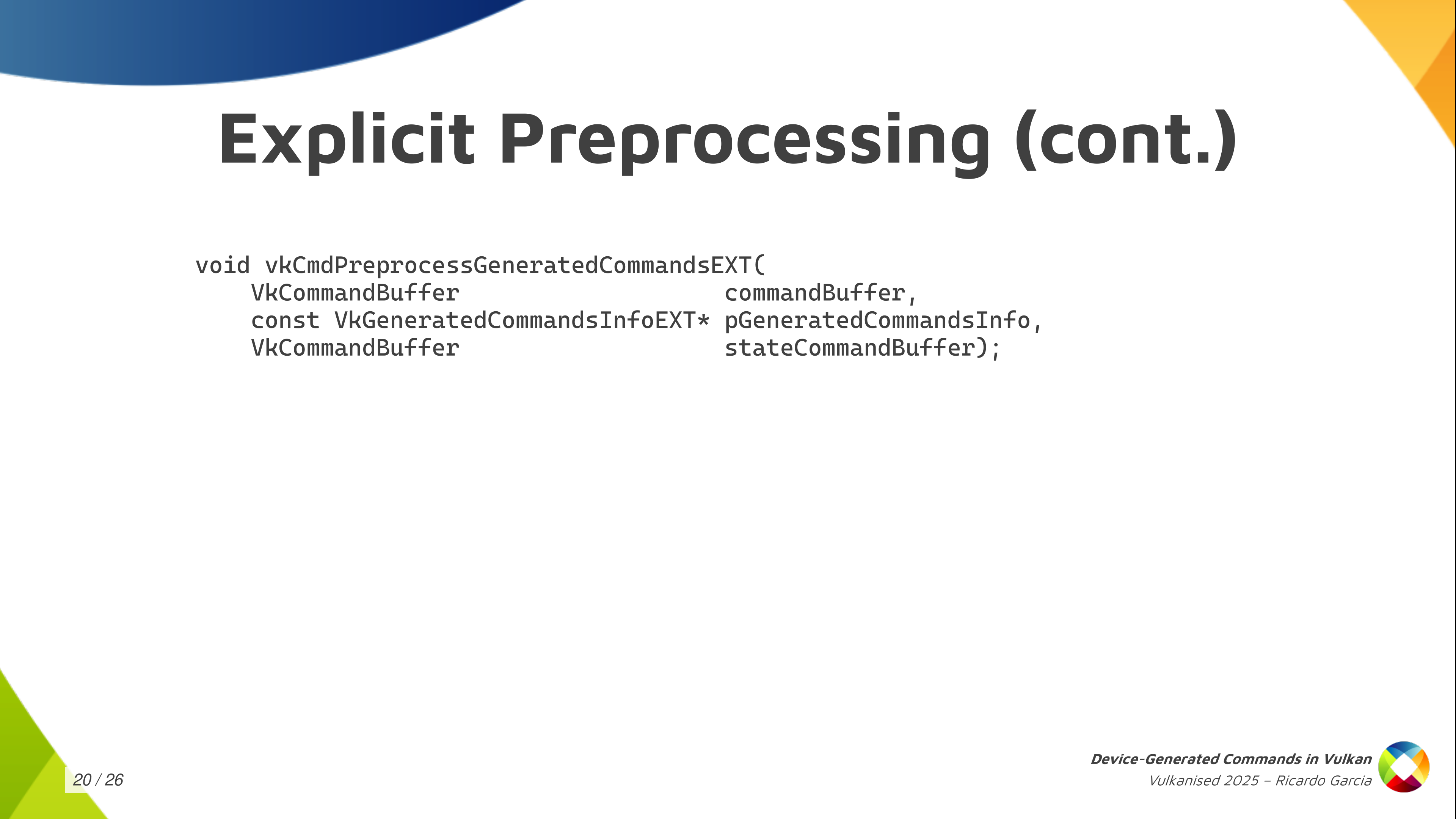
One thing that is important to note is that preprocessing needs to know and has to have the same state, the same contents of the input buffers as when you execute so it can run properly.
The video contains a cut here because the presentation laptop ran out of battery.
If the pre-processing step needs to have the same state as the execution, you need to have bound the same pipeline state, the same shaders, the same descriptor sets, the same contents. I said that explicit pre-processing is normally used using a separate command buffer that we submit before actual execution. You have a small problem to solve, which is that you would need to record state twice: once on the pre-process command buffer, so that the pre-process step knows everything, and once on the execution, the regular command buffer, when you call execute. That would be annoying.
Instead of that, the pre-process generated commands function takes an argument that is a state command buffer and the specification tells you: this is a command buffer that needs to be in the recording state, and the pre-process step is going to read the state from it. This is the first time, and I think the only time in the specification, that something like this is done. You may be puzzled about what this is exactly: how do you use this and how do we pass this?
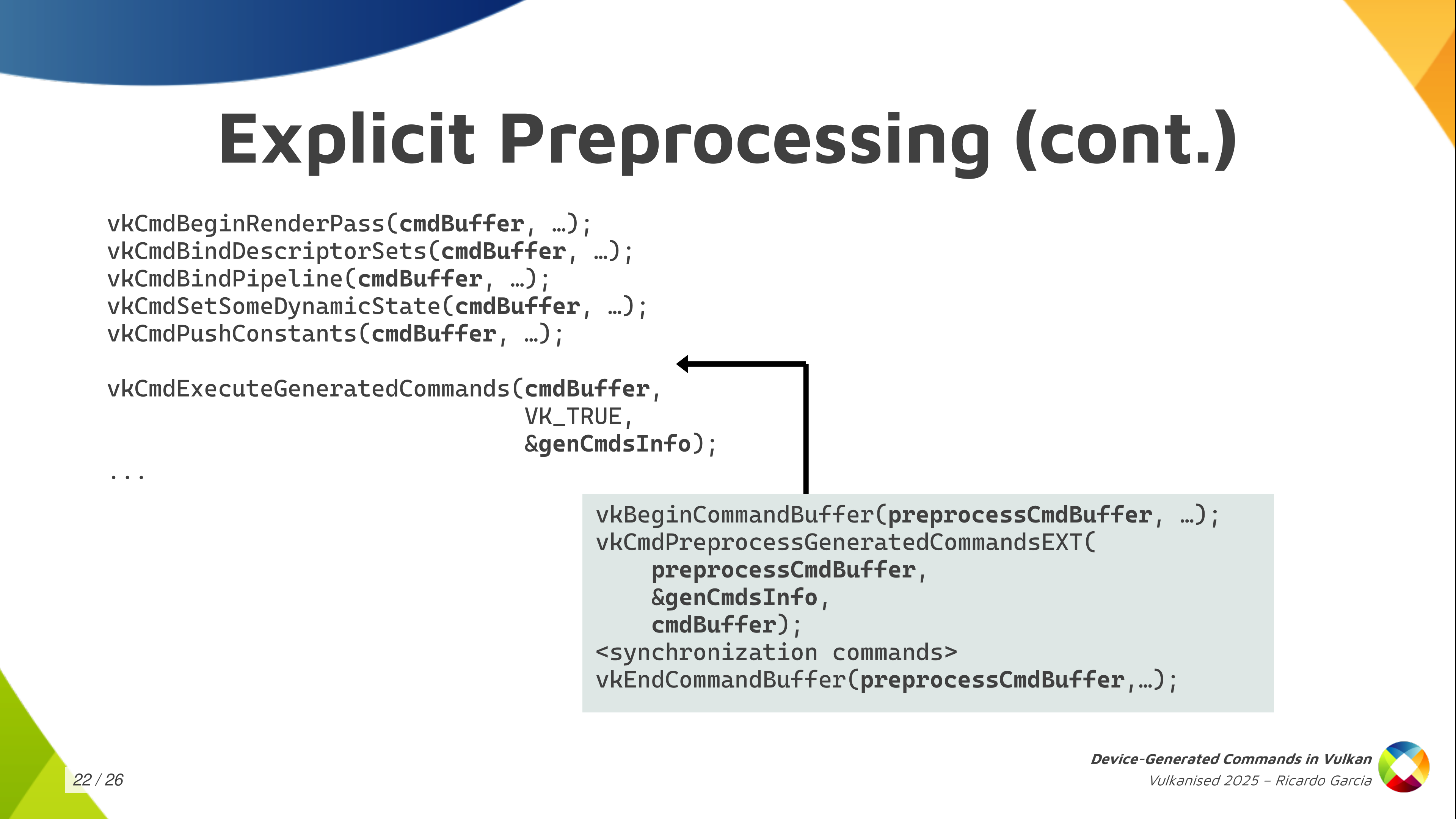
I just wanted to get this slide out to tell you: if you’re going to use explicit pre-processing, the ergonomic way of using it and how we thought about using the processing step is like you see in this slide. You take your main command buffer and you record all the state first and, just before calling execute-generated-commands, the regular command buffer contains all the state that you want and that preprocess needs. You stop there for a moment and then you prepare your separate preprocessing command buffer passing the main one as an argument to the preprocess call, and then you continue recording commands in your regular command buffer. That’s the ergonomic way of using it.
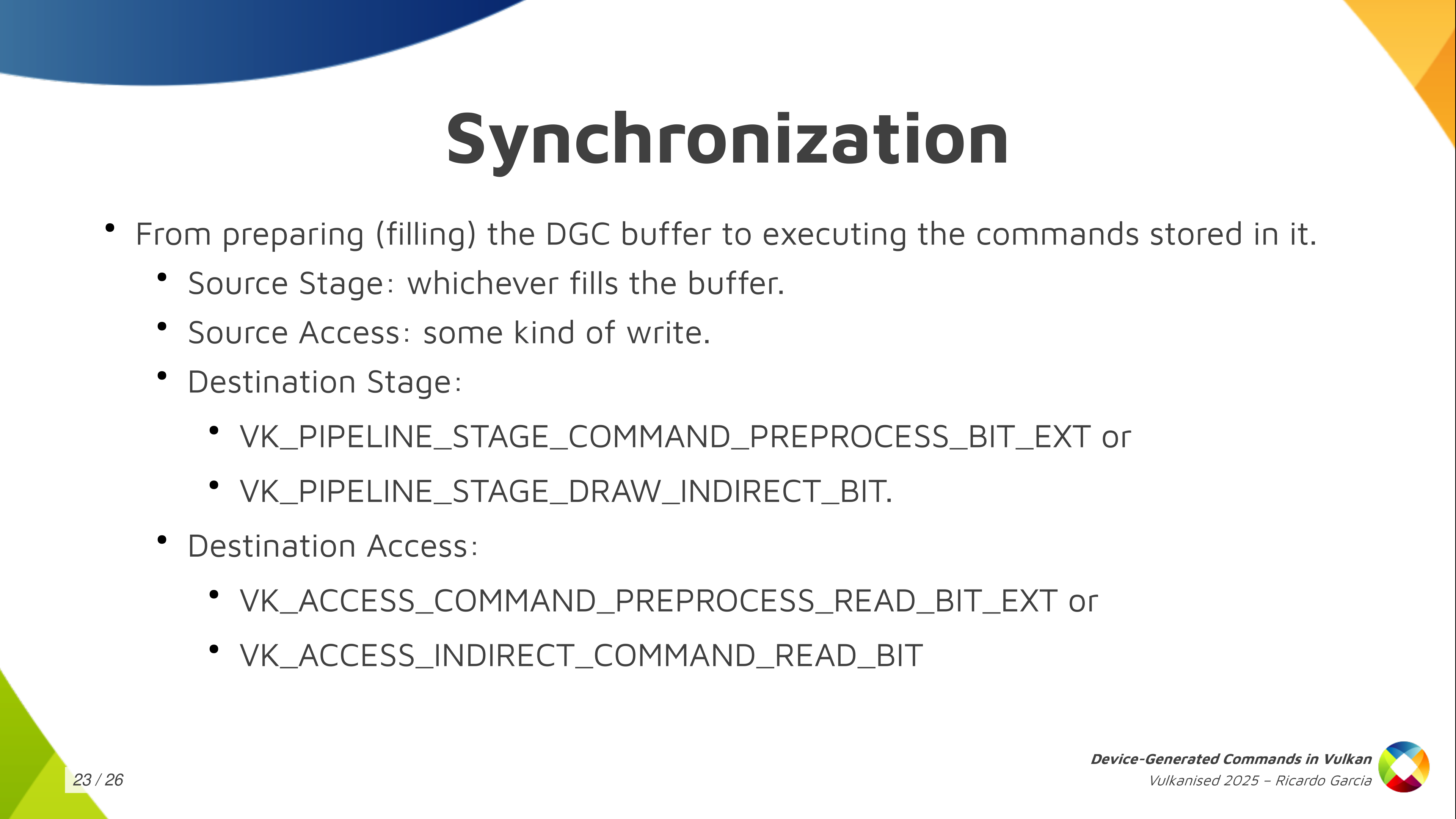
You do need some synchronization at some steps. The main one is that, if you generate the contents of the DGC buffer from the GPU itself, you’re going to need some synchronization: writes to that buffer need to be synchronized with something else that comes later which is executing or reading those commands from from the buffer.
Depending on if you use explicit preprocessing you can use the pipeline stage command-pre-process which is new and pre-process-read or you synchronize that with the regular device-generated-commands-execution which was considered part of the regular draw-indirect-stage using indirect-command-read access.
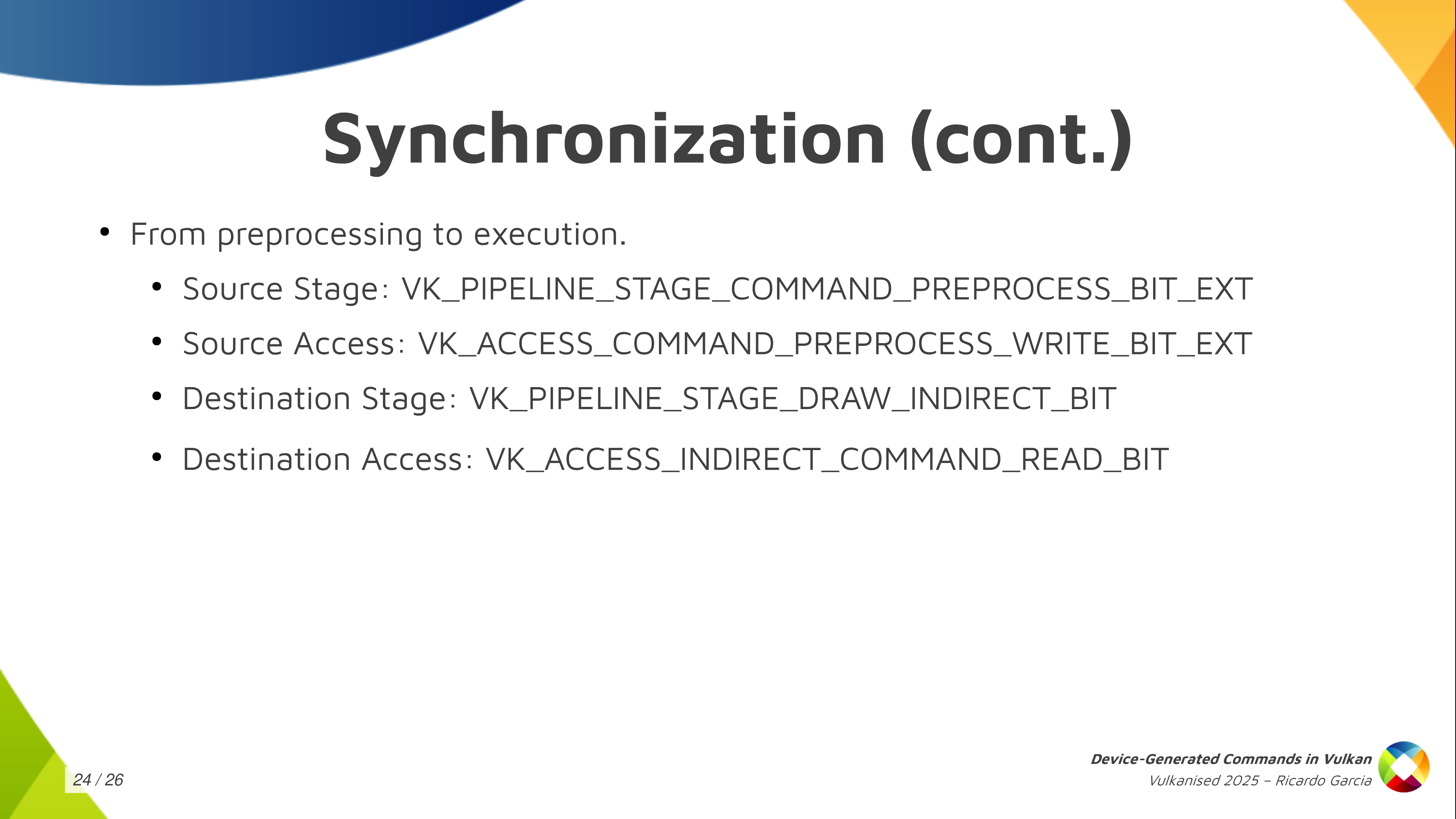
If you use explicit pre-processing you need to make sure that writes to the pre-process buffer happen before you start reading from that. So you use these just here (VK_PIPELINE_STAGE_COMMAND_PREPROCESS_BIT_EXT, VK_ACCESS_COMMAND_PREPROCESS_WRITE_BIT_EXT) to synchronize processing with execution (VK_PIPELINE_STAGE_DRAW_INDIRECT_BIT, VK_ACCESS_INDIRECT_COMMAND_READ_BIT) if you use explicit preprocessing.
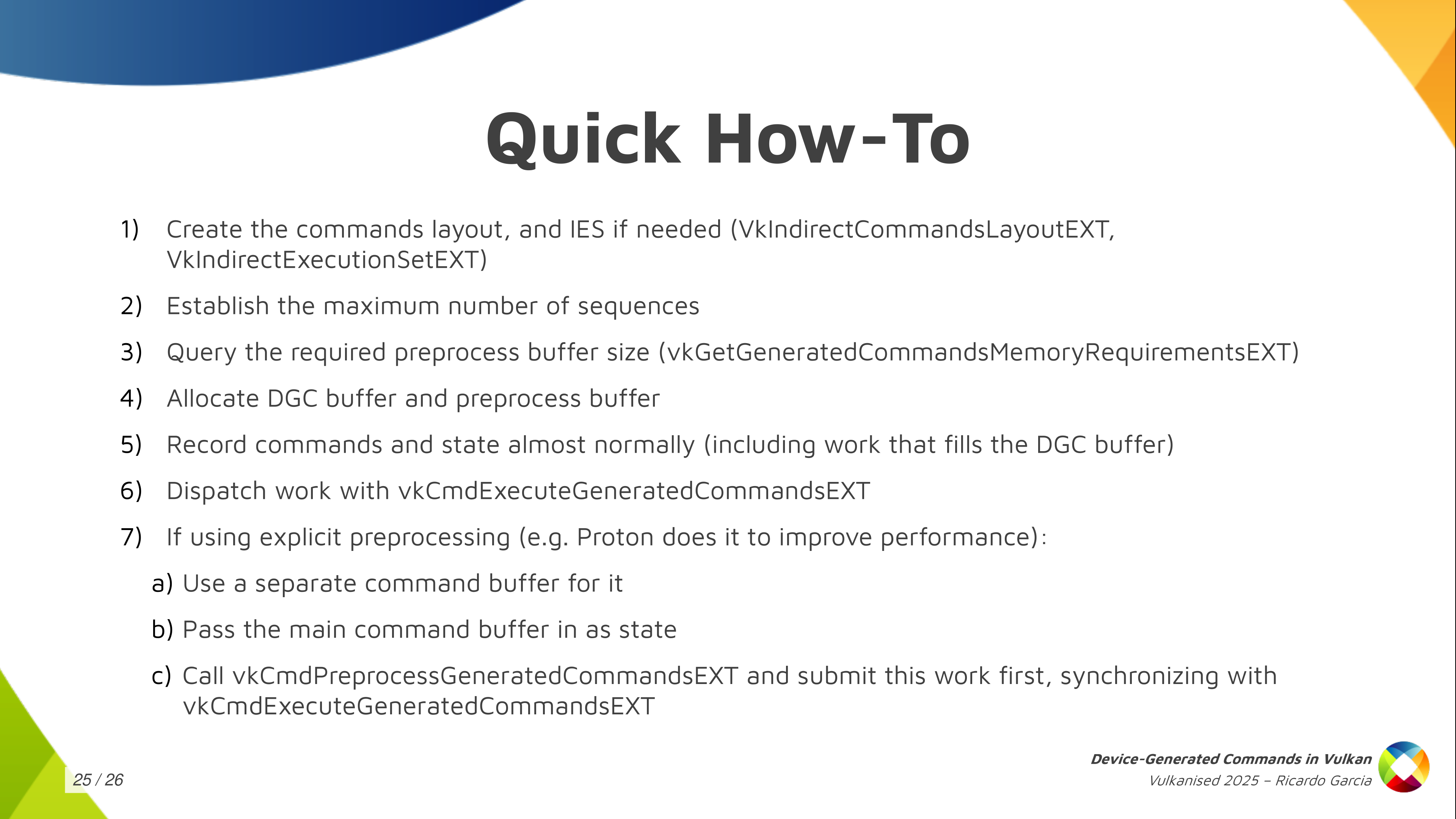
The quick how-to: I just wanted to get this slide out for those wanting a reference that says exactly what you need to do. All the steps that I mentioned here about creating the commands layout, the execution set, allocating the preprocess buffer, etc. This is the basic how-to.

And that’s it. Thanks for watching! Questions?
It’s been a while, but for the first time this year I have to do it. Some of you are shaking your heads, saying you knew it, and you were right. Here we are again.
It’s time to vkoverhead.
I realized while working on some P E R F that there was a lot of perf to be gained in places I wasn’t testing. That makes sense, right? If there’s no coverage, the perf can’t go up.
So I added a new case for the path I was using, and boy howdy did I start to see some weird stuff.
Normally this is where I’d post up some gorgeous flamegraphs, and we would sit back in our expensive leather armchairs debating the finer points of optimization. But you know what? We can’t do that anymore.
Why, you’re asking. The reason is simple: perf is totally fucking broken and has been for a while. But only on certain machines. Specifically, mine. So no more flamegraphs for you, and none for me.
Despite this massive roadblock, the perf gains must continue. Through the power of guesswork and frustration, I’ve managed some sizable gains:
| # | Draw Tests | 1000op/s (before) | % relative to ‘draw’ (before) | 1000op/s (after) | % relative to ‘draw’ (after) |
|---|---|---|---|---|---|
| 0 | draw | 46298 | 100.0% | 46426 | 100.0% |
| 16 | vbo change | 17741 | 38.3% | 22413 | 48.3% |
| 17 | vbo change dynamic (new!) | 4544 | 9.8% | 8686 | 18.7% |
| 18 | 1vattrib change | 3021 | 6.5% | 3316 | 7.1% |
| 20 | 16vattrib 16vbo change | 5266 | 11.4% | 6398 | 13.8% |
| 21 | 16vattrib change | 2352 | 5.1% | 2512 | 5.4% |
| 22 | 16vattrib change dynamic | 3976 | 8.6% | 5003 | 10.8% |
Though I was mainly targeting the case of using dynamic vertex input and binding new vertex buffers for every draw (and managed a nearly 100% improvement there) , I ended up seeing noteworthy gains across the board for binding vertex buffers, even when using fully static state. This should provide some minor gains to general RADV perf.
Given the still-massive perf gap between using static and dynamic vertex state when only vertex buffers change, it seems likely there’s still some opportunities to reclaim more perf. Only time will tell what can be achieved here, but for now this is what I’ve got.
Karol Herbst. At SGC, we know this man. We fear him. His photo is on the wall over a break-in-case-of-emergency glass panel which shields a button activating a subterranean escape route set to implode as soon as I sprint through.
Despite this, and despite all past evidence leading me to be wary of any idea he pitched, the madman got me again.
cl_khr_image2d_from_buffer. On the surface, an innocuous little extension used to access a buffer like a 2D image.
Vulkan already has this support for 1D images in the form of VkBufferView, so why would adding a stride to that be any harder (aside from the fact that the API doesn’t support it)?
I was deep into otherworldly optimizations at this point, far beyond the point where I was able to differentiate between improvement and neutral, let alone sane or twisted. His words seemed so reasonable: why couldn’t I just throw a buffer to the GPU as a 2D image? I’d have to be an idiot not to be able to do something as simple as that. Wouldn’t I?
Dammit, Karol.

You can’t. I mean, I can, but you? Vulkan won’t let you do it. There’s (currently) no extension that enables a 2D bufferview. Rumor has it some madman on a typewriter is preparing to fax over an extension specification to add this, but only time will tell whether Khronos accepts submissions in this format.
Here at SGC, we’re all smart HUMANS though, so there’s an obvious solution to this.

It’s not memory aliasing. Sure, rebinding buffer memory onto an image might work. But in reading the spec, the synchronization guarantees for buffer-image aliasing didn’t seem that strong. And also it’d be a whole bunch of code to track it, and maybe do weird layout stuff, and add some kind of synchronization on the buffer too, and pray the driver isn’t buggy, and doesn’t this sound a lot like the we-have-this-at-home version of another, better mechanism that zink already has incredible support for?

Yeah. What about these things? How do they wORK?
A DMAbuf is basically a pipe. On one end you have memory. And if you yell TRIANGLE into the other end really loud, something unimaginable and ineffable that lurks deep withinthevoid will slitherand crawl its way up the pipeuntil it GAZES UPON YOU IN YOUR FLESHY MORTAL SHELL ATTEMPTING TO USURP THE POWERS OF THE OLD ONES. It’s a fun little experiment with absolutely no unwanted consequences. Try it at home!
The nice thing about dmabufs is I know they work. And I know they work in zink. That’s because in order to run an x̸̧̠͓̣̣͎͚̰͎̍̾s̶̡̢͙̞̙͍̬̝̠̩̱̞̮̩̣̑͂͊̎͆̒̓͐͛͊̒͆̄̋ȩ̶̡̨̳̭̲̹̲͎̪̜͒̓̈́̏r̶̩̗͖͙͖̬̟̞̜̠͙̠̎͑̉̌̎̍̑́̏̓̏̒̍͜͝v̶̞̠̰̘̞͖̙̯̩̯̝̂̃̕͜e̴̢̡͎̮͔̤͖̤͙̟̳̹͛̓͌̈̆̈́̽͘̕ŕ̶̫̾͐͘ or a Wayland compositor (e.g., Ŵ̶̢͍̜̙̺͈͉̼̩̯̺̗̰̰͕͍̱͊͊̓̈̀͛̾̒̂̚̕͝ͅḙ̵̛̬̜͔̲͕͖̜̱̻͊̌̾͊͘s̶̢̗̜͈̘͎̠̘̺͉͕̣̯̘̦͓͈̹̻͙̬̘̿͆̏̃̐̍̂̕ͅt̷̨͈̠͕͔̬̙̣͈̪͕̱͕̙̦͕̼̩͙̲͖͉̪̹̼͛̌͋̃̂̂̓̏̂́̔͠͝ͅơ̸̢̛̛̲̟͙͚̰͇̞̖̭̲͍͇̫̘̦̤̩̖͍̄̓́͑̉̿̅̀̉͒͋͒̂́̆̋̚͝ͅͅn̶̢̡̝̥̤̣͔̣͉͖̖̻̬̝̥̦͇͕̘͋͂͛̌̃͠ͅͅ, the reference compositor), dmabufs have to work. Zink can run both of those just fine, so I know there’s absolutely zero bugs. There can’t be any bugs. No. Not bugs again. NO MORE BUGS
Even better, I know that I can do imports and exports of dmabufs in any dimensionality thanks to that crazy CL-GL sharing extension Karol already suckered me into supporting at the expense of every Vulkan driver’s bug tracker. That KAROL HERBST guy, hah, he’s such a kidder!
So obviously–It’s just common sense at this point–Obviously I should just be able to hook up the pipes here. Export a buffer and then import a 2D image with whatever random CAUSALITY IS A LIE passes for stride. Right? Basically a day at the beach for me.

And of course it works perfectly with no problems whatsoever, giving Davinci Resolve a nice performance boost.
Stay sane, readers.
Ready in time for libinput 1.28 [1] and after a number of attempts over the years we now finally have 3-finger dragging in libinput. This is a long-requested feature that allows users to drag by using a 3-finger swipe on the touchpad. Instead of the normal swipe gesture you simply get a button down, pointer motion, button up sequence. Without having to tap or physically click and hold a button, so you might be able to see the appeal right there.
Now, as with any interaction that relies on the mere handful of fingers that are on our average user's hand, we are starting to have usage overlaps. Since the only difference between a swipe gesture and a 3-finger drag is in the intention of the user (and we can't detect that yet, stay tuned), 3-finger swipes are disabled when 3-finger dragging is enabled. Otherwise it does fit in quite nicely with the rest of the features we have though.
There really isn't much more to say about the new feature except: It's configurable to work on 4-finger drag too so if you mentally substitute all the threes with fours in this article before re-reading it that would save me having to write another blog post. Thanks.
[1] "soonish" at the time of writing
This is a heads up as mutter PR!4292 got merged in time for GNOME 48. It (subtly) changes the behaviour of drag lock on touchpads, but (IMO) very much so for the better. Note that this feature is currently not exposed in GNOME Settings so users will have to set it via e.g. the gsettings commandline tool. I don't expect this change to affect many users.
This is a feature of a feature of a feature, so let's start at the top.
"Tapping" on touchpads refers to the ability to emulate button presses via short touches ("taps") on the touchpad. When enabled, a single-finger tap corresponds emulates a left mouse button click, a two-finger tap a right button click, etc. Taps are short interactions and to be recognised the finger must be set down and released again within a certain time and not move more than a certain distance. Clicking is useful but it's not everything we do with touchpads.
"Tap-and-drag" refers to the ability to keep the pointer down so it's possible to drag something while the mouse button is logically down. The sequence required to do this is a tap immediately followed by the finger down (and held down). This will press the left mouse button so that any finger movement results in a drag. Releasing the finger releases the button. This is convenient but especially on large monitors or for users with different-than-whatever-we-guessed-is-average dexterity this can make it hard to drag something to it's final position - a user may run out of touchpad space before the pointer reaches the destination. For those, the tap-and-drag "drag lock" is useful.
"Drag lock" refers to the ability of keeping the mouse button pressed until "unlocked", even if the finger moves off the touchpads. It's the same sequence as before: tap followed by the finger down and held down. But releasing the finger will not release the mouse button, instead another tap is required to unlock and release the mouse button. The whole sequence thus becomes tap, down, move.... tap with any number of finger releases in between. Sounds (and is) complicated to explain, is quite easy to try and once you're used to it it will feel quite natural.
The above behaviour is the new behaviour which non-coincidentally also matches the macOS behaviour (if you can find the toggle in the settings, good practice for easter eggs!). The previous behaviour used a timeout instead so the mouse button was released automatically if the finger was up after a certain timeout. This was less predictable and caused issues with users who weren't fast enough. The new "sticky" behaviour resolves this issue and is (alanis morissette-stylue ironically) faster to release (a tap can be performed before the previous timeout would've expired).
Anyway, TLDR, a feature that very few people use has changed defaults subtly. Bring out the pitchforks!
As said above, this is currently only accessible via gsettings and the drag-lock behaviour change only takes effect if tapping, tap-and-drag and drag lock are enabled:
  $ gsettings set org.gnome.desktop.peripherals.touchpad tap-to-click true
  $ gsettings set org.gnome.desktop.peripherals.touchpad tap-and-drag true
  $ gsettings set org.gnome.desktop.peripherals.touchpad tap-and-drag-lock true
All features above are actually handled by libinput, this is just about a default change in GNOME.
For my day job, I need to build and run a Docker Compose project. However, because Docker doesn’t play well with nftables and I prefer a rootless + daemonless approach, I’m using Podman.
Podman supports Docker Compose projects with two possible solutions: either by connecting the official Docker Compose CLI to a Podman socket, either by using their own drop-in replacement. They ship a small wrapper to select one of these options. (The wrapper has the same name as the replacement, which makes things confusing.)
Unfortunately, both options have downsides. When using the official Docker
Compose CLI, the classic builder is used instead of the newer BuildKit
builder. As a result, some features such as additional contexts are not
supported. When using the podman-compose replacement, some other features are
missing, such as !reset, configs and referencing another service in
additional contexts. It would be possible to add these features to
podman-compose, but that’s an endless stream of work (Docker Compose regularly
adds new features) and I don’t really see the value in re-implementing all of
this (the fact that it’s Python doesn’t help me getting motivated).
I’ve started looking for a way to convince the Docker Compose CLI to run under
Podman with BuildKit enabled. I’ve tried a few months ago and never got it to
work, but it seems like this recently became easier! The podman-compose wrapper
force-disables BuildKit, so we need to use
directly the Docker Compose CLI without the wrapper. On Arch Linux, this can be
achieved by enabling the Podman socket and creating a new Docker context (same
as setting DOCKER_HOST, but more permanent):
pacman -S docker-compose docker-buildx
systemctl --user start podman.socket
docker context create podman --docker host=unix://$XDG_RUNTIME_DIR/podman/podman.sock
docker context use podman
With that, docker compose just works! It turns out it automagically creates a
buildx_buildkit_default container under-the-hood to run the BuildKit daemon.
Since I don’t like automagical things, I immediately tried to run BuildKit
daemon myself:
pacman -S buildkit
systemctl --user start buildkit.service
docker buildx create --name local unix://$XDG_RUNTIME_DIR/buildkit/rootless
docker buildx use local
Now docker compose uses our systemd-managed BuildKit service. But we’re not
done yet! One of the reasons I like Podman is because it’s daemonless, and
we’ve got a daemon running in the background. This isn’t the end of the world,
but it’d be nicer to be able to run the build without BuildKit.
Fortunately, there’s a way around this: any Compose project can be turned into
a JSON description of the build commands called Bake. docker buildx bake --print will print that JSON file (and the Docker Compose CLI will use Bake
files if COMPOSE_BAKE=true is set since v2.33). Note, Bake supports way more
features (e.g. HCL files) but we don’t really need these for our purposes (and
the command above can lower fancy Bake files into dumb JSON ones).
The JSON file is pretty similar to the podman build CLI arguments. It’s not
that hard to do the translation, so I’ve written Bakah, a small tool which
does exactly this. It uses Buildah instead of shelling out to Podman (Buildah
is the library used by Podman under-the-hood to build images). A few details
required a bit more attention, for instance dependency resolution and parallel
builds, but it’s quite simple. It can be used like so:
docker buildx bake --print >bake.json
bakah --file bake.json
Bakah is still missing the fancier Bake features (HCL files, inheritance, merging/overriding files, variables, and so on), but it’s enough to build complex Compose projects. I plan to use it for soju-containers in the future, to better split my Dockerfiles (one for the backend, one for the frontend) and remove the CI shell script (which contains a bunch of Podman CLI invocations). I hope it can be useful to you as well!
I didn’t forget to blog. I know you don’t believe me, but I’ve been accumulating items to blog about for the past month. Powering up. Preparing. And now, finally, it’s time to begin opening the valves.
When I got back from hibernation, I was immediately accosted by a developer I’d forgotten. One with whom I spent an amount of time consuming adult beverages at XDC again. One who walks with a perpetual glint of madness in his eyes, ready at the drop of a hat to tackle the nearest driver developer and begin raving about the benefits of supporting OpenCL.
Obviously I’m talking about Karol “HOW IS THE PUB ALREADY CLOSED IT’S ONLY 10:30???” Herbst.
I was minding my own business, fixing bugs and addressing perf issues when he assaulted me with a vicious nerdsnipe late one night in January. “Hey, why can’t I run DaVinci Resolve on Zink?” he casually asked me, knowing full well the ramifications of such a question.
I tried to put him off, but he persisted. “You know, RadeonSI supports all those features,” he said next, and my entire week was ruined. As everyone knows, Zink can only ever be compared to one driver, and the comparisons can’t be too uneven.
So it was that I started looking at the CL CTS for the first time this year to implement cl_khr_gl_sharing. This extension is basically EXT_external_objects for CL. It should “just work”. Right?
The thing is, this mechanism (on Linux) uses dmabufs. You know, that thing we all love because they make display servers go vroom. dmabufs allow sharing memory regions between processes through file descriptors. Or just within the same process. Anywhere, really. One side exports the memory object to the FD, and the other side imports it.
But that’s how normal people use dmabufs. 2D image import/export for display server usage. Or, occasionally, some crazy multi-process browser engine thing. But still 2D.
You know who uses dmabufs with all-the-Ds? OpenCL.
You know who doesn’t implement all-the-Ds? Any Vulkan drivers. Probably. Case in point, I had to hack it in for RADV before I could get CTS to pass and VVL to stop screaming at me.
From there, it turned out zink mostly supported everything already. A minor bugfix and some conditionals to enable raw buffer import/export, and it just works.
Brace yourselves, because this is the foundation for getting Cthulhu-level insane next time.
Hi!
This month has been pretty hectic, with FOSDEM and all. I’ve really enjoyed meeting face-to-face all of these folks I work online with the rest of the year! My talk about modern IRC has been published on the FOSDEM website (unfortunately the audio quality isn’t great).
In Wayland news, the color management protocol has finally been merged! I
haven’t done much apart cheering from the sidelines: huge thanks to everyone
involved for carrying this over the finish line, especially Pekka Paalanen,
Sebastian Wick and Xaver Hugl! I’ve started a wlroots implementation,
which was enough with some hacks to get MPV to display a HDR video on Sway.
I’ve also posted a patch to convert to BT2020 and encode to PQ, but
I still need to figure out why red shows up as pink (or rebrand it as
lipstick-filter in the Sway config file).
I’ve released sway 1.10.1 with a bunch of bugfixes, as well as wlr-randr 0.5.0
which adds relative positioning options (e.g. --left-of) and a man page. I’ve
rewritten makoctl in C (the shell script approach has been showing its
limitations for a while), and merged support for icon border radius, per-corner
radius settings, and a new signal in the mako-specific D-Bus API to notify when
the current modes are changed.
delthas has contributed support for showing redacted messages as such in gamja. goguma’s compact mode now displays an unread and date delimiter, just like the default mode (thanks Eigil Skjæveland!). I’ve added a basic UI to my WebDAV server, sogogi, to display directory listings and easily upload files from the browser.
That’s all, see you next month!
So a we are a little bit into the new year I hope everybody had a great break and a good start of 2025. Personally I had a blast having gotten the kids an air hockey table as a Yuletide present :). Anyway, wanted to put this blog post together talking about what we are looking at for the new year and to let you all know that we are hiring.
Artificial Intelligence
One big item on our list for the year is looking at ways Fedora Workstation can make use of artificial intelligence. Thanks to IBMs Granite effort we know have an AI engine that is available under proper open source licensing terms and which can be extended for many different usecases. Also the IBM Granite team has an aggressive plan for releasing updated versions of Granite, incorporating new features of special interest to developers, like making Granite a great engine to power IDEs and similar tools. We been brainstorming various ideas in the team for how we can make use of AI to provide improved or new features to users of GNOME and Fedora Workstation. This includes making sure Fedora Workstation users have access to great tools like RamaLama, that we make sure setting up accelerated AI inside Toolbx is simple, that we offer a good Code Assistant based on Granite and that we come up with other cool integration points.
Wayland
The Wayland community had some challenges last year with frustrations boiling over a few times due to new protocol development taking a long time. Some of it was simply the challenge of finding enough people across multiple projects having the time to follow up and help review while other parts are genuine disagreements of what kind of things should be Wayland protocols or not. That said I think that problem has been somewhat resolved with a general understanding now that we have the ‘ext’ namespace for a reason, to allow people to have a space to review and make protocols without an expectation that they will be universally implemented. This allows for protocols of interest only to a subset of the community going into ‘ext’ and thus allowing protocols that might not be of interest to GNOME and KDE for instance to still have a place to live.
The other more practical problem is that of having people available to help review protocols or providing reference implementations. In a space like Wayland where you need multiple people from multiple different projects it can be hard at times to get enough people involved at any given time to move things forward, as different projects have different priorities and of course the developers involved might be busy elsewhere. One thing we have done to try to help out there is to set up a small internal team, lead by Jonas Ådahl, to discuss in-progress Wayland protocols and assign people the responsibility to follow up on those protocols we have an interest in. This has been helpful both as a way for us to develop internal consensus on the best way forward, but also I think our contribution upstream has become more efficient due to this.
All that said I also believe Wayland protocols will fade a bit into the background going forward. We are currently at the last stage of a community ‘ramp up’ on Wayland and thus there is a lot of focus on it, but once we are over that phase we will probably see what we saw with X.org extensions over time, that for the most time new extensions are so niche that 95% of the community don’t pay attention or care. There will always be some new technology creating the need for important new protocols, but those are likely to come along a relatively slow cadence.
High Dynamic Range
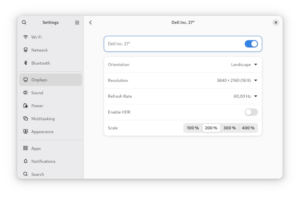
HDR support in GNOME Control Center
As for concrete Wayland protocols the single biggest thing for us for a long while now has of course been the HDR support for Linux. And it was great to see the HDR protocol get merged just before the holidays. I also want to give a shout out to Xaver Hugl from the KWin project. As we where working to ramp up HDR support in both GNOME Shell and GTK+ we ended up working with Xaver and using Kwin for testing especially the GTK+ implementation. Xaver was very friendly and collaborative and I think HDR support in both GNOME and KDE is more solid thanks to that collaboration, so thank you Xaver!
Talking about concrete progress on HDR support Jonas Adahl submitted merge requests for HDR UI controls for GNOME Control Center. This means you will be able to configure the use of HDR on your system in the next Fedora Workstation release.
PipeWire
I been sharing a lot of cool PipeWire news here in the last couple of years, but things might slow down a little as we go forward just because all the major features are basically working well now. The PulseAudio support is working well and we get very few bug reports now against it. The reports we are getting from the pro-audio community is that PipeWire works just as well or better as JACK for most people in terms of for instance latency, and when we do see issues with pro-audio it tends to be more often caused by driver issues triggered by PipeWire trying to use the device in ways that JACK didn’t. We been resolving those by adding more and more options to hardcode certain options in PipeWire, so that just as with JACK you can force PipeWire to not try things the driver has problems with. Of course fixing the drivers would be the best outcome, but for some of these pro-audio cards they are so niche that it is hard to find developers who wants to work on them or who has hardware to test with.
We are still maturing the video support although even that is getting very solid now. The screen capture support is considered fully mature, but the camera support is still a bit of a work in progress, partially because we are going to a generational change the camera landscape with UVC cameras being supplanted by MIPI cameras. Resolving that generational change isn’t just on PipeWire of course, but it does make the a more volatile landscape to mature something in. Of course an advantage here is that applications using PipeWire can easily switch between V4L2 UVC cameras and libcamera MIPI cameras, thus helping users have a smooth experience through this transition period.
But even with the challenges posed by this we are moving rapidly forward with Firefox PipeWire camera support being on by default in Fedora now, Chrome coming along quickly and OBS Studio having PipeWire support for some time already. And last but not least SDL3 is now out with PipeWire camera support.
MIPI camera support
Hans de Goede, Milan Zamazal and Kate Hsuan keeps working on making sure MIPI cameras work under Linux. MIPI cameras are a step forward in terms of technical capabilities, but at the moment a bit of a step backward in terms of open source as a lot of vendors believe they have ‘secret sauce’ in the MIPI camera stacks. Our works focuses mostly on getting the Intel MIPI stack fully working under Linux with the Lattice MIPI aggregator being the biggest hurdle currently for some laptops. Luckily Alan Stern, the USB kernel maintainer, is looking at this now as he got the hardware himself.
Flatpak
Some major improvements to the Flatpak stack has happened recently with the USB portal merged upstream. The USB portal came out of the Sovereign fund funding for GNOME and it gives us a more secure way to give sandboxed applications access to you USB devcices. In a somewhat related note we are still working on making system daemons installable through Flatpak, with the usecase being applications that has a system daemon to communicate with a specific piece of hardware for example (usually through USB). Christian Hergert got this on his todo list, but we are at the moment waiting for Lennart Poettering to merge some pre-requisite work into systemd that we want to base this on.
Accessibility
We are putting in a lot of effort towards accessibility these days. This includes working on portals and Wayland extensions to help facilitate accessibility, working on the ORCA screen reader and its dependencies to ensure it works great under Wayland. Working on GTK4 to ensure we got top notch accessibility support in the toolkit and more.
GNOME Software
Last year Milan Crha landed the support for signing the NVIDIA driver for use on secure boot. The main feature Milan he is looking at now is getting support for DNF5 into GNOME Software. Doing this will resolve one of the longest standing annoyances we had, which is that the dnf command line and GNOME Software would maintain two separate package caches. Once the DNF5 transition is done that should be a thing of the past and thus less risk of disk space being wasted on an extra set of cached packages.
Firefox
Martin Stransky and Jan Horak has been working hard at making Firefox ready for the future, with a lot of work going into making sure it supports the portals needed to function as a flatpak and by bringing HDR support to Firefox. In fact Martin just got his HDR patches for Firefox merged this week. So with the PipeWire camera support, Flatpak support and HDR support in place, Firefox will be ready for the future.
We are hiring! looking for 2 talented developers to join the Red Hat desktop team
We are hiring! So we got 2 job openings on the Red Hat desktop team! So if you are interested in joining us in pushing the boundaries of desktop linux forward please take a look and apply. For these 2 positions we are open to remote workers across the globe and while the job adds list specific seniorities we are somewhat flexible on that front too for the right candidate. So be sure to check out the two job listings and get your application in! If you ever wanted to work fulltime on GNOME and related technologies this is your chance.
Just as 2025 is starting, we got a new Linux release in mid January, tagged as 6.13. In the spirit of holidays, Linus Torvalds even announced during 6.13-rc6 that he would be building and raffling a guitar pedal for a random kernel developer!
As usual, this release comes with a pack of exciting news done by the kernel community:
This release has two important improvements for task scheduling: lazy preemption and proxy execution. The goal with lazy preemption is to find a better balance between throughput and response time. A secondary goal is being able to make it the preferred non-realtime scheduling policy for most cases. Tasks that really need a reschedule in a hurry will use the older TIF_NEED_RESCHED flag. A preliminary work for proxy execution was merged, which will let us avoid priority-inversion scenarios when using real time tasks with deadline scheduling, for use cases such as Android.
New important Rust abstractions arrived, such as VFS data structures and interfaces, and also abstractions for misc devices.
Lightweight guard pages: guard pages are used to raise a fatal signal when accessed. This feature had the drawback of having a heavy performance impact, but in this new release the flag MADV_GUARD_INSTALL was added for the madvise() syscall, offering a lightweight way to guard pages.
To know more about the community improvements, check out the summary made by Kernel Newbies.
Now let’s highlight the contributions made by Igalians for this release.
Case sensitivity has been a traditional difference between Linux distros and MS Windows, with the most popular filesystems been in opposite sides: while ext4 is case sensitive, NTFS is case insensitive. This difference proved to be challenging when Windows apps, mainly games, started to be a common use case for Linux distros (thanks to Wine!). For instance, games running through Steam’s Proton would expect that the path assets/player.png and assets/PLAYER.PNG would point to be the same file, but this is not the case in ext4. To avoid doing workarounds in userspace, ext4 has support for casefolding since Linux 5.2.
Now, tmpfs joins the group of filesystems with case-insensitive support. This is particularly useful for running games inside containers, like the combination of Wine + Flatpak. In such scenarios, the container shares a subset of the host filesystem with the application, mounting it using tmpfs. To keep the filesystem consistent, with the same expectations of the host filesystem about the mounted one, if the host filesystem is case-insensitive we can do the same thing for the container filesystem too. You can read more about the use case in the patchset cover letter.
While the container frameworks implement proper support for this feature, you can play with it and try it yourself:
$ mount -t tmpfs -o casefold fs_name /mytmpfs
$ cd /mytmpfs # case-sensitive by default, we still need to enable it
$ mkdir a
$ touch a; touch A
$ ls
A  a
$ mkdir B; cd b
cd: The directory 'b' does not exist
$ # now let's create a case-insensitive dir
$ mkdir case_dir
$ chattr +F case_dir
$ cd case_dir
$ touch a; touch A
$ ls
a
$ mkdir B; cd b
$ pwd
$ /home/user/mytmpfs/case_dir/B
As part of Igalia’s effort for enhancing the graphics stack for Raspberry Pi, the V3D DRM driver now has support for Super Pages, improving performance and making memory usage more efficient for Raspberry Pi 4 and 5. Using Linux 6.13, the driver will enable the MMU to allocate not only the default 4KB pages, but also 64KB “Big Pages” and 1MB “Super Pages”.
To measure the difference that Super Pages made to the performance, a series of benchmarks where used, and the highlights are:
v3dv-rpi5-vk-full:arm64You can read a detailed post about this, with all benchmark results, in Maíra’s blog post, including a super cool PlayStation 2 emulation showcase!
transparent_hugepage_shmem= command-line parameterIgalia contributed new kernel command-line parameters to improve the configuration of multi-size Transparent Huge Pages (mTHP) for shmem. These parameters, transparent_hugepage_shmem= and thp_shmem=, enable more flexible and fine-grained control over the allocation of huge pages when using shmem.
The transparent_hugepage_shmem= parameter allows users to set a global default huge page allocation policy for the internal shmem mount. This is particularly valuable for DRM GPU drivers. Just as CPU architectures, GPUs can also take advantage of huge pages, but this is possible only if DRM GEM objects are backed by huge pages.
Since GEM uses shmem to allocate anonymous pageable memory, having control over the default huge page allocation policy allows for the exploration of huge pages use on GPUs that rely on GEM objects backed by shmem.
In addition, the thp_shmem= parameter provides fine-grained control over the default huge page allocation policy for specific huge page sizes.
By configuring page sizes and policies of huge-page allocations for the internal shmem mount, these changes complement the V3D Super Pages feature, as we can now tailor the size of the huge pages to the needs of our GPUs.
As usual in Linux releases, this one collects a list of improvements made by our team in DRM and AMDGPU driver from the last cycle.
Cosmic (the desktop environment behind Pop! OS) users discovered some bugs in the AMD display driver regarding the handling of overlay planes. These issues were pre-existing and came to light with the introduction of cursor overlay mode. They were causing page faults and divide errors. We debugged the issue together with reporters and proposed a set of solutions that were ultimately accepted by AMD developers in time for this release.
In addition, we worked with AMD developers to migrate the driver-specific handling of EDID data to the DRM common code, using drm_edid opaque objects to avoid handling raw EDID data. The first phase was incorporated and allowed the inclusion of new functionality to get EDID from ACPI. However, some dependencies between the AMD the Linux-dependent and OS-agnostic components were left to be resolved in next iterations. It means that next steps will focus on removing the legacy way of handling this data.
Also in the AMD driver, we fixed one out of bounds memory write, fixed one warning on a boot regression and exposed special GPU memory pools via the fdinfo common DRM framework.
In the DRM scheduler code, we added some missing locking, removed a couple of re-lock cycles for slightly reduced command submission overheads and clarified the internal documentation.
In the common dma-fence code, we fixed one memory leak on the failure path and one significant runtime memory leak caused by incorrect merging of fences. The latter was found by the community and was manifesting itself as a system out of memory condition after a few hours of gameplay.
The sched_ext landed in kernel 6.12 to enable the efficient development of BPF-based custom schedulers. During the 6.13 development cycle, the sched_ext community has made efforts to harden the code to make it more reliable and clean up the BPF APIs and documentation for clarity.
Igalia has contributed to hardening the sched_ext core code. We fixed the incorrect use of the scheduler run queue lock, especially during initializing and finalizing the BPF scheduler. Also, we fixed the missing RCU lock protections when the sched_core selects a proper CPU for a task. Without these fixes, the sched_ext core, in the worst case, could crash or raise a kernel oops message.
syzkaller, a kernel fuzzer, has been an important instrument to find kernel bugs. With the help of KASAN, a memory error detector, and syzbot, numerous such bugs have been reported and fixed.
Igalians have contributed to such fixes around a lot of subsystems (like media, network, etc), helping reduce the number of open bugs.
vc4_perfmon_find()get_order_from_str() to internal.hvc4_perfmon_find()scx_bpf_dispatch[_vtime]() to scx_bpf_dsq_insert[_vtime]()scx_bpf_consume() to scx_bpf_dsq_move_to_local()scx_bpf_dispatch[_vtime]_from_dsq*() -> scx_bpf_dsq_move[_vtime]*()Hi all!
FOSDEM is approaching rapidly! I’ll be there and will give a talk about modern IRC.
In wlroots land, we’ve finally merged support for the next-generation screen capture protocols, ext-image-capture-source-v1 and ext-image-copy-capture-v1! Compared to the previous wlroots-specific protocol, the new one provides better damage tracking, enables cursor capture (useful for remote desktop apps) and per-window capture (this part is not yet implemented in wlroots). Thanks to Kirill Primak, wlroots now supports the xdg-toplevel-icon-v1 protocol, useful for clients which want to update their window icon without changing their application ID (either by providing an icon name or pixel buffers). Kirill also added safety assertions everywhere in wlroots to ensure that all listeners are properly removed when a struct is destroyed.
I’ve revived some old patches to better identify outputs in wlroots and
libdisplay-info. Currently, there are two common ways to refer to an output:
either by its name (e.g. “DP-2”), or by its make+model+serial (e.g. “Foo Corp
C4FE 42424242”). Unfortunately, both of these naming schemes have downsides.
The name is ill-suited to configuration files because it’s unstable and might
change on reboot or unplug (it depends on driver load order, and DP-MST
connectors get a new name each time they are re-plugged). The make+model+serial
uses a database to look up the human-readable manufacturer name (so database
updates break config files), and is not unique enough (different models might
share a duplicate string). A new wlr_output.port field
and a libdisplay-info device tag should address these
shortcomings.
Jacob McNamee has contributed a Sway patch to add security context properties to IPC, criteria and title format. With this patch, scripts can now figure out whether an application is sandboxed, and a special title can be set for sandboxed (or unsandboxed) apps. There are probably more use-cases we didn’t think of!
I’ve managed to put aside some time to start reviewing the DRM color pipeline
patches. As discussed in the last XDC it’s in a pretty good shape so I’ve
started dropping some Reviewed-by tags. While discussing with David Turner
about libliftoff, I’ve realized that the DRM_MODE_PAGE_FLIP_EVENT flag was
missing some documentation (it’s not obvious how it interacts with the atomic
uAPI) so I’ve sent a patch to fix that.
I continue pushing small updates to go-imap, bringing it little by little
closer to version 2.0. I’ve added helpers to make it easier for servers to
implement the FETCH command, implemented FETCH BINARY and header field
decoding for SEARCH in the built-in in-memory server, added limits for the
IMAP command size to prevent denial-of-service, and fixed a few bugs. While
testing with ImapTest, I’ve discovered and fixed a bug in Go’s
mime/quotedprintable package.
Thanks to pounce, goguma now internally keeps track of message reactions. This is not used just yet, but will be soon once we add a user interface to display and send reactions. Support for deleting messages (called “redact” in the spec) has been merged. I’ve also implemented a small date indicator which shows up when scrolling in a conversation.
That’s all for this month, see you at FOSDEM!
I have been working on making the camera work on more laptop models. After receiving and sending many emails and blog post comments about this I have started filing Fedora bugzilla issues on a per sensor and/or laptop-model basis to be able to properly keep track of all the work.
Currently the following issues are being either actively being worked on, or are being tracked to be fixed in the future.
Issues which have fixes pending (review) upstream:
I got a ticket last year about this game Everspace having bad perf on zink. I looked at it a little then, but it was the end of the year and I was busy doing other stuff. More important stuff. I definitely wasn’t just procrastinating.
In any case, I didn’t fix it last year, so I dusted it off the other day and got down to business. Unsurprisingly, it was still slow.
The first step is always a flamegraph, and as expected, I got a hit:
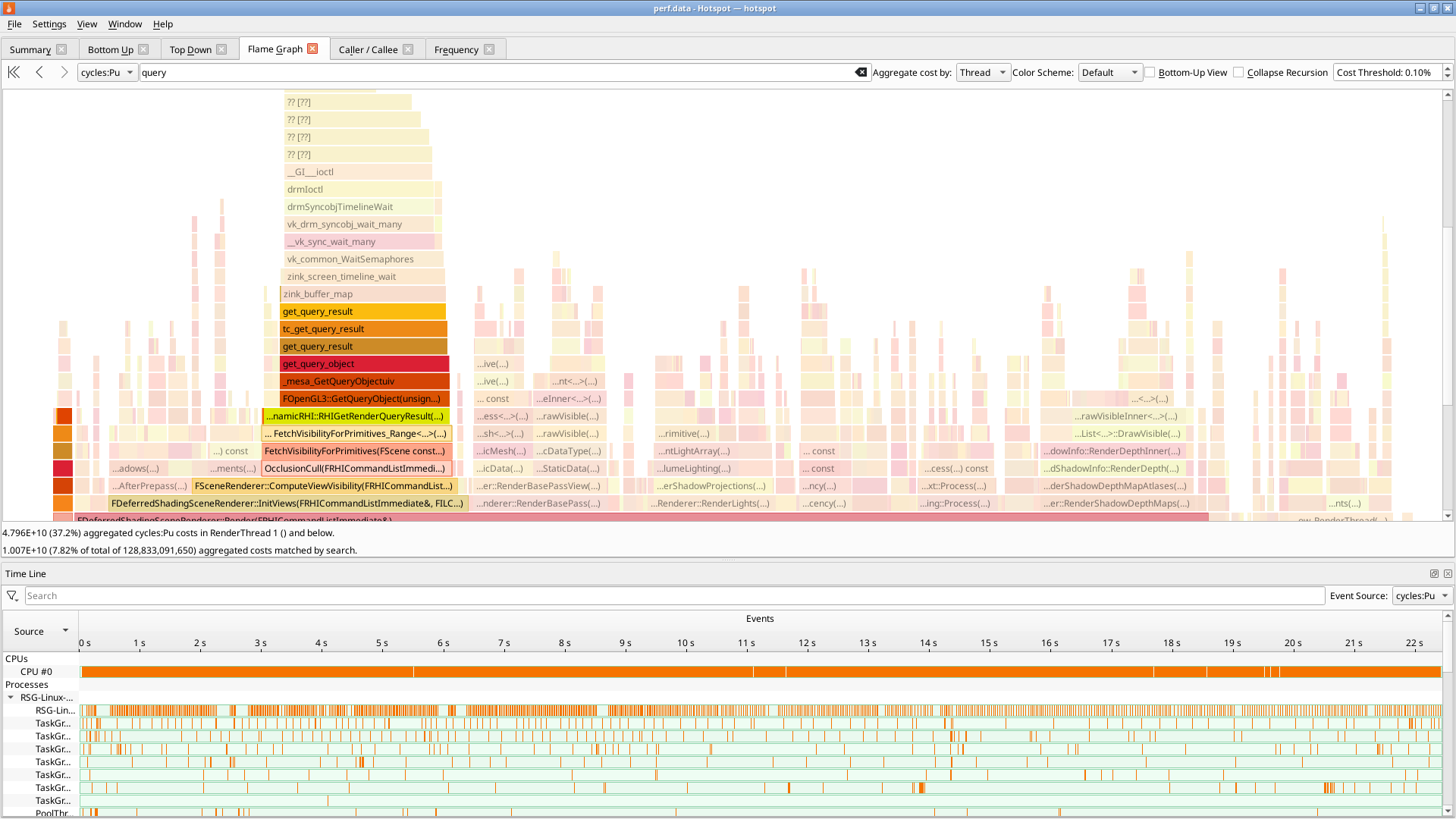
Huge bottlenecking when checking query results, specifically in semaphore waits. What’s going on here?
What’s going on is this game is blocking on timestamp queries, and the overhead of doing vkWaitSemaphores(t=0) to check drm syncobj progress for the result is colossal. Who could have guessed that using core Vulkan mechanics in a hotpath would obliterate perf?
Fixing this is very stupid: directly checking query results with vkGetQueryPoolResults avoids syncobj access inside drivers by accessing what are effectively userspace fences, which Vulkan doesn’t directly permit. If an app starts polling on query results, zink now uses this rather than its usual internal QBO mechanism.
Bottleneck uncorked and performance fixed. Right?
The perf is still pretty bad. It’s time to check in with the doctor. Looking through some of the renderpasses reveals all kinds of begin/end tomfoolery. Paring this down, renderpasses are being split for layout changes to toggle feedback loops:
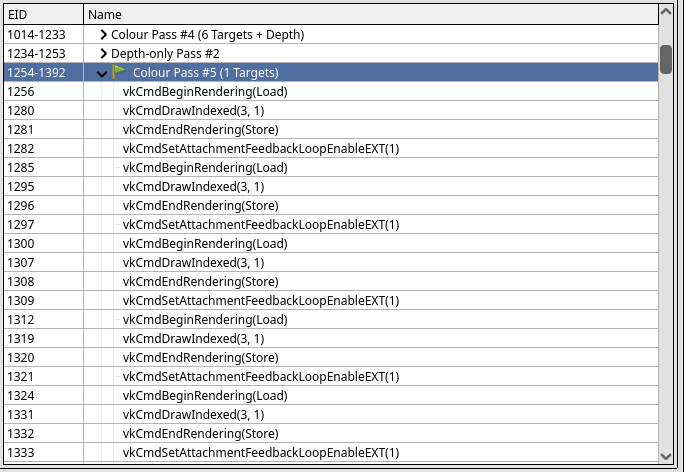
The game is rendering to one miplevel of a framebuffer attachment while sampling from another miplevel of the same image. This breaks zink’s heuristic for detecting implicit feedback loops. Improvements here tighten up that detection to flatten out the renderpasses.
Perf recovered: the game runs roughly 150% faster, putting it on par with RadeonSI. Maybe some other games will be affected? Who can say.
Don’t quote me. We’re not doing it.
Unless we are, in which case everything I wrote last year may come to pass with the advent of the unified OpenGL/ES ‘25 release. This is not a release announcement, but I’m tentatively planning to provide the date of the announcement once the ray-tracing EXT goes live.
Confused? Well, you better figure it out quick cuz this is only the first week of 2025 and we got 51 more to go.
In the meanwhile, get in the car: we’re going mesh shading.
I gotta do this every year because we can’t have fun anymore on the internet. C’mon. Obviously there’s no ray-tracing EXT in the pipe BECAUSE WE’RE GOING MESH SHAAADIIIIIIIIIIIIIIIIIIII
2024 has been an exciting year for the Igalia’s Graphics Team. We’ve been making a lot of progress on Turnip, AMD display driver, the Raspberry Pi graphics stack, Vulkan video, and more.
Igalia’s Ricardo Garcia has been working hard on adding support for
the new VK_EXT_device_generated_commands extension in the
Vulkan Conformance Test Suite. He wrote an excellent blog post on the
extension and on his work that you can read here. Ricardo also
presented the extension at XDC 2024 in Montréal, which he also blogged about. Take a look
and see what generating Vulkan commands directly on the GPU looks
like!
Our very own Maíra Canal made a big contribution to improve the graphics performance of Raspberry Pi 4 & 5 devices by introducing support for “Super Pages”. She wrote an excellent and detailed blog post on what Super Pages are, how they improve performance, and comparing performance of different apps and games. You can read all the juicy details here.
She also worked on introducing CPU jobs to the Broadcom GPU kernel driver in Linux. These changes allow user space to implement jobs that get executed on the CPU in sync with the work on the GPU. She wrote a great blog post detailing what CPU jobs allow you to do and how they work that you can read here.
Christian Gmeiner on the Graphics team has also been working on adding Perfetto support to Broadcom GPUs. Perfetto is a performance tracing tool and support for it in Broadcom drivers will allow to developers to gain more insight into bottlenecks of their GPU applications. You can check out his changes to add support in the following MRs: - MR 31575 - MR 32277 - MR 31751
The Raspberry Pi team here at Igalia presented all of their work at XDC 2024 in Montréal. You can see a video below.
A number of Igalians made several contributions to the Linux 6.8 kernel release back in March of this year. Our colleague Maíra wrote a great blog post outlining these contributions that you can read here. To highlight some of these contributions:
Dhruv Mark Collins has been very hard at work to try and bring performance parity between Qualcomm’s proprietary driver and the open source Turnip driver. Two of his big contributions to this were improving the 2D buffer to image copies on A7XX devices, and implementing unidirectional Low Resolution Z (LRZ) on A7XX devices. You can see the MR for these changes here and here.
A new member of the Igalia Graphics Team Karmjit Mahil has been
working on different parts of the Turnip stack, but one notable
improvement he made was to improve fmulz handling for
Direct3D 9. You can check out his changes here
and read more about them.
Danylo Piliaiev has been hard at work adding support for the latest generation of Adreno GPUs. This included getting support for the A750 working, and then implementing performance improvements to bring it up to parity with other Adreno GPUs in Turnip. All-together the turnip team implemented a number of Vulkan extensions and performance improvements such as:
Igalia hosted the 2024 version of the Display Next Hackfest. This community event is a way to get Linux display developers together to work on improving the Linux display stack. Our Melissa Wen wrote a blog post about the event and what it was like to organize it. You can read all about it here.
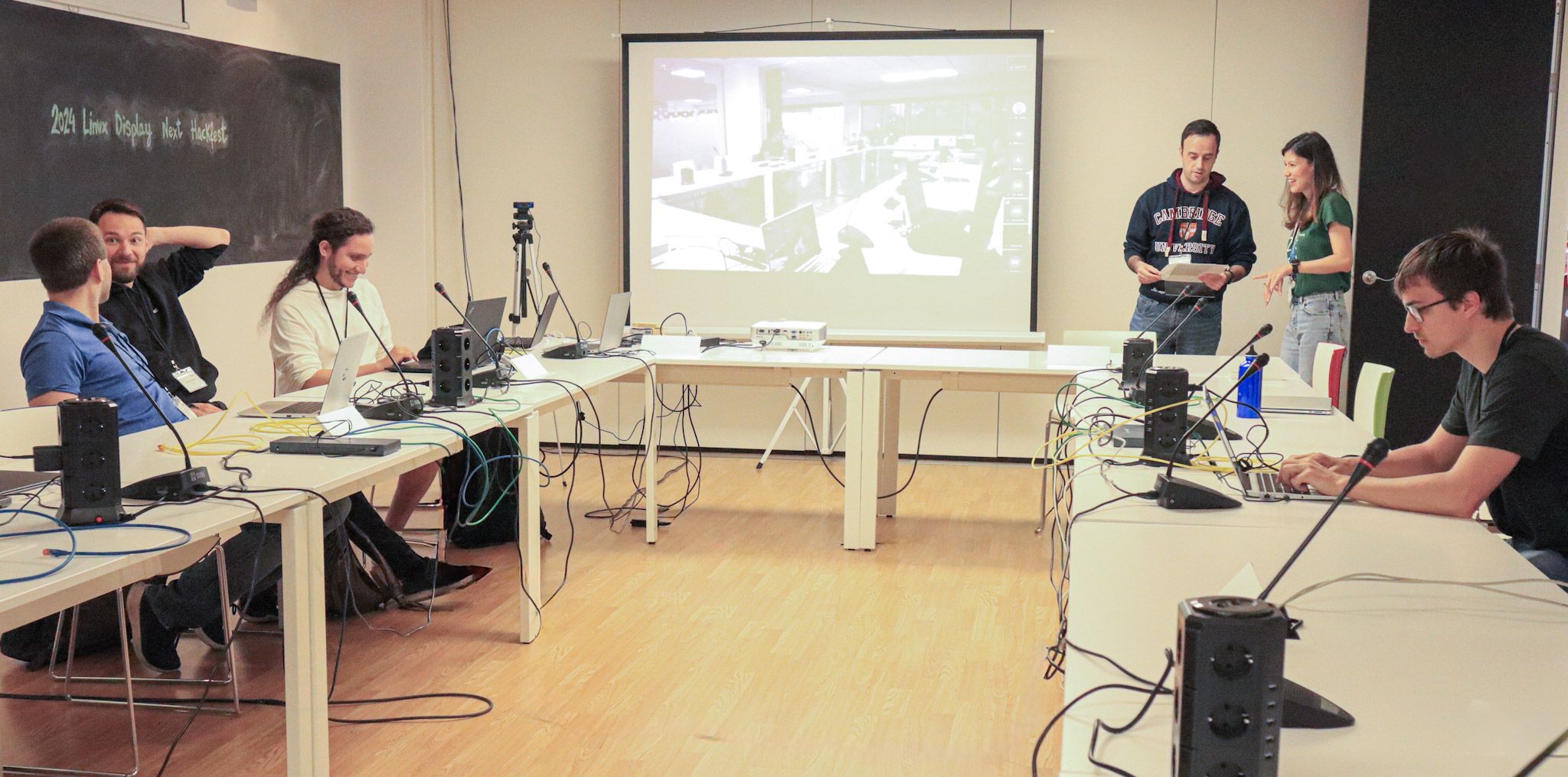 Display Next Hackfest
Just in-case you thought you couldn’t get enough Linux display stack, Melissa also helped organize a Display/KMS meet-up at XDC 2024. She wrote all about that meet-up and the progress the community made on her blog here.
Melissa Wen has also been hard at work improving AMDGPU’s display driver. She made a number of changes including improving display debug log to include hardware color capabilities, Migrating EDID handling to EDID common code and various bug fixes such as:
Tvrtko Ursulin, a recent addition to our team, has been working on fixing issues in AMDGPU and some of the Linux kernel’s common code. For example, he worked on fixing bugs in the DRM scheduler around missing locks, optimizing the re-lock cycle on the submit path, and cleaned up the code. On AMDGPU he worked on improving memory usage reporting, fixing out of bounds writes, and micro-optimized ring emissions. For DMA fence he simplified fence merging and resolved a potential memory leak. Lastly, on workqueue he fixed false positive sanity check warnings that AMDGPU & DRM scheduler interactions were triggering. You can see the code for some of changes below: - https://lore.kernel.org/amd-gfx/20240906180639.12218-1-tursulin@igalia.com/ - https://lore.kernel.org/amd-gfx/20241008150532.23661-1-tursulin@igalia.com/ - https://lore.kernel.org/amd-gfx/20241227111938.22974-1-tursulin@igalia.com/ - https://lore.kernel.org/amd-gfx/20240813135712.82611-1-tursulin@igalia.com/ - https://lore.kernel.org/amd-gfx/20240712152855.45284-1-tursulin@igalia.com/
GL_EXT_texture_offset_non_const
VK_KHR_video_encode_av1 &
VK_KHR_video_decode_av1
Christian Gmeiner, one of the maintainers of the Etnaviv driver for Vivante GPUs, has been hard at work this year to make a number of big improvements to Etnaviv. This includes using hwdb to detect GPU features, which he wrote about here. Another big improvement was migrating Etnaviv to use isaspec for the GPU isa description, allowing an assembler and disassembler to be generated from XML. This also allowed Etnaviv to reuse some common features in Mesa for assemblers/disassemblers and take advantage of the python code generation features others in the community have been working on. He wrote a detailed blog about it, that you can find here. On the same vein of Etnaviv infrastructure improvements, Christian has also been working on a new shader compiler, written in Rust, called “EBC”. Christian presented this new shader compiler at XDC 2024 this year. You can check out his presentation below.
On the side of new features, Christian landed a big one in Mesa 24.03 for Etnaviv: Multiple Render Target (MRT) support! This allows games and applications to render to multiple render targets (think framebuffers) in a single graphics operations. This feature is heavily used by deferred rendering techniques, and is a requirement for later versions of desktop OpenGL and OpenGL ES 3. Keep an eye on Christian’s blog to see any of his future announcements.
I had a busy year working on improving Lavapipe/LLVMpipe platform integration. This started with adding support for DMABUF import/export, so that the display handles from Android Window system could be properly imported and mapped. Next came Android window system integration for DRI software rendering backend in EGL, and lastly but most importantly came updating the documentation in Mesa for building Android support. I wrote all about this effort here.
The latter half on the year had me working on improving lavapipe’s integration with ChromeOs, and having Lavapipe work as a host Vulkan driver for Venus. You can see some of the changes I made in virglrenderer here and crosvm here. This work is still ongoing.
We’re not planning to stop our 2024 momentum, and we’re hopping for 2025 to be a great year for Igalia and the Linux graphics stack! I’m booked to present about Lavapipe at Vulkanised 2025, where Ricardo will also present about Device-Generated Commands. Maíra & Chema will be presenting together at FOSDEM 2025 about improving performance on Raspberry Pi GPUs, and Melissa will also present about kworkflow there. We’ll also be at XDC 2025, networking and presenting about all the work we are doing on the Linux graphics stack. Thanks for following our work this year, and here’s to making 2025 an even better year for Linux graphics!
This is a heads up that if you file an issue in the libinput issue tracker, it's very likely this issue will be closed. And this post explains why that's a good thing, why it doesn't mean what you want, and most importantly why you shouldn't get angry about it.
Unfixed issues have, roughly, two states: they're either waiting for someone who can triage and ideally fix it (let's call those someones "maintainers") or they're waiting on the reporter to provide some more info or test something. Let's call the former state "actionable" and the second state "needinfo". The first state is typically not explicitly communicated but the latter can be via different means, most commonly via a "needinfo" label. Labels are of course great because you can be explicit about what is needed and with our bugbot you can automate much of this.
Alas, using labels has one disadvantage: GitLab does not allow the typical bug reporter to set or remove labels - you need to have at least the Planner role in the project (or group) and, well, suprisingly reporting an issue doesn't mean you get immediately added to the project. So setting a "needinfo" label requires the maintainer to remove the label. And until that happens you have a open bug that has needinfo set and looks like it's still needing info. Not a good look, that is.
So how about we use something other than labels, so the reporter can communicate that the bug has changed to actionable? Well, as it turns out there is exactly thing a reporter can do on their own bugs other than post comments: close it and re-open it. That's it [1]. So given this vast array of options (one button!), we shall use them (click it!).
So for the forseeable future libinput will follow the following pattern:
This process should work (in libinput at least), all it requires is for reporters to not get grumpy about issue being closed. And that's where this blog post (and the comments bugbot will add when closing) come in. So here's hoping. And to stave off the first question: yes, I too wish there was a better (and equally simple) way to go about this.
[1] we shall ignore magic comments that are parsed by language-understanding bots because that future isn't yet the present
TL;DR — I’ve lost a ton of weight from mid-2023 to early 2024 and maintained the vast majority of that loss. I’ve also begin exercising and had great results in my fitness and strength. Here, I’m sharing what I’ve learned as well as a bunch of my tips and tricks. Overall on the diet side, it’s about eating a wide variety and healthy ratio of colorful, minimally processed whole foods, with natural flavor and sweetness, only during meals. On the exercise side, I do both cardio and resistance training. For cardio, I focus on post-meal, moderate-intensity cardio (specifically, 1-mile brisk walks). For strength training, I use calisthenics-based compound exercises (complex multi-muscle movements) 2x/wk, performing a single set to near-exhaustion. I’ve optimized this down from 3 sets 3x/wk, based on my experience and academic research in the area.
In the past 18 months, I’ve lost 75 pounds and gone from completely sedentary to fit, while minimizing the effort to do so (but needing a whole lot of persistence and grit). On the fitness side, I’ve taken my cardiorespiratory fitness from below average to high, and I’m stronger than I’ve been in my entire life. Again I’ve aimed to do so with maximum efficiency, shooting for the 80% of value with 20% of effort.
Here’s what I wrote in my initial post on weight loss:
I have no desire to be a bodybuilder, but I want to be in great shape now and be as healthy and mobile as possible well into my old age. And a year ago, my blood pressure was already at pre-hypertension levels, despite being at a relatively young age.
Research shows that 5 factors are key to a long life — extending your life by 12–14 years:
Additionally, people who are in good health have a much shorter end-of-life period. This means they can enjoy a longer healthy part of their lives (the “healthspan”) and squeeze the toughest times into a shorter period right at the end. After seeing many seniors struggle for years as they got older, I wanted my own story to end differently.

Although I’m no smoker, I lacked three other factors. My weight was incredibly unhealthy, I was completely sedentary, and my diet was terrible. I do drink moderately, however (nearly all beer).
This post accompanies my earlier writeups, “The lazy technologist’s guide to weight loss” and “The lazy technologist’s guide to fitness” Check them out for in-depth, science-driven reviews of my experience losing weight and getting fit.
Why is this the lazy technologist’s guide, again? I wanted to lose weight in the “laziest” way possible — in the same sense that lazy programmers work to find the most efficient solutions to problems. I’ll reference an apocryphal quote by Bill Gates and a real one by Larry Wall, creator of Perl. Gates supposedly said, “I choose a lazy person to do a hard job. Because a lazy person will find an easy way to do it.” Wall wrote in Programming Perl, “Laziness: The quality that makes you go to great effort to reduce overall energy expenditure. It makes you write labor-saving programs that other people will find useful and document what you wrote so you don’t have to answer so many questions about it.”
What’s the lowest-effort, most research-driven way to lifelong health, whether you’re losing weight, getting in shape, or trying to maintain your current healthy weight or state after putting in a whole lot of time and effort getting there? Discovering and executing upon that was my journey. Read on if you’re considering taking a similar path.
Since my posts early this year, I broke through into my target ranges for both maintenance weight and fitness. In mid-April, I hit a low of 164 lbs. Since then, I’ve been gradually transitioning into maintenance mode, hovering within ~10 lbs of my low. As I write this, I’m about 10 pounds above my minimum weight, at a current BMI of 23. At my lowest, I had a BMI around 22.
On the fitness side, in late May, I broke into the VO2Max range for high cardiorespiratory fitness. (In my case, that’s 47 based on my age and gender, as measured by my Apple Watch.)
In the next few sections, I’ll share how I’ve continued to change what I eat and how I work out to keep improving my overall health.
In this section, I’ll share a lot of what I’ve learned regarding how to eat healthier. There’s a lot to it, from focusing on whole foods with enough protein and fiber to eating enough veggies and managing portion sizes, so dig in for all the details!
As I wrote in the post on weight loss, high protein is a great way to lose weight and maintain or build muscle. Protein also promotes fullness, so I’ve shifted my diet so that every meal (breakfast included) has a good amount of protein — targeting 25%–30% of daily calories. Previously, I used to get quite hungry in the late morning, before it was time to eat lunch. That’s no longer a concern even when I’m on a caloric deficit, let alone eating at maintenance.
Although I’m not officially eating a Mediterranean diet, I’ve found its plate ratios to be incredibly valuable:
Building meals that way makes it very hard for me to overeat, because the vegetables are so high-volume and low-calorie that they take up a lot of space in my stomach. Following this guideline is especially helpful at restaurants, which I’ll detail later.
My main exception is breakfast, where I do incorporate veggies but not as half of my meal. Veggies plus fruits are certainly half of it, though.
After overeating for a sizable fraction of my lifetime, and then eating at a large deficit for a year, I need to teach myself what sustainable eating habits look like because they clearly aren’t intuitive, for me. The “intuitive eating” trend may work for people who already have a habit of healthy eating and weight maintenance, but not for the rest of us — our intuition is broken from years or decades of bad habits.
As a result, calorie counting at maintenance is a good practice to learn what the correct amount of food per day looks and feels like.
My plan is to continue counting calories at maintenance until I’m confident that I’m no longer gaining weight, and then stop. However, that raises the risk that my weight could then start increasing again, because it’s incredibly common for people to re-gain the weight they’ve lost. Around 80%–90% of people fail to maintain their weight loss — mostly those who don’t exercise and stop tracking their eating/weight. There’s great studies on the US National Weight Control Registry about the habits of people who keep their weight off.
As a process control, I’m going to continue weighing myself daily. I’m setting an upper limit of 5 pounds above my target weight that will trigger me to begin calorie counting again. To avoid reacting to the random deviations that accompany daily weight, I’ve started using a specialized app called Happy Scale that is designed for creating smoothed trends for body weight. You could also do this in a spreadsheet, but I like the ease of use of this app.
Eating out at restaurants (or getting takeout/takeaway) is a challenge that a lot of people on diets — or just trying to eat healthy — can’t figure out how to make work. A lot of people just give up and always order a salad. Surprisingly, that can trick you into thinking you’re eating healthy without actually doing so. I’ve created a set of guidelines that I follow when eating out:
As one example, I love burgers. When I order one, I’ll look for a healthier, simpler option instead of the one with 15 fatty add-ons, I’ll stick with a single patty instead of a double, and I’ll often ask for the aioli on the side. That way, I can lightly dip each bite if it needs the flavor. I’ll frequently get a turkey or bison patty instead of beef, and I’ll often order it without a bun — either on a bed of lettuce (eaten with a fork & knife), or wrapped in lettuce instead of the bun. For the side, instead of fries, I’ll get a side salad (no croutons, no cheese, vinaigrette on the side), veggies, or fruit. Sometimes I’ll get coleslaw or a lower-calorie soup, when that’s the best option. I allow myself one “extra” from my guidelines, and it’s usually getting cheese on the burger (the other toppings are veggies).
As another, noodle/rice dishes at Italian, Indian or SE Asian restaurants (Chinese, Japanese, Vietnamese, Japanese, etc) are common. Get a stir-fry, add lots of veggies, get the grilled/roasted chicken or seafood, avoid the buttery/creamy sauces, and/or eat less of the rice/noodle part of the dish. If you get sushi, prefer sashimi and rolls over nigiri, which has a lot more rice. When you do order starchy carbs, prefer the whole-grain version when possible (brown rice, whole-wheat pasta, etc). When you can make it work, first eat the veggies, then protein, then grains.
Sometimes you’re stuck at a place that doesn’t fit any of those guidelines. Fast-food restaurants like McDonald’s, Burger King, or Dairy Queen have no healthy meal options — no grilled chicken, no salad or wraps without fried food, etc. In those cases, I’ll order smaller portions, like a kid’s meal, or a single cheeseburger and the smallest size of fries (the one that comes in a little bag instead of a fry holder), with a cup of water. Another option is a double fish sandwich, if you order it without tartar sauce and skip the bun. You can probably manage a meal around 500–600 calories, but you’ll be hungry because you hardly got any veggies or fiber, so you’re missing out on fullness signals. You also will have eaten all kinds of ultraprocessed ingredients instead of healthy whole foods, which we’ll discuss later.
In the US, if you go back to before we had ultraprocessed foods, people ate very differently. Most of that emerged in the 1960s and really gained popularity in the 1970s, so let’s return to the 1950s.
Before we had overwhelmingly sugar-doused cereal, people often ate breakfast differently. It might be leftovers from the night before, or it could be oatmeal, peanut-butter toast, or something like eggs & bacon. In general, breakfasts were much more savory than sweet.
I’ve adopted that philosophy, shifting away from breakfasts like sweet cereal or flavored yogurt (both with plenty of added sugar) to a more savory approach, or at least foods with no sugar added. Most often, I’ll have something with eggs and beans, as well as a separate bowl with berries and plain skyr or Greek yogurt. The fruit adds plenty of flavor and sweetness, so there’s no need to add any more from sugar/honey/etc.
Before ultraprocessed foods, snacks also weren’t really a thing. There weren’t food companies trying to create opportunities for profit through people eating outside of typical meals. You’d eat breakfast, lunch, and dinner, and that was it. Eating random snacks throughout the day didn’t really exist, although some families might have an extra mini-meal of sorts at some point.
Additionally, portion sizes have increased dramatically. In part, this is because plateware has increased in size. For example, the diameter of plates has increased from 9″ in the 1950s to 10.5″–11″ between the 1980s and 2000, and as much as 12″–13″ today. People will subconsciously take larger portions and eat more calories when their plates are larger, as academic studies have shown.
This brings us to another easy thing I did to eat healthier — reduced the size of my plates, bowls, and glasses. Even without buying new plates, I started only adding food to the “inner ring” instead of all the way to the edge, and stopped piling anything on top of other food. I bought new, smaller bowls and glasses, because those were harder to manage. And when I eat out or get takeout, I have a mental baseline to compare to their plate sizes. I also watch out for the use of multiple courses to keep me from thinking about how much I’m eating.
To sum up, I switched to a savory breakfast, eliminated snacks outside of meals, and reduced the size of my plateware. Even if you only do 1 or 2 of those 3 things, that’ll make a meaningful difference.
I’ve read quite a bit about ultraprocessed foods. The summary is that they are effectively ways to trick your body into thinking it’s getting something that’s not really there. Artificial sweeteners, things with the taste & consistency of fat that have no fat, and artificial/natural flavors in foods that make your body expect something else are just a few examples.
When your body tastes something sweet, it expects that it will soon get an influx of calories from sugar to digest. Artificial sweeteners mess with this, tricking your body. A number of studies have shown that people tend to make up for these “lost” calories by subconsciously eating more later that day. It’s possible to prevent this with strict calorie counting, but it’s a bias you want to be aware of. It’s also unclear what these mixed signals will do to your body over the long term, when it can’t tell what calories to expect based on what you taste. As a result, I’ve begun avoiding alternative sweeteners, and just getting something with sugar if that’s really what I want.
This one is especially sneaky, because you can’t always spot it in the ingredient labels. Using seemingly normal ingredients, companies have created fat substitutes with unique structures that provide the same sort of mouth-feel as fat, without containing the expected levels of fat. These can come in the easily identifiable varieties such as all sorts of “gum” — this results in ice cream that basically doesn’t melt, for example. “Whey protein concentrate” is another common one, as is anything with “dextrin” in the name and a variety of emulsifiers such as “polyesters.” You need to work (and typically pay a premium) for things like ice cream or chocolate with a simple ingredient list, because natural ingredients cost more and often don’t transport as well.
Flavors in the wrong foods are another example of tricking your body into expecting a different set of nutrients than it gets. This can cause you to develop craving for unhealthy foods, based on your desire for a particular flavor profile that comes from added flavorings. For example, you might want some orange-, apple-, or grape-flavored drink instead of actual oranges, apples, or grapes. Your body will cause you to crave certain things based upon their nutrient profile, and what your body needs. This is most obvious in pregnancy and in studies done on babies/toddlers, given free choice on what to eat.
“Enriched” foods are stealing your health, again based on artificially induced cravings for unnaturally added ingredients. A good case study here is flour in bread. In the early 1940s, the United States passed a law requiring enrichment of bread flour to prevent diseases around missing micronutrients (e.g. folic acid, niacin, thiamin, riboflavin, iron). Italy, however, did no such thing — instead, it focused on educating its citizens on healthy diet components. As a result, Italians eat far more beans than Americans, for example, which contain many of the same missing micronutrients. Americans instead eat far more white bread than they should — an ultraprocessed food that our body desires because of the added micronutrients that don’t belong.
Overly salty foods are another danger area. In the US, the recommended amount is 2300 mg/day, which it’s quite easy to hit even while trying to avoid extra-salty foods. For example, I mostly don’t eat ramen, other soups, preserved meats like smoked salmon or beef jerky, or frozen meals. Another surprising one is sugar-sweetened beverages like soda, which have so much sugar that they also add salt to trick you into feeling like they aren’t that sweet.
Another area that’s become increasingly visible in the past couple of decades is the importance of gut microbiota in health. Keeping them healthy is critical to being healthy. That’s come down to a few key factors for me: fibers, fermented food, and reduced alcohol.
The average American only eats 10–15 grams of fiber per day, while the recommended daily allowance for adults up to age 50 is 25 grams for women and 38 grams for men. I see this as a general correlation with our consumption of ultraprocessed foods, because fiber is primarily present in whole foods. Whole fruits, whole vegetables, whole grains, legumes (beans/lentils), and seeds are among the best sources of fiber.
As soon as you stop eating the whole, unprocessed food and replace it with something more processed, you lose the benefits. Make sure to eat the whole fruit, including the edible portion of the skin. Even something as simple as making a fruit smoothie or fruit juice will chop up or remove the fiber and other long-chain complex molecules, reducing its nutritional value. Personally, I found it surprisingly hard to modify my diet enough to get enough fiber while I was losing weight, because I’d been eating ultraprocessed foods for so long. In the end, the main things I added were raspberries & blackberries, chia seeds, broccoli & cauliflower, and beans/lentils.
Among fruit, raspberries and blackberries are particularly high fiber (you can tell from all the seeds as you’re eating them). Other great options include apples, oranges, pears, grapefruit, and kiwifruit, as long as you eat the edible portion of the skin & rind. Passion fruit is an all-star with many times more fiber, but it’s quite expensive. Dried fruit can be a great complement to fresh fruit in moderation — especially golden berries (another all-star), plums, and apricots. It’s easy to eat too much dried fruit, though, because all the water’s been removed so it doesn’t fill you up as quickly. For example, you can eat 5 dried apricots in a few minutes, but imagine eating 5 fresh apricots in a row.
Vegetables are another great source of fiber, but again you need to focus on the right ones. Among non-starchy options (basically anything but root vegetables), broccoli and cauliflower are great choices, as is kale. I like to begin my meals with one of those, whenever I can. Among starchy options, sweet potatoes, carrots, and corn are great choices.
Whole grains (such as whole-wheat bread, the denser the better, and brown rice) are also high in fiber, but they tend to have lots more carbs — while I optimized more for protein. When I’m eating at maintenance, I occasionally have some dense whole-grain breads such as a Danish pumpernickel or a German roggenbrot/vollkornbrot. They’re nothing like your typical American pumpernickel or rye, so try to find a bakery near you that offers them. Otherwise, any 100% whole-grain bread (they often have a stamp) with low sugar and a decent amount of protein & fiber are a good option. Any bread with no sugar is even better, but it’s hard to find. I’d recommend checking out local bakeries first, then the bakery within your favorite grocery store, followed by national brands such as Dave’s Killer Bread or Ezekiel from Food for Life.
Legumes & seeds are a great source — I’ve saved perhaps the best for last. Beans and lentils are fiber superstars — a single serving around 100 calories could have 5–10 grams. They also offer a complete set of protein (all 20 amino acids) when combined with a whole-grain rice, such as brown, red or purple. I have a serving of black beans with eggs almost every day.
Another great way to improve the types of gut microbiota is eating more fermented foods. These are more common things in the US like yogurts and sauerkraut, as well as cultural food like Korean kimchi, increasingly popular drinks like kombucha, and less common drinks like kefir (basically drinkable yogurt). The benefits seem to fade away after just a few weeks though, so it’s important to maintain consumption instead of thinking you can transform your microbiota once and then you’re done.
I’m regularly eating skyr, which is a thick Icelandic yogurt with as much protein as Greek yogurt but not the tangy, bitter flavor. It’s a great protein-dense option, even when you eat the version based on whole milk (which I do). I’m also occasionally using kimchi on my eggs or drinking a small half-glass of kefir. Sauerkraut is reserved for summer barbecues, and I haven’t gotten into kombucha at this point.
Another thing that made a big difference was reducing the amount of alcohol I drink. Cutting this down from a beer every day to more like once a week has made a big difference. I’m overall feeling more energetic and my gut’s much healthier too.
As I learned more about eating healthy, I came across increasing amounts of material about how added sugar caused major problems, leading toward obesity or diabetes. Interestingly, many parts of the world eat far less sweet food, and there tends to be a general correlation between consumption of ultraprocessed sugary food and obesity. In my own life, I’ve noticed this difference in practice when traveling to Europe and Asia, where many of the desserts are far less sweet (and the obesity rate is much lower). Two great examples are Polish cheesecake (sernik) — which is far less sweet than American cheesecake — and the frequent use of less-sweet ingredients in Asia such as red bean, sesame, or glutinous rice.
Based on this, I’ve cut down on foods with added sugar. Natural levels of sugar are generally fine, such as that in many fruits, but even then I try to bias toward less-sweet options. For example, I’ll typically have an apple or pear instead of mango. Among dried fruit, I avoid dates and figs, tending toward lower-sugar options instead.
Once you start looking, it’s shocking how seemingly every processed food has added sugar. This goes all the way down to even basic staples such as bread, unless you specifically look for the rare breads without it.
In America, we’ve trained ourselves from birth (with sweetened baby food) to eat sweeter and sweeter foods with more and more unnatural levels of sugar, to the point where it tastes too sweet or even sickening to people from other cultures.
As a pleasant side effect of this, I find myself enjoying moderately sweet foods almost in the same way that I used to think of desserts. Fruit like strawberry or mango, chia pudding or overnight oats w/ fruit and no other sweetener, frozen Greek yogurt bars, skyr with cinnamon and just a little honey, dried fruit, trail mix, or 85%+ dark chocolate now taste great.
While on my journey, I came across a simple approach called the “No S Diet” that I quite appreciated. It boils down healthy eating into just three rules and one exception:
- No Snacks
- No Sweets
- No Seconds
Except (sometimes) on days that start with “S”
Even this alone would get you a long, long way. Combining it with a Mediterranean diet (plate ratios, whole foods, lean protein) is almost all you need.
I have stopped snacking entirely, as mentioned earlier. I’m a bit more flexible on sweets, if they fit into my calories for the day, but I do try to save more of that for the weekend. For example, I might have a little 85%+ dark chocolate on a weekday after lunch, or some strawberries w/ whipped cream after dinner, but I’ll eat a full dessert serving on the weekend.
Interestingly, I also learned that even the order in which you eat can make a difference. Specifically, you can flatten blood-sugar spikes by eating in a specific order: fiber, then protein, then starchy carbs.
For example, start with a salad, then eat the main portion of your entree (e.g. chicken or fish), followed by the sides (rice, potatoes or whatever).
This has served me well at home, but it’s been especially helpful at restaurants. Every time I go out, I make a point of ordering either a salad or a veggie-based appetizer to enjoy before the main course. Eating in this specific order isn’t the only reason that helps — it also uses up a bunch of the room in my stomach on veggies instead of more calorie-dense foods, so I’m often full enough before I finish my starchy carbs.
Antioxidants are another great way to eat healthier. These protect your body at a subcellular level from oxidizing reactions, which can damage parts of your cells (especially the mitochondria, basically your cell’s energy factory) over time and contribute to aging.
An easy way to identify foods with higher levels of antioxidants is to look for more color. Instead of the bland-looking food, pick one with a stronger color. It could be dark green, red, orange, blue, purple, or something else — just avoid white and beige options within a food family. Although there are many exceptions, this is a good guideline.
Remember: eat the rainbow.
Whole grains are hugely more valuable than the more processed options. You get the germ, which has a lot of the nutrients. With your typical American white bread, a lot of the healthy bits are removed (the germ and bran), leaving you with only the endosperm. With whole-grain bread, the germ and bran are also used, which keeps more of the fiber and micronutrients. This also reduces the blood-sugar spike after meals, which is another great benefit.
Another thing I learned is that there are different types of starches — rapidly digested, slowly digested, and resistant.
Resistant starch takes longer to digest, flattening some of the glucose spikes that can create hunger cravings a couple of hours after meals. Two of the best examples of those are whole grains (type 2 resistant starch, or RS2) as well as pasta, potatoes, or rice that’s cooked and then cooled (type 3, or RS3).
One way to prefer resistant starch is to aim for foods that are higher in amylose and lower in amylopectin. Amylose is a single straight-chain polymer, so it takes longer to break down and digest, whereas amylopectin is branched with many ends (so it’s faster to break down in parallel). That parallel breakdown means you get a sugar spike rather than spreading out the sugar over time. In general, this means whole grains over processed grains, and the more colorful versions of foods. Here are some examples:
Another way to get more resistant starch is to eat more grains that were cooked and then cooled. Pasta salad, potato salad, grain bowls, and reheating leftover rice are a few common examples. Yes, that reheated Chinese stir-fry w/ rice can be healthier than it was when you ordered it!
A lot of people try to add missing nutrients to their diet in the form of a multivitamin or a large variety of supplements. Unfortunately, research has shown that despite containing the same chemical compounds, this is frequently not a substitute. The bioavailability (the amount that actually makes it into your bloodstream) is often much higher when you eat these micronutrients as part of whole foods, rather than taking them in a pill or as powders.
Protein powder is another issue. A lot of people will make protein shakes or add protein powder to foods like yogurt to get enough protein. Unfortunately, protein powders are missing a lot of the nutrients that protein-based whole foods contain. For protein shakes specifically, the below point applies regarding drinking your calories and its poor effect on satiety. If whole foods aren’t an option, I’d recommend looking into protein bars with high fiber rather than a liquid option. RXBar is my favorite protein bar because of its simple ingredient list, high protein & fiber content (12g protein, 5g fiber) and good flavor, and it’s well-priced at Costco at ~$1.25/bar vs $2 elsewhere. When I need a packable meal replacement that doesn’t require refrigeration, I’ll usually grab an RXBar, a Wholesome Medley trail mix (from Whole Foods), and an apple or pear.
Overall, drinking calories can confuse your body into consuming too many calories in a day. Your primary beverage should be water. That should be complemented primarily by low-calorie, unsweetened options like coffee or tea (potentially with milk and minimal sugar).
Soda and other sugar-sweetened beverages are not recognized by the body as consumed calories. When you consume 500 calories soda, you’re likely to increase your total daily consumption by 500 calories (gaining weight) instead of eating less food later. Not to mention, if you drink sugar-sweetened beverages frequently throughout the day, you’re also destroying your teeth and potentially giving yourself diabetes.
Smoothies destroy much of the nutritional value in whole fruit, such as fibers and other complex molecules, because it’s ground up into tiny bits by a blender. They also make it much easier to consume far more than you normally would. How much fruit goes into a single smoothie, compared to how many whole fruits you would eat in a single sitting?
Alcohol is another place to be careful. Cocktails are full of sugar from the simple syrup. Trying to save calories by getting a basic mixed drink with Diet Coke? Then you’ve got artificial sweeteners. Your best liquor-based option is probably a mix with soda water and lime — things like a vodka soda, ranch water, gin Rickey, or whiskey highball. High-alcohol beers have incredibly high calorie counts as well. There are some good options for low-calorie or non-alcoholic beer, which I covered in an earlier post.
Coffee-based drinks can be incredibly high-calorie, especially in the US. Mochas and blended/frozen drinks can be 500–1000 calories or more, for a single drink. This is especially harmful because of the American tendency to order the largest size instead of the smallest — it’s a better deal, right? A Starbucks Java Chip Frappuccino is 560 calories for a venti (large). But this pales in comparison to Caribou Coffee, which offers drinks like the Turtle Mocha for 960 cal (L) / 1140 (XL) or the Caramel Caribou Cooler for 830 cal (L) / 1050 (XL). At Dunkin’, you can get the Triple Mocha Frozen Coffee at 1100 cal (L) and the Caramel Creme Frozen Coffee at 1120 cal (L). So keep your eyes open on any specialty coffees.
When drinking coffee, go for the classics. If you don’t like black coffee or espresso, then get a latte, cappuccino, flat white, cortado, or espresso macchiato. Out of those, lattes have the most milk (so the most calories), while espresso macchiatos have the least.
Also, order the smallest possible size — this is also the most authentic size, with a better ratio of espresso to milk. Starbucks carries a short size (8 oz) that isn’t on their printed menu, but unfortunately many other chains only offer 12 oz as their smallest size. Third-wave coffee shops often have 8 oz or smaller sizes as well, especially for classics like a cappuccino or flat white.
One trick if you want to order a seasonal or flavored latte is that most coffee shops have a “1/2 sweet” option that uses half the syrup, which is usually more than sufficient to add flavor. I’ll often order the smaller-sized cappuccino plus 1/2 the seasonal syrup instead of a latte, which gives me a similar experience in a smaller portion size and lower price.
Non-dairy milks at coffee shops are often full of unnecessary additives and over-sweetened, so try skim milk instead of almond/coconut milk if your goal is lower calories. Non-dairy milks are also full of empty carbs, whereas dairy milk has much more protein. For a richer drink, upgrade to whole milk and add a bit of sugar yourself if needed, instead of letting the barista pour in a huge amount of sugar-packed flavor syrup.
Another great zero-calorie option is tea. Experiment with different teas, whether it’s black, green, white, masala chai, or an herbal non-caffeinated tea. The only calories come from any milk or sugar you add, but try appreciating the flavor of the tea alone. If you don’t like it, maybe you want to upgrade to higher-quality teas. I particularly like the herbal options from Celestial Seasonings and Twinings. Tazo, Rishi, and Stash come well-recommended as tea brands you can find at many places in the US. If you really get serious, you’ll probably upgrade to loose-leaf tea from a local shop.
Overall, minimize the calories in your drinks. Water, coffee (but not mochas / frozen drinks), and tea are great options, while you should minimize smoothies, soda, and alcohol.
That seems like a ton of restrictions and rules, right? How can you, or I, keep track of them all? Overall, it’s about eating a wide variety and healthy ratio of colorful, minimally processed whole foods, with natural flavor and sweetness, only during meals.
Here’s some examples for a day at 1500 calories (a 1000-calorie deficit):
I eat the same thing almost every day, aiming for a savory breakfast rather than a sweet one. The only things I change are additions to the eggs. The veggies vary, and sometimes I substitute salsa with kimchi or sriracha.
Every day for lunch, I’ll have a side salad, a veggie plate, or an entree salad with lean protein in it. I aim for flavorful veggies that don’t require any sort of dip — try your local farmer’s market for better-tasting veggies than the grocery store carries.
Usually my protein is chicken, canned tuna, canned salmon, or frozen, pre-cooked shrimp. On other days, I might make a chicken-salad open-faced sandwich, or the same with tuna salad. Sometimes I’ll put smoked salmon on Wasa crackers, or I’ll add salmon or shrimp to my salad. I’ll also regularly have tacos with chicken/shrimp, corn tortillas, veggies, salsa, and skyr (instead of sour cream).
This day, I ate out at a burger restaurant. Here’s the healthier option I constructed, using Mediterranean ratios and my other guidelines:
One of my biggest challenges has been making this transition into a sustainable diet, after depriving myself of many foods I enjoy for the past year. In particular, it’s extremely hard to avoid eating too many desserts or snack foods with added sugar, especially when I’m toward the lower end of my target weight range.
I speculate that this is partially related to “set point” theory. My body’s used to being much heavier, and it will take time for my body to realize that I’m healthy at this new level rather than trying to survive a famine, where I should try hard to eat high-calorie foods whenever I come across them. Exercise also helps in maintaining weight loss (there’s a study done on police officers who continued exercise post-weight-loss vs those who didn’t, and a variety of examples from the National Weight Control Registry).
On the fitness side, I’ve taken an even more efficiency-optimized approach than I had before, with continued success.
I found my energy levels getting extremely low as I approached my target weight while maintaining a large calorie deficit. This prompted me to experiment with whether I could decrease my frequency and intensity of exercise, while still getting most of the results.
I kept my daily walks for low-intensity steady state (LISS) cardio exercise, although I’ve adapted them slightly into 3 per day — with a 15-minute walk after each of my 3 meals. However, I experimented with dropping the high-intensity interval training (HIIT).
Surprisingly, my VO2Max (a measure of cardiorespiratory health) continued to increase at almost the same rate as before. My plan is to watch for a plateau in VO2Max, and consider re-introducing HIIT at that point. Alternately, if I ever get too short on time to continue with enough LISS, I could replace it entirely with my extremely low-volume HIIT program.
I would like to re-add HIIT at some point because a mixture of different intensities is overall better than just one. However I frankly don’t enjoy HIIT so I’m not in a big rush, until I have a clear need (like I mentioned above).
I was also doing strength training 3x/week, with 3 paired sets per workout. I’ve replaced that with a 2x/week pattern, also dropping from 3 to only 1 paired set — importantly, performed to near-failure. Again, I’ve seen nearly equivalent results. Upon reviewing the academic research and expert recommendations in this area, many experts suggest that sets 2 and 3 essentially serve as “insurance” that you’ve maximized your potential growth in strength & size during a workout. At worst, doing a single set might offer more than 50% of the total benefit of any number of sets. That means a single set — if done well — could provide a majority of the benefits in just 1/3 of the time. This fits nicely into my 80/20 philosophy.
If you’d like to look into this in more detail, go on Google Scholar and look up “resistance training single-set OR one-set review OR meta-analysis.” In general, the research shows a dose-dependent response (more sets produce better results), but there’s diminishing returns from each additional set. You need to carefully look at the effect sizes, comparing the effect size of one set to the effect size of multiple sets. There will often be statistically significant differences, but the effect size is the important part. It’s not about whether the difference is real, it’s about how big it is. Overall, if you’re optimizing for efficiency on time spent working out rather than maximizing muscle growth in a certain period of time (e.g. a year), single sets can be a great approach. My perspective is that I’ll be doing this for the rest of my life, and I’ll be moving increasingly slowly toward a plateau of my biological maximum strength, so I don’t really care how many years it takes.
I may find that I need to increase my set count as I get more experience with strength training, and my “newbie gains” gradually fade away. We’ll see how things continue to develop over time, and whether I hit a plateau where that might be an option I try.
My current strength training routine continues to use a similar routine as described in my last writeup. I use the 8×3 app to track my progressions & progressive overload, and I alternate between two routines, both of which are full-body workouts with compound movements:
Day 1: Vertical push/pull (+core & legs). L-sit pull-ups, dips / handstand push-ups, squats, Nordic curls.
Day 2: Horizontal push/pull (+core & legs). Horizontal rows, push-ups, squats, Nordic curls, hanging leg raises.
Each exercise is part of a progression toward more advanced, lower-leverage movements that will continue to build strength, without the need to use any weights. For example, I’m specifically working on pistol & shrimp squats, handstand push-up negatives, pseudo planche push-ups, L-sit pull-ups, and tucked front levers.
I’ve added two more low-cost, small, and portable pieces of equipment to make this easy, bringing my total to three pieces. I’d already purchased a doorway pull-up bar ($26). Since then, I’ve added gymnastics rings ($32) hanging from the pull-up bar. Rings are extremely flexible — I use them for horizontal rows and dips, but they can be used for ab roll-outs, pull-ups (instead of the bar), and so much more. I’m also using a Nordstick ($27, or a bit more for the Pro) that slides under a closet door, because Nordic curls are tricky without some sort of specialized device. An alternative, equipment-free exercise is a reverse hyperextension, but the unweighted version will plateau pretty quickly.
Overall, I’ve further reduced the time commitment from exercise without significant impact. I’ve removed HIIT, maintained LISS (daily, 15 min x 3), and reduced strength training (2x/wk, 10 min x 1), and I still see nearly equivalent outcomes.
I’m not just maintaining my fitness and strength — it’s continuing to grow, even without any caloric surplus. I do expect that re-composition to plateau within a year or two at a maintenance diet. At that point, I may need to do mini bulks and cuts (gaining/losing weight in cycles to grow my muscle mass).
Want to learn more? Here’s some books that I’ve found helpful, roughly in order. I’ve also shared my Kindle highlights for each one, in case you want to see my perspective on the key points before reading the full book.
Last week we released systemd v257 into the wild.
In the weeks leading up to this release (and the week after) I have posted a series of serieses of posts to Mastodon about key new features in this release, under the #systemd257 hash tag. In case you aren't using Mastodon, but would like to read up, here's a list of all 37 posts:
I intend to do a similar series of serieses of posts for the next systemd release (v258), hence if you haven't left tech Twitter for Mastodon yet, now is the opportunity.
Hi!
For once let’s open things up with the NPotM. I’ve started working on sajin, an Android app which synchronizes camera pictures in the background. I’ve grown tired of manually copying files around, and I don’t want to use proprietary services to backup my pictures, so I’ve been meaning to write a tiny app to upload pictures to my server. It’s super simple: enter the WebDAV server URL and credentials, then just forget about the app. It plays well with sogogi (my WebDAV file server) and Photoview (a Web picture gallery). I’d like to implement feedback on synchronization status and manual synchronization of older pictures. I really need to find an icon for it too.

Once again, this month I’ve spent a fair bit of time on Sway and wlroots bug fixes, in particular wlroots DRM backend issues affecting old GPUs (these not supporting the atomic KMS API) and multi-GPU setups (I’ve had to bite the bullet and bring my super shaky setup out of the closet). wlroots 0.18.2 has been released, among other things it also fixes some X11 drag-and-drop bugs (thanks Consolatis!).
In IRC land, delthas has added soju support for the metadata extension, enabling clients to mark conversations as pinned or muted. Once senpai and Goguma add support for this extension, they will be able to synchronize this bit of state. In other words, marking a conversation as pinned on a mobile phone will also affect all other connected clients.
Thanks to John Regan, PostgreSQL message queries have been optimized by several orders of magnitude: on large message stores, they now take a few milliseconds instead of multiple seconds. I’ve turned on WAL mode for SQLite, which should help with message insertion performance.
I’ve worked on making Goguma play better with direct connections to old IRC
servers such as Libera Chat and OFTC. These servers support only a few IRCv3
extensions, and they aggressively rate-limit TCP connections and commands
(including CAP REQ commands sent to initialize the connection). Goguma should
now reconnect less often on first setup and should connect more quickly (by
reducing the amount of CAP REQ commands).
Last, I’ve added proper support for GitLab Pages to dalligi, a small bridge to use builds.sr.ht as a GitLab CI runner. GitLab Pages requires to define a special job with the exact name “pages”, which is cumbersome with builds.sr.ht. dalligi can now copy over artifacts of a previous job to this special “pages” job. I hope this can be used to automatically publish wlroots docs.
See you next year!
English version follows.
Aujourd’hui, Khronos Group a sorti la spécification 1.4 de l’API graphique standard Vulkan. Le projet Asahi Linux est fier d’annoncer le premier pilote Vulkan 1.4 pour le matériel d’Apple. En effet, notre pilote graphique Honeykrisp est reconnu par Khronos comme conforme à cette nouvelle version dès aujourd’hui.
Ce pilote est déjà disponible dans nos dépôts officiels. Après avoir
installé Fedora Asahi Remix, executez
dnf upgrade --refresh pour
obtenir la dernière version du pilote.
Vulkan 1.4 standardise plusieurs fonctionnalités importantes, y compris les horodatages et la lecture locale avec le rendu dynamique. L’industrie suppose que ces fonctionnalités devront être plus courantes, et nous y sommes préparés.
Sortir un pilote conforme reflète notre engagement en faveur des standards graphiques et du logiciel libre. Asahi Linux est aussi compatible avec OpenGL 4.6, OpenGL ES 3.2, et OpenCL 3.0, tous conformes aux spécifications pertinentes. D’ailleurs, les nôtres sont les seuls pilotes conformes pour le materiel d’Apple de n’importe quel standard graphique.
Même si le pilote est sorti, il faut encore compiler une version expérimentale de Vulkan-Loader pour utiliser la nouvelle version de Vulkan. Toutes les nouvelles fonctionnalités sont néanmoins disponibles comme extensions à notre pilote Vulkan 1.3 pour en profiter tout de suite.
Pour plus d’informations, consultez l’article du blog de Khronos.
Today, the Khronos Group released the 1.4 specification of Vulkan, the standard graphics API. The Asahi Linux project is proud to announce the first Vulkan 1.4 driver for Apple hardware. Our Honeykrisp driver is Khronos-recognized as conformant to the new version since day one.
That driver is already available in our official repositories. After
installing Fedora Asahi Remix, run dnf
upgrade --refresh to get the latest drivers.
Vulkan 1.4 standardizes several important features, including timestamps and dynamic rendering local read. The industry expects that these features will become more common, and we are prepared.
Releasing a conformant driver reflects our commitment to graphics standards and software freedom. Asahi Linux is also compatible with OpenGL 4.6, OpenGL ES 3.2, and OpenCL 3.0, all conformant to the relevant specifications. For that matter, ours are the only conformant drivers on Apple hardware for any graphics standard.
Although the driver is released, you still need to build an experimental version of Vulkan-Loader to access the new Vulkan version. Nevertheless, you can immediately use all the new features as extensions in our Vulkan 1.3 driver.
For more information, see the Khronos blog post.
Hi all!
This month I’ve spent a lot of time triaging Sway and wlroots issues following the Sway 1.10 release. There are a few regressions, some of which are already fixed (thanks to all contributors for sending patches!). Kenny has added support for software-only secondary KMS devices such as GUD and DisplayLink. David Turner from Raspberry Pi has contributed crop and scale support for output buffers, that way video players are more likely to hit direct scan-out. I’ve added support for explicit sync in the Wayland backend for nested compositors.
I’ve worked a bit on the Goguma mobile IRC client. The auto-complete dropdown
now shows user display names, channel topics and command descriptions.
Additionally, commands which don’t make sense given the current context are
hidden (for instance, /part is not displayed in a conversation with a single
user).
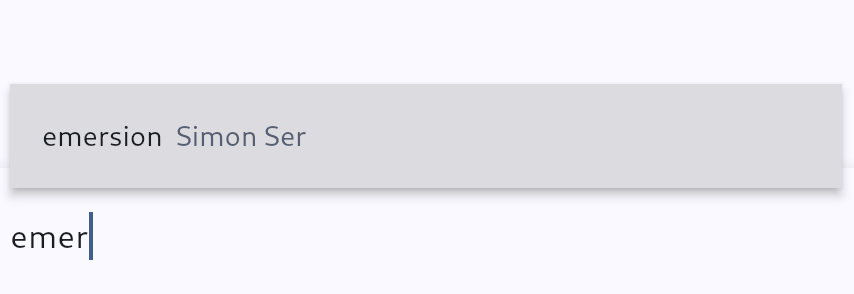
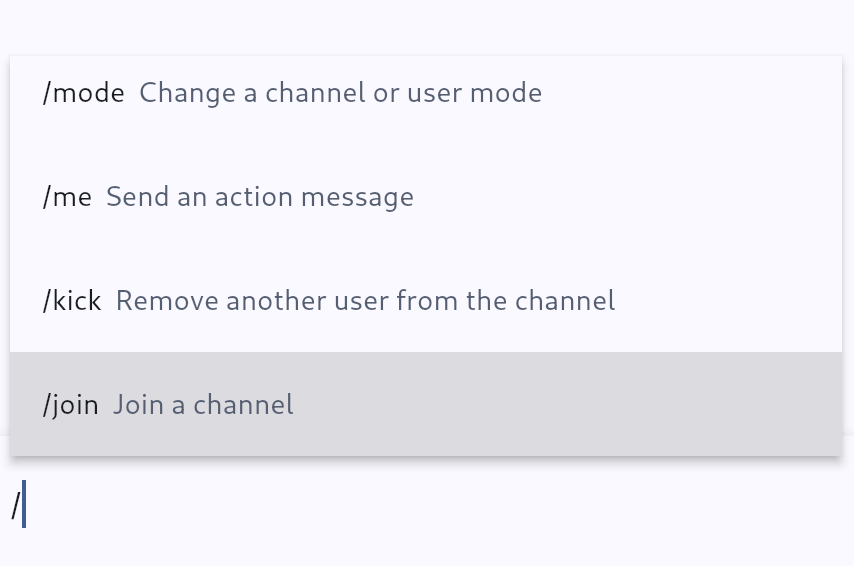
The gamja Web IRC client should now reconnect more quickly after regaining connectivity. For instance, after resume from suspend, gamja now reconnects immediately instead of waiting 10 seconds. Thanks to Matteo, soju-containers now ships arm64 images.
The NPotM is sogogi, a simple WebDAV file server. It’s quite minimal for now: a list of directories to serve is defined in the configuration file, as well as users and access lists. In the future, I’d like to add external authentication (e.g. via PAM or via another HTTP server), HTML directory listings and configuration file reload.
That’s all for now! Once again, that’s a pretty short status update. A lot of my time goes into more boring maintenance tasks and reviews. See you next month!
XDC 2024 in Montreal was another fantastic gathering for the Linux Graphics community. It was again a great time to immerse in the world of graphics development, engage in stimulating conversations, and learn from inspiring developers.
Many Igalia colleagues and I participated in the conference again, delivering multiple talks about our work on the Linux Graphics stack and also organizing the Display/KMS meeting. This blog post is a detailed report on the Display/KMS meeting held during this XDC edition.
Short on Time?
This meeting took 3 hours and tackled a variety of topics related to DRM/KMS (Linux/DRM Kernel Modesetting):
While I didn’t present a talk this year, I co-organized a Display/KMS meeting (with Rodrigo Siqueira of AMD) to build upon the momentum from the 2024 Linux Display Next hackfest. The meeting was attended by around 30 people in person and 4 remote participants.
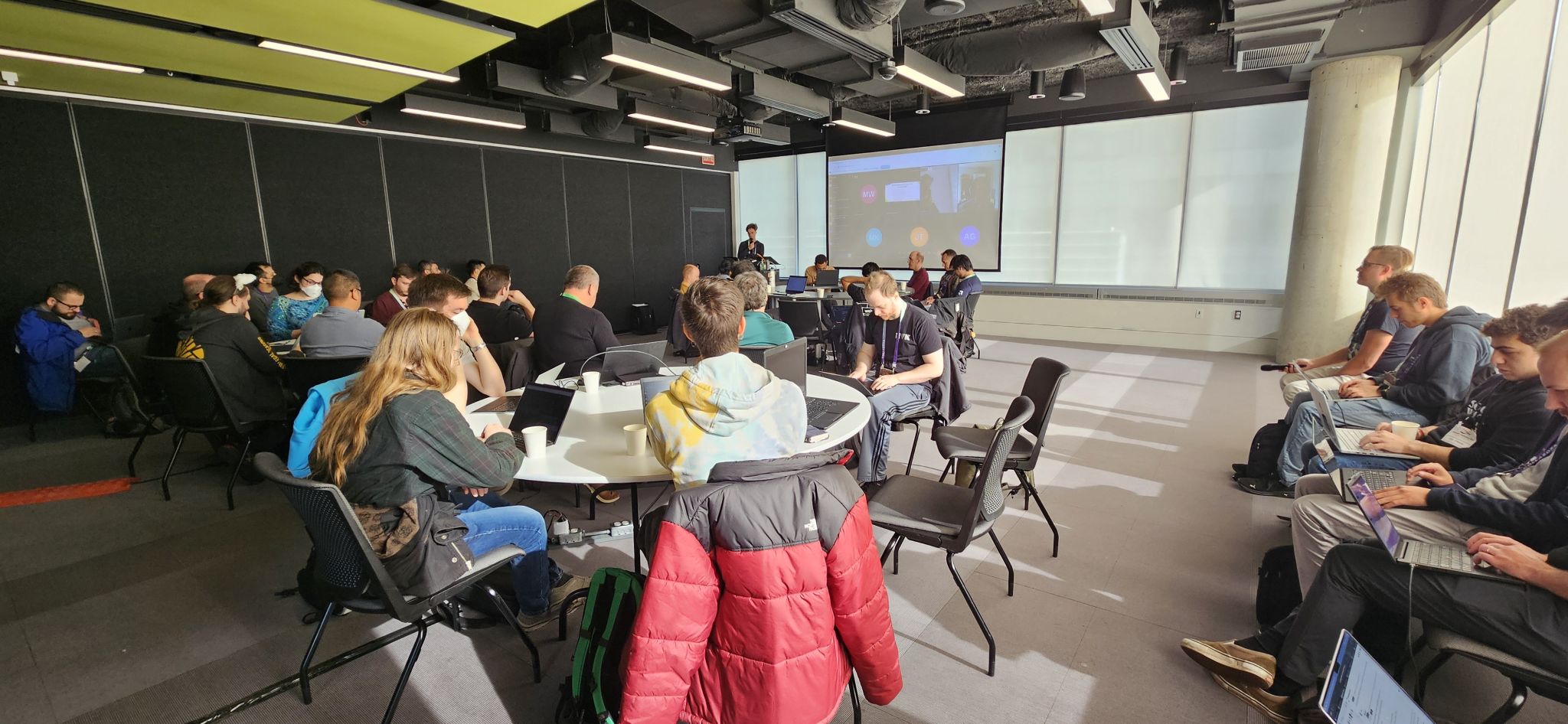
Speakers: Melissa Wen (Igalia) and Rodrigo Siqueira (AMD)
Link: https://indico.freedesktop.org/event/6/contributions/383/
Topics: Similar to the hackfest, the meeting agenda was built over the first two days of the conference and mixed talks follow-up with new ideas and ongoing community efforts.
The final agenda covered five topics in the scheduled order:
Similar to the hackfest, the meeting agenda evolved over the conference. During the 3 hours of meeting, I coordinated the room and discussion rounds, and Rodrigo Siqueira took notes and also contacted key developers to provide a detailed report of the many topics discussed.
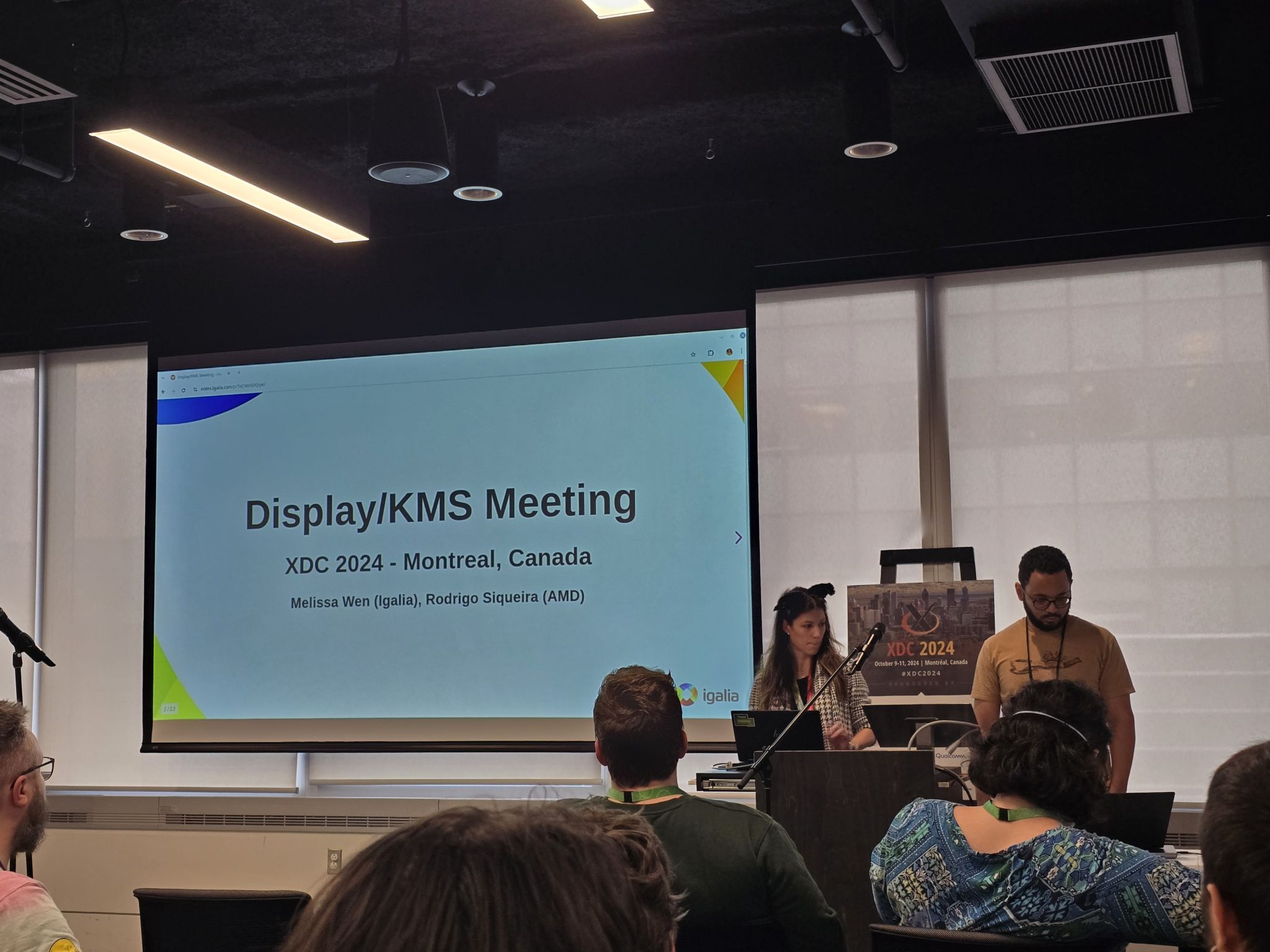
From his notes, let’s dive into the key discussions!
Led by Laurent Pinchart, we delved into the challenge of creating a unified driver for hardware devices (like scalers) that are used in both camera capture pipelines and display pipelines.
We have discussed real-time scheduling during this year Linux Display Next hackfest and, during the XDC 2024, Jonas Adahl brought up issues uncovered while progressing on this front.
This is a well-known topic with ongoing effort on all layers of the Linux Display stack and has been discussed online and in-person in conferences and meetings over the last years.
Here’s a breakdown of the key points raised at this meeting:
Finally, there was a strong sense of agreement that the current proposal for HDR/Color Management is ready to be merged. In simpler terms, everything seems to be working well on the technical side - all signs point to merging and “shipping” the DRM/KMS plane color management API!
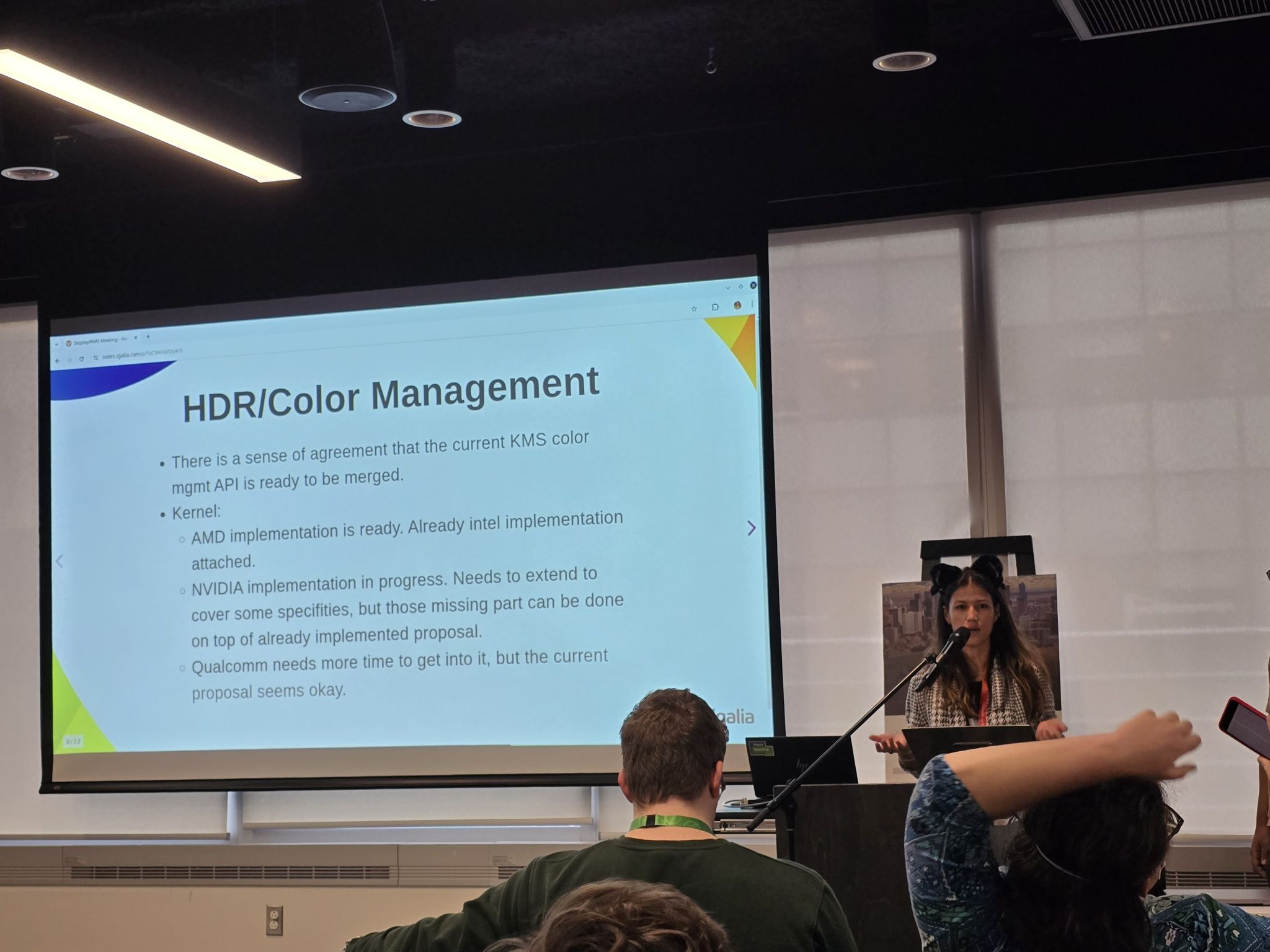
During the meeting, Daniel Dadap led a brainstorming session on the design of the display mux switching sequence, in which the compositor would arm the switch via sysfs, then send a modeset to the outgoing driver, followed by a modeset to the incoming driver.
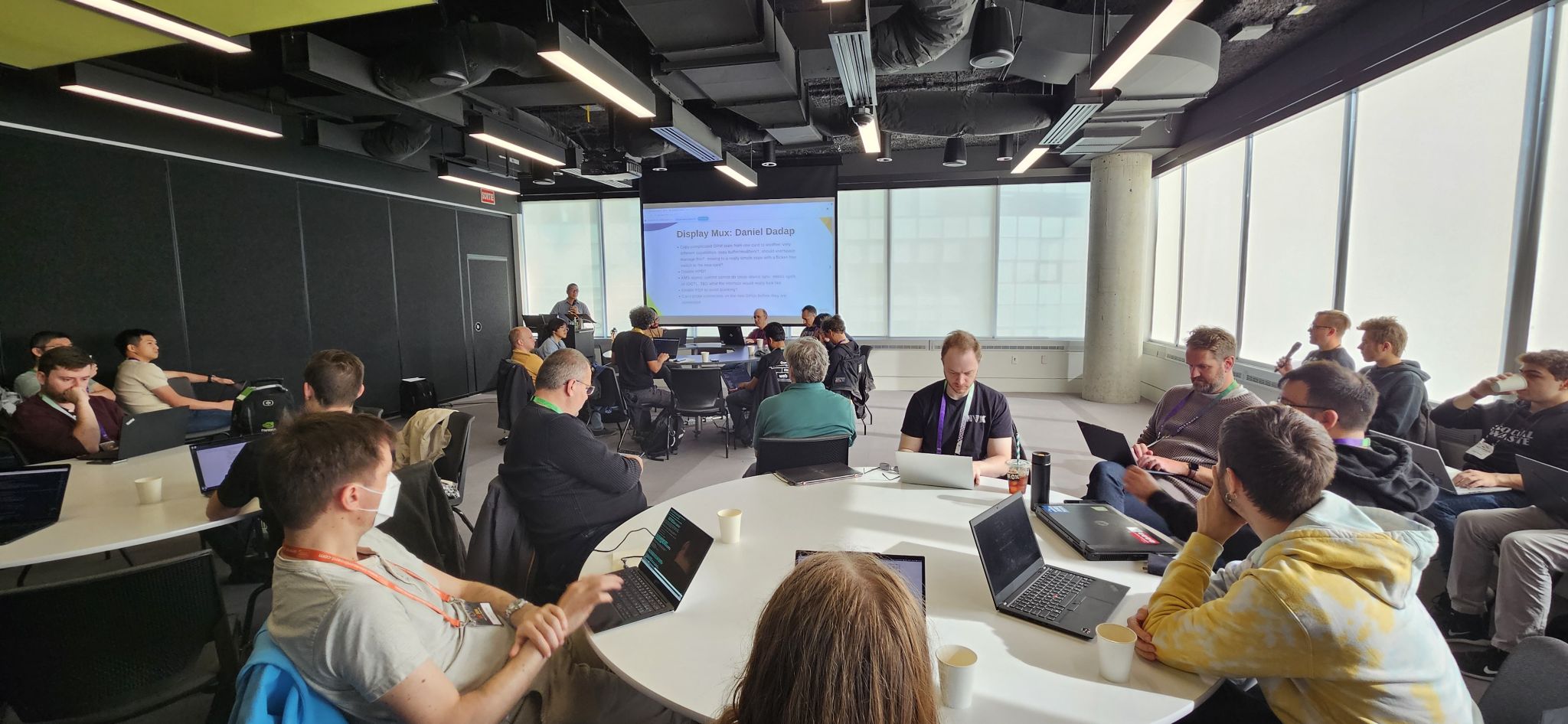
In the last part of the meeting, Xaver Hugl asked for better commit failure feedback.
To address this issue, we discussed several potential improvements:
By implementing these improvements, we aim to equip compositors with the necessary tools to better understand and resolve commit failures, leading to a more robust and stable display system.
Huge thanks to Rodrigo Siqueira for these detailed meeting notes. Also, Laurent Pinchart, Jonas Adahl, Daniel Dadap, Xaver Hugl, and Harry Wentland for bringing up interesting topics and leading discussions. Finally, thanks to all the participants who enriched the discussions with their experience, ideas, and inputs, especially Alex Goins, Antonino Maniscalco, Austin Shafer, Daniel Stone, Demi Obenour, Jessica Zhang, Joan Torres, Leo Li, Liviu Dudau, Mario Limonciello, Michel Dänzer, Rob Clark, Simon Ser and Teddy Li.
This collaborative effort will undoubtedly contribute to the continued development of the Linux display stack.
Stay tuned for future updates!
A while ago I was looking at Rust-based parsing of HID reports but, surprisingly, outside of C wrappers and the usual cratesquatting I couldn't find anything ready to use. So I figured, why not write my own, NIH style. Yay! Gave me a good excuse to learn API design for Rust and whatnot. Anyway, the result of this effort is the hidutils collection of repositories which includes commandline tools like hid-recorder and hid-replay but, more importantly, the hidreport (documentation) and hut (documentation) crates. Let's have a look at the latter two.
Both crates were intentionally written with minimal dependencies, they currently only depend on thiserror and arguably even that dependency can be removed.
As you know, HID Fields have a so-called "Usage" which is divided into a Usage Page (like a chapter) and a Usage ID. The HID Usage tells us what a sequence of bits in a HID Report represents, e.g. "this is the X axis" or "this is button number 5". These usages are specified in the HID Usage Tables (HUT) (currently at version 1.5 (PDF)). The hut crate is generated from the official HUT json file and contains all current HID Usages together with the various conversions you will need to get from a numeric value in a report descriptor to the named usage and vice versa. Which means you can do things like this:
  let gd_x = GenericDesktop::X;
  let usage_page = gd_x.usage_page();
  assert!(matches!(usage_page, UsagePage::GenericDesktop));
Or the more likely need: convert from a numeric page/id tuple to a named usage.
  let usage = Usage::new_from_page_and_id(0x1, 0x30); // GenericDesktop / X
  println!("Usage is {}", usage.name());
90% of this crate are the various conversions from a named usage to the numeric value and vice versa. It's a huge crate in that there are lots of enum values but the actual functionality is relatively simple.
The hidreport crate is the one that can take a set of HID Report Descriptor bytes obtained from a device and parse the contents. Or extract the value of a HID Field from a HID Report, given the HID Report Descriptor. So let's assume we have a bunch of bytes that are HID report descriptor read from the device (or sysfs) we can do this:
let rdesc: ReportDescriptor = ReportDescriptor::try_from(bytes).unwrap();I'm not going to copy/paste the code to run through this report descriptor but suffice to day it will give us access to the input, output and feature reports on the device together with every field inside those reports. Now let's read from the device and parse the data for whatever the first field is in the report (this is obviously device-specific, could be a button, a coordinate, anything):
   let input_report_bytes = read_from_device();
   let report = rdesc.find_input_report(&input_report_bytes).unwrap();
   let field = report.fields().first().unwrap();
   match field {
       Field::Variable(var) => {
          let val: u32 = var.extract(&input_report_bytes).unwrap().into();
          println!("Field {:?} is of value {}", field, val);
       },
       _ => {}
   }
The full documentation is of course on docs.rs and I'd be happy to take suggestions on how to improve the API and/or add features not currently present.
The hidreport and hut crates are still quite new but we have an existing test bed that we use regularly. The venerable hid-recorder tool has been rewritten twice already. Benjamin Tissoires' first version was in C, then a Python version of it became part of hid-tools and now we have the third version written in Rust. Which has a few nice features over the Python version and we're using it heavily for e.g. udev-hid-bpf debugging and development. An examle output of that is below and it shows that you can get all the information out of the device via the hidreport and hut crates.
$ sudo hid-recorder /dev/hidraw1
# Microsoft Microsoft® 2.4GHz Transceiver v9.0
# Report descriptor length: 223 bytes
# 0x05, 0x01,                    // Usage Page (Generic Desktop)              0
# 0x09, 0x02,                    // Usage (Mouse)                             2
# 0xa1, 0x01,                    // Collection (Application)                  4
# 0x05, 0x01,                    //   Usage Page (Generic Desktop)            6
# 0x09, 0x02,                    //   Usage (Mouse)                           8
# 0xa1, 0x02,                    //   Collection (Logical)                    10
# 0x85, 0x1a,                    //     Report ID (26)                        12
# 0x09, 0x01,                    //     Usage (Pointer)                       14
# 0xa1, 0x00,                    //     Collection (Physical)                 16
# 0x05, 0x09,                    //       Usage Page (Button)                 18
# 0x19, 0x01,                    //       UsageMinimum (1)                    20
# 0x29, 0x05,                    //       UsageMaximum (5)                    22
# 0x95, 0x05,                    //       Report Count (5)                    24
# 0x75, 0x01,                    //       Report Size (1)                     26
... omitted for brevity
# 0x75, 0x01,                    //     Report Size (1)                       213
# 0xb1, 0x02,                    //     Feature (Data,Var,Abs)                215
# 0x75, 0x03,                    //     Report Size (3)                       217
# 0xb1, 0x01,                    //     Feature (Cnst,Arr,Abs)                219
# 0xc0,                          //   End Collection                          221
# 0xc0,                          // End Collection                            222
R: 223 05 01 09 02 a1 01 05 01 09 02 a1 02 85 1a 09 ... omitted for previty
N: Microsoft Microsoft® 2.4GHz Transceiver v9.0
I: 3 45e 7a5
# Report descriptor:
# ------- Input Report -------
# Report ID: 26
#    Report size: 80 bits
#  |   Bit:    8       | Usage: 0009/0001: Button / Button 1                          | Logical Range:     0..=1     |
#  |   Bit:    9       | Usage: 0009/0002: Button / Button 2                          | Logical Range:     0..=1     |
#  |   Bit:   10       | Usage: 0009/0003: Button / Button 3                          | Logical Range:     0..=1     |
#  |   Bit:   11       | Usage: 0009/0004: Button / Button 4                          | Logical Range:     0..=1     |
#  |   Bit:   12       | Usage: 0009/0005: Button / Button 5                          | Logical Range:     0..=1     |
#  |   Bits:  13..=15  | ######### Padding                                            |
#  |   Bits:  16..=31  | Usage: 0001/0030: Generic Desktop / X                        | Logical Range: -32767..=32767 |
#  |   Bits:  32..=47  | Usage: 0001/0031: Generic Desktop / Y                        | Logical Range: -32767..=32767 |
#  |   Bits:  48..=63  | Usage: 0001/0038: Generic Desktop / Wheel                    | Logical Range: -32767..=32767 | Physical Range:     0..=0     |
#  |   Bits:  64..=79  | Usage: 000c/0238: Consumer / AC Pan                          | Logical Range: -32767..=32767 | Physical Range:     0..=0     |
# ------- Input Report -------
# Report ID: 31
#    Report size: 24 bits
#  |   Bits:   8..=23  | Usage: 000c/0238: Consumer / AC Pan                          | Logical Range: -32767..=32767 | Physical Range:     0..=0     |
# ------- Feature Report -------
# Report ID: 18
#    Report size: 16 bits
#  |   Bits:   8..=9   | Usage: 0001/0048: Generic Desktop / Resolution Multiplier    | Logical Range:     0..=1     | Physical Range:     1..=12    |
#  |   Bits:  10..=11  | Usage: 0001/0048: Generic Desktop / Resolution Multiplier    | Logical Range:     0..=1     | Physical Range:     1..=12    |
#  |   Bits:  12..=15  | ######### Padding                                            |
# ------- Feature Report -------
# Report ID: 23
#    Report size: 16 bits
#  |   Bits:   8..=9   | Usage: ff00/ff06: Vendor Defined Page 0xFF00 / Vendor Usage 0xff06 | Logical Range:     0..=1     | Physical Range:     1..=12    |
#  |   Bits:  10..=11  | Usage: ff00/ff0f: Vendor Defined Page 0xFF00 / Vendor Usage 0xff0f | Logical Range:     0..=1     | Physical Range:     1..=12    |
#  |   Bit:   12       | Usage: ff00/ff04: Vendor Defined Page 0xFF00 / Vendor Usage 0xff04 | Logical Range:     0..=1     | Physical Range:     0..=0     |
#  |   Bits:  13..=15  | ######### Padding                                            |
##############################################################################
# Recorded events below in format:
# E: .  [bytes ...]
#
# Current time: 11:31:20
# Report ID: 26 /
#                Button 1:     0 | Button 2:     0 | Button 3:     0 | Button 4:     0 | Button 5:     0 | X:     5 | Y:     0 |
#                Wheel:     0 |
#                AC Pan:     0 |
E: 000000.000124 10 1a 00 05 00 00 00 00 00 00 00
Some days ago I wrote about the new VK_EXT_device_generated_commands Vulkan extension that had just been made public. Soon after that, I presented a talk at XDC 2024 with a brief introduction to it. It’s a lightning talk that lasts just about 7 minutes and you can find the embedded video below, as well as the slides and the talk transcription if you prefer written formats.
Truth be told, the topic deserves a longer presentation, for sure. However, when I submitted my talk proposal for XDC I wasn’t sure if the extension was going to be public by the time XDC would take place. This meant I had two options: if I submitted a half-slot talk and the extension was not public, I needed to talk for 15 minutes about some general concepts and a couple of NVIDIA vendor-specific extensions: VK_NV_device_generated_commands and VK_NV_device_generated_commands_compute. That would be awkward so I went with a lighning talk where I could talk about those general concepts and, maybe, talk about some VK_EXT_device_generated_commands specifics if the extension was public, which is exactly what happened.
Fortunately, I will talk again about the extension at Vulkanised 2025. It will be a longer talk and I will cover the topic in more depth. See you in Cambridge in February and, for those not attending, stay tuned because Vulkanised talks are recorded and later uploaded to YouTube. I’ll post the link here and in social media once it’s available.
Hello, I’m Ricardo from Igalia and I’m going to talk about Device-Generated Commands in Vulkan. This is a new extension that was released a couple of weeks ago. I wrote CTS tests for it, I helped with the spec and I worked with some actual heros, some of them present in this room, that managed to get this implemented in a driver.
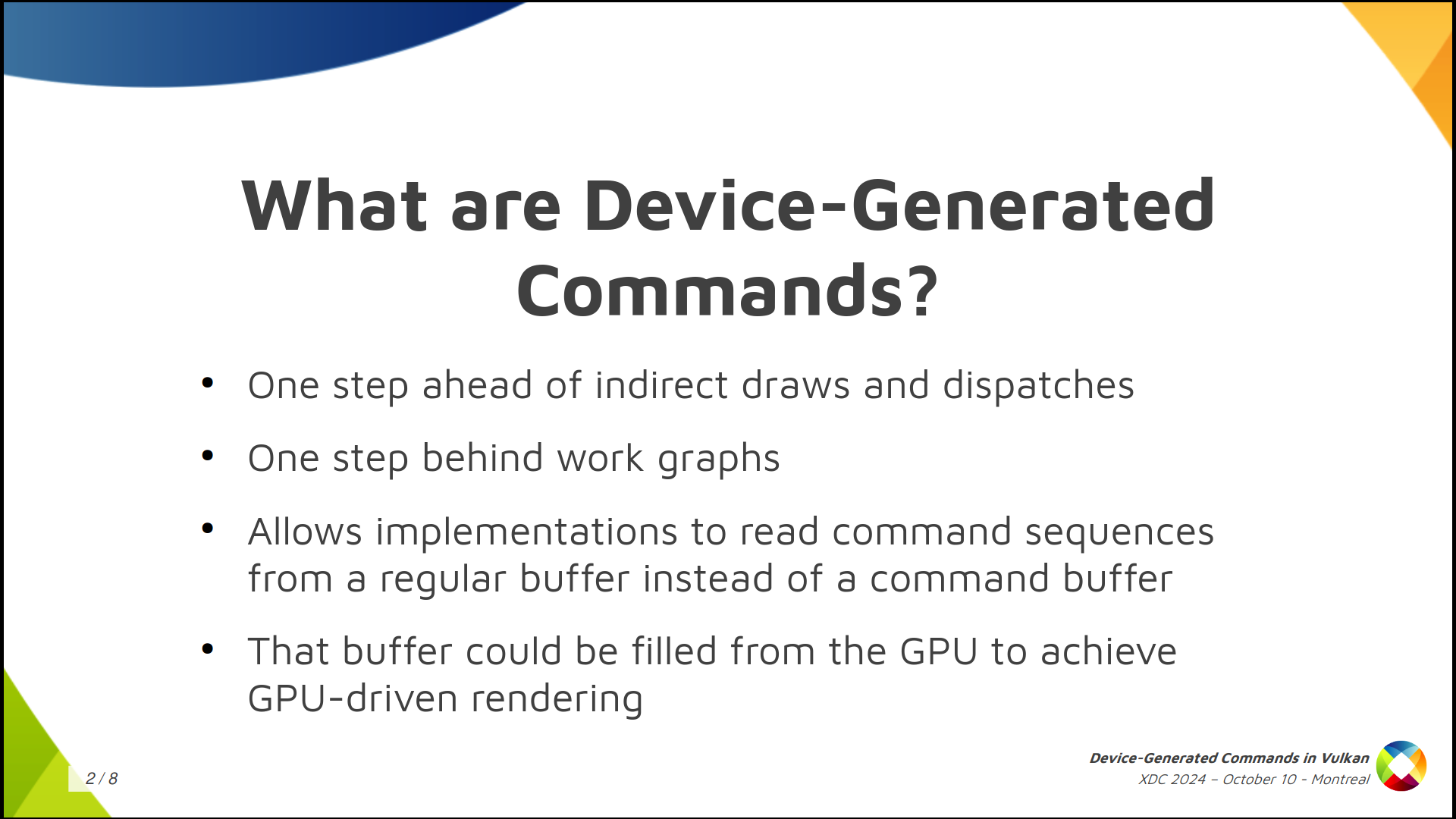
Device-Generated Commands is an extension that allows apps to go one step further in GPU-driven rendering because it makes it possible to write commands to a storage buffer from the GPU and later execute the contents of the buffer without needing to go through the CPU to record those commands, like you typically do by calling vkCmd functions working with regular command buffers.
It’s one step ahead of indirect draws and dispatches, and one step behind work graphs.
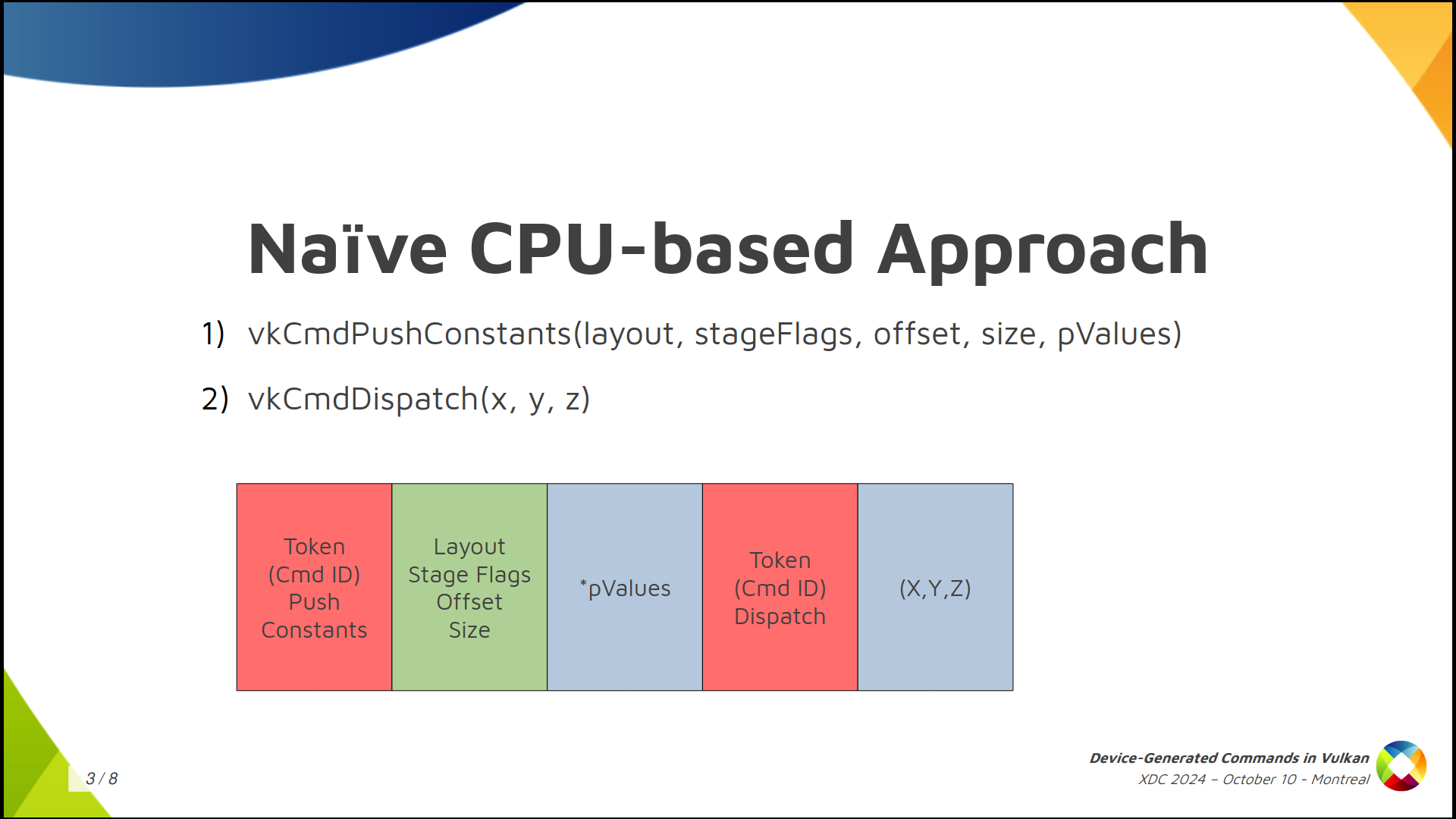
Getting away from Vulkan momentarily, if you want to store commands in a storage buffer there are many possible ways to do it. A naïve approach we can think of is creating the buffer as you see in the slide. We assign a number to each Vulkan command and store it in the buffer. Then, depending on the command, more or less data follows. For example, lets take the sequence of commands in the slide: (1) push constants followed by (2) dispatch. We can store a token number or command id or however you want to call it to indicate push constants, then we follow with meta-data about the command (which is the section in green color) containing the layout, stage flags, offset and size of the push contants. Finally, depending on the size, we store the push constant values, which is the first chunk of data in blue. For the dispatch it’s similar, only that it doesn’t need metadata because we only want the dispatch dimensions.
But this is not how GPUs work. A GPU would have a very hard time processing this. Also, Vulkan doesn’t work like this either. We want to make it possible to process things in parallel and provide as much information in advance as possible to the driver.
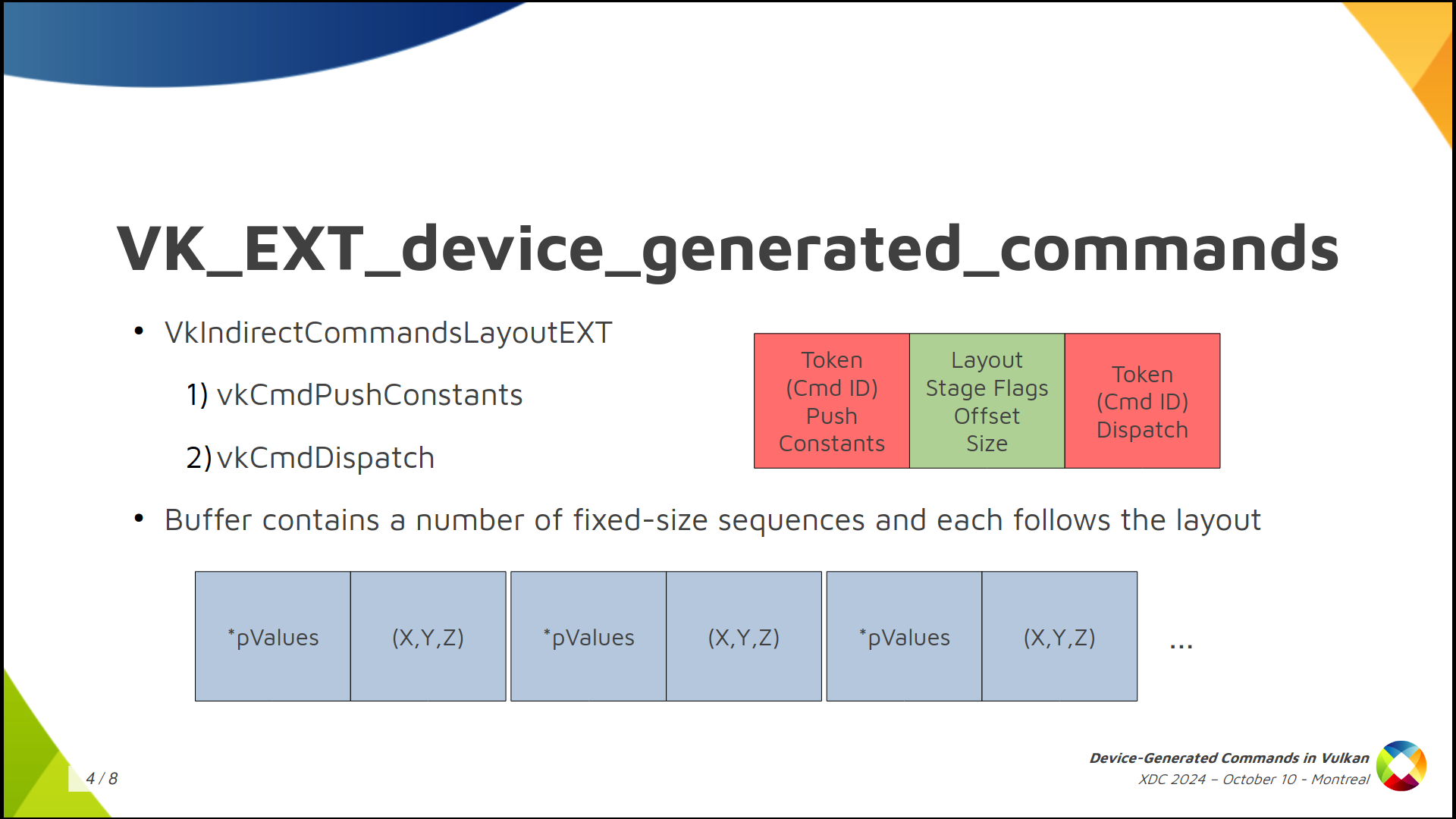
So in Vulkan things are different. The buffer will not contain an arbitrary sequence of commands where you don’t know which one comes next. What we do is to create an Indirect Commands Layout. This is the main concept. The layout is like a template for a short sequence of commands. We create this layout using the tokens and meta-data that we saw colored red and green in the previous slide.
We specify the layout we will use in advance and, in the buffer, we ony store the actual data for each command. The result is that the buffer containing commands (lets call it the DGC buffer) is divided into small chunks, called sequences in the spec, and the buffer can contain many such sequences, but all of them follow the layout we specified in advance.
In the example, we have push constant values of a known size followed by the dispatch dimensions. Push constant values, dispatch. Push constant values, dispatch. Etc.
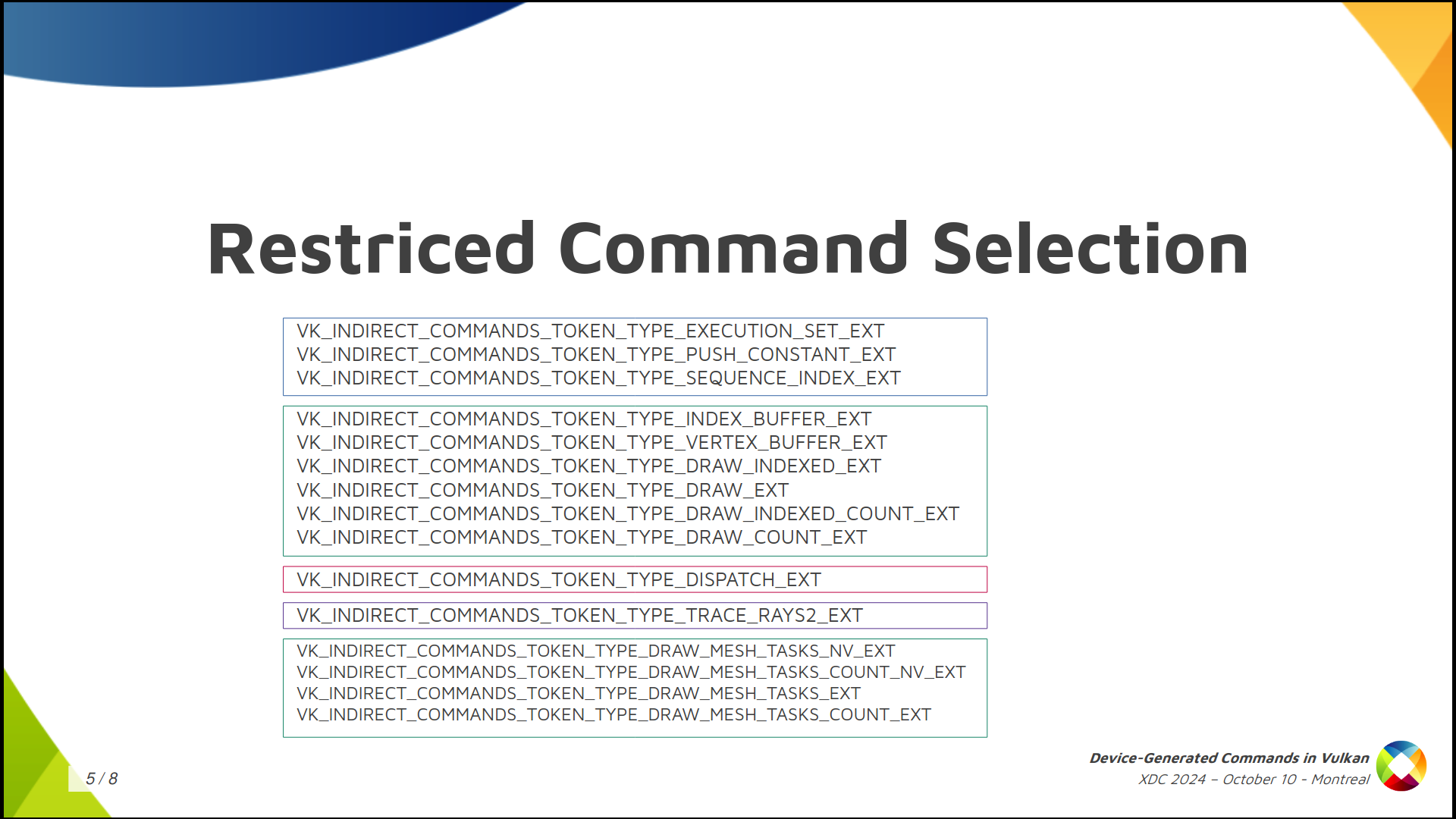
The second thing Vulkan does is to severely limit the selection of available commands. You can’t just start render passes or bind descriptor sets or do anything you can do in a regular command buffer. You can only do a few things, and they’re all in this slide. There’s general stuff like push contants, stuff related to graphics like draw commands and binding vertex and index buffers, and stuff to dispatch compute or ray tracing work. That’s it.
Moreover, each layout must have one token that dispatches work (draw, compute, trace rays) but you can only have one and it must be the last one in the layout.
Something that’s optional (not every implementation is going to support this) is being able to switch pipelines or shaders on the fly for each sequence.
Summing up, in implementations that allow you to do it, you have to create something new called Indirect Execution Sets, which are groups or arrays of pipelines that are more or less identical in state and, basically, only differ in the shaders they include.
Inside each set, each pipeline gets an index and you can change the pipeline used for each sequence by (1) specifying the Execution Set in advance (2) using an execution set token in the layout, and (3) storing a pipeline index in the DGC buffer as the token data.
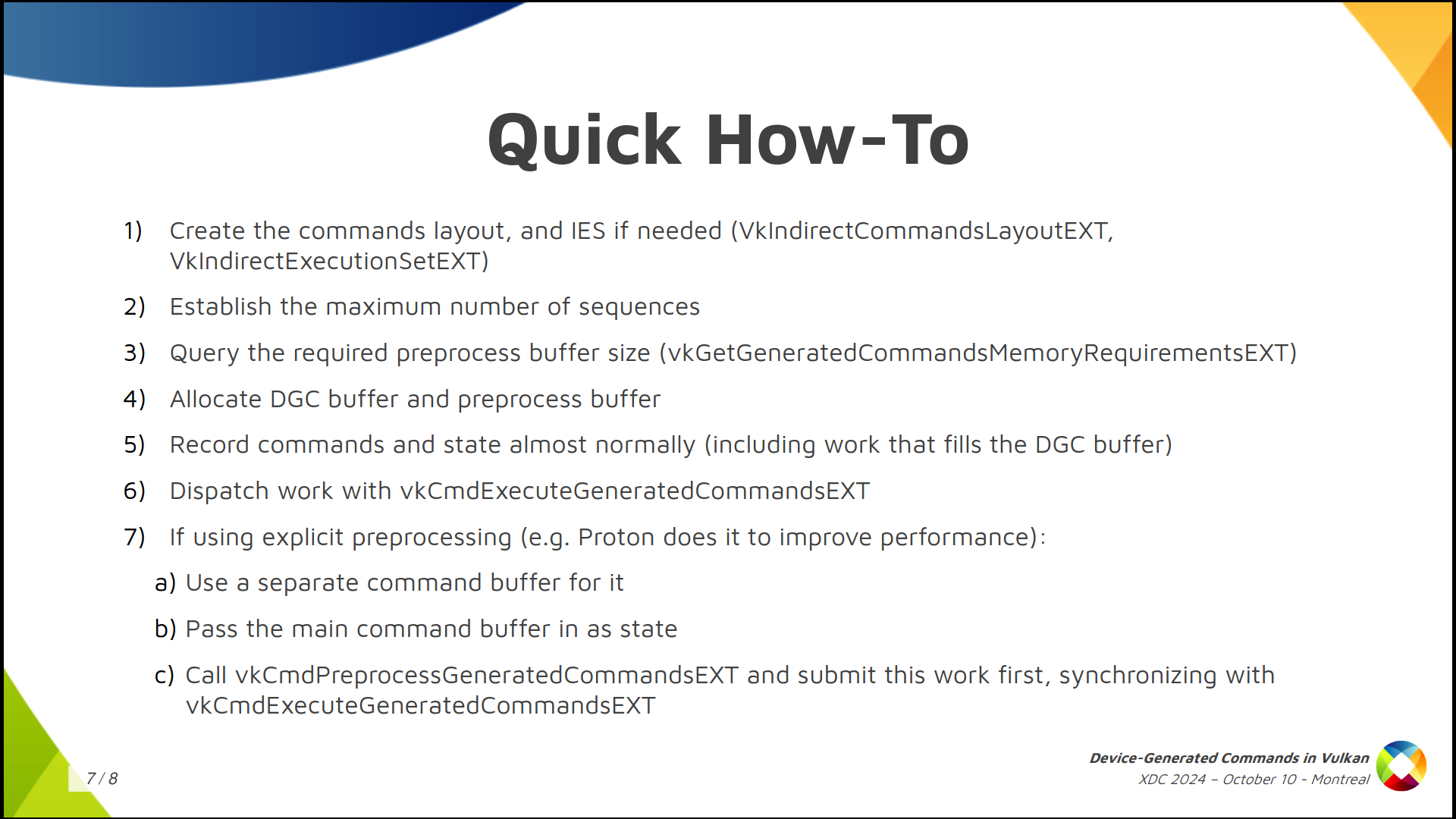
The summary of how to use it would be:
First, create the commands layout and, optionally, create the indirect execution set if you’ll switch pipelines and the driver supports that.
Then, get a rough idea of the maximum number of sequences that you’ll run in a single batch.
With that, create the DGC buffer, query the required preprocess buffer size, which is an auxiliar buffer used by some implementations, and allocate both.
Then, you record the regular command buffer normally and specify the state you’ll use for DGC. This also includes some commands that dispatch work that fills the DGC buffer somehow.
Finally, you dispatch indirect work by calling vkCmdExecuteGeneratedCommandsEXT. Note you need a barrier to synchronize previous writes to the DGC buffer with reads from it.
You can also do explicit preprocessing but I won’t go into detail here.

That’s it. Thank for watching, thanks Valve for funding a big chunk of the work involved in shipping this, and thanks to everyone who contributed!
Several months have passed since the last update. This has been in part due to the summer holidays and a gig doing some non-upstream work, but I have also had the opportunity to continue my work on the NPU driver for the VeriSilicon NPU in the NXP i.MX 8M Plus SoC, thanks to my friends at Ideas on Board.
 |
| CC BY-NC 4.0 Henrik Boye |
With this, as of yesterday, one can accelerate models such as SSDLite MobileDet on that SoC with only open source software, with the support being provided directly from projects that are already ubiquitous in today's products, such as the Linux kernel and Mesa3D. We can expect this functionality to reach distributions such as Debian in due time, for seamless installation and integration in products.
With this milestone reached, I will be working on expanding support for more models, with a first goal of enabling YOLO-like models, starting with YOLOX. I will be working as well on performance, as currently we are not fully using the capabilities of this hardware.
Unleashing the power of 3D graphics in the Raspberry Pi is a key commitment for Igalia through its collaboration with Raspberry Pi. The introduction of Super Pages for the Raspberry Pi 4 and 5 marks another step in this journey, offering some performance enhancements and more efficient memory usage. In this post, we’ll dive deep into the technical details of Super Pages, discuss the challenges we faced during implementation, and illustrate the benefits this feature brings to the Raspberry Pi ecosystem.
A Memory Management Unit (MMU) is a hardware component responsible for handling memory access at the system level. It translates virtual addresses used by programs into physical addresses in main memory, enabling efficient memory management and protection. The MMU allows the operating system to allocate memory dynamically, isolating processes from one another to prevent them from interfering with each other’s memory.
Recommendation: 📚 Structured computer organization by Andrew Tanenbaum
The V3D MMU, which is part of the Broadcom GPU found in the Raspberry Pi 4 and 5, is responsible for translating 32-bit virtual addresses (VA) used by V3D into 40-bit physical addresses used externally to V3D. The MMU relies on a page table, stored in physical memory, which maps virtual addresses to their corresponding physical addresses. The operating system manages this page table, and the MMU uses it to perform address translation during memory access.
A fundamental principle of modern operating systems is that memory is not stored contiguously. Instead, a contiguous block of memory is divided into smaller blocks, called “pages”, which are scattered across the entire address space. These pages are typically 4KB in size. This approach enables more efficient memory management and allows for features like virtual memory and memory protection.
Over the years, the amount of available memory in computers has increased dramatically. An early IBM PC had up to 640 KiB of RAM, whereas the ThinkPad I’m typing on right now has 32 GB of RAM. Naturally, memory demands have grown alongside this increase. Today, it’s common for web browsers to consume several gigabytes of RAM, and a single shader can take up multiple megabytes.
As memory usage grows, a 4KB page size may become inefficient for managing large memory blocks. Handling a large number of small pages for a single block means the MMU must perform multiple address translations, which increases overhead. This can reduce the effectiveness of the Translation Lookaside Buffer (TLB), as it must store and handle more entries, potentially leading to more cache misses and reduced overall performance.
This is why many CPU manufacturers have introduced support for larger page sizes. For instance, x86 CPUs typically support 4KB and 2MB pages, with 1GB pages available if supported by the hardware. Similarly, ARM64 CPUs can support 4KB, 16KB, and 64KB page sizes. These larger page sizes help reduce the number of pages the MMU needs to manage, improving performance by reducing the overhead of address translation and making more efficient use of the TLB.
So, if CPUs are using bigger sizes, why shouldn’t GPUs do the same?
By default, V3D supports 4KB pages. However, by setting specific bits in the page table entry, it is possible to create 64KB “Big Pages” and 1MB “Super Pages.” The issue is that the current V3D driver available in Linux does not enable the use of Big or Super Pages, meaning this hardware feature is currently unused.
The advantage of enabling Big and Super Pages is that once an entry for any page within a Big or Super Page is cached in the MMU, it can be used to translate all virtual addresses within that page’s range without needing to fetch additional entries. In theory, this should result in improved performance, especially for applications with high memory demands, such as those using multiple large buffer objects (BOs).
As Igalia continually strives to enhance the experience for Raspberry Pi users, we decided to implement this feature in the upstream kernel. But before diving into the implementation details, let’s take a look at the real-world results and see if the theoretical benefits of Super Pages have translated into measurable improvements for Raspberry Pi users.
With Super Pages implemented, let’s now explore the actual performance improvements observed on the Raspberry Pi and see how impactful this feature is for users.
To measure the impact of Super Pages, we tested a variety of games and demos traces on the Raspberry Pi 4 and 5, covering genres from action to racing. On average, we observed a +1.40% FPS improvement on the Raspberry Pi 4 and a +1.30% improvement on the Raspberry Pi 5.
For instance, on the Raspberry Pi 4, Warzone 2100 saw an 8.36% FPS increase, and on the Raspberry Pi 5, Quake II enjoyed a 3.62% boost. These examples demonstrate the benefits of Super Pages in resource-demanding applications, where optimized memory handling becomes critical.
| Trace | Before Super Pages | After Super Pages | Improvement |
|---|---|---|---|
| warzone2100.30secs.1024x768.trace | 56.39 | 61.10 | +8.36% |
| ue4_shooter_game_shooting_low_quality_640x480.gfxr | 20.71 | 21.47 | +3.65% |
| quake3e_capture_frames_1800_through_2400_1920x1080.gfxr | 60.88 | 62.50 | +2.67% |
| supertuxkart-menus_1024x768.trace | 112.62 | 115.61 | +2.65% |
| ue4_shooter_game_shooting_high_quality_640x480.gfxr | 20.45 | 20.88 | +2.10% |
| quake2-gles3-1280x720.trace | 59.76 | 60.84 | +1.82% |
| ue4_sun_temple_640x480.gfxr | 27.60 | 28.03 | +1.54% |
| vkQuake_capture_frames_1_through_1200_1280x720.gfxr | 54.59 | 55.30 | +1.29% |
| ue4_shooter_game_low_quality_640x480.gfxr | 32.75 | 33.08 | +1.00% |
| sponza_demo02_800x600.gfxr | 20.90 | 21.03 | +0.61% |
| supertuxkart-racing_1024x768.trace | 8.58 | 8.63 | +0.60% |
| ue4_shooter_game_high_quality_640x480.gfxr | 19.62 | 19.74 | +0.59% |
| serious_sam_trace02_1280x720.gfxr | 44.00 | 44.21 | +0.50% |
| ue4_vehicle_game-2_640x480.gfxr | 12.59 | 12.65 | +0.49% |
| sponza_demo01_800x600.gfxr | 21.42 | 21.46 | +0.19% |
| quake3e-1280x720.trace | 84.45 | 84.52 | +0.09% |
| Trace | Before Super Pages | After Super Pages | Improvement |
|---|---|---|---|
| quake2-gles3-1280x720.trace | 151.77 | 157.26 | +3.62% |
| supertuxkart-menus_1024x768.trace | 306.79 | 313.88 | +2.31% |
| warzone2100.30secs.1024x768.trace | 140.92 | 144.03 | +2.21% |
| vkQuake_capture_frames_1_through_1200_1280x720.gfxr | 131.45 | 134.20 | +2.10% |
| ue4_vehicle_game-2_640x480.gfxr | 24.42 | 24.88 | +1.89% |
| ue4_shooter_game_high_quality_640x480.gfxr | 32.12 | 32.53 | +1.29% |
| ue4_sun_temple_640x480.gfxr | 42.05 | 42.55 | +1.20% |
| ue4_shooter_game_shooting_high_quality_640x480.gfxr | 52.77 | 53.31 | +1.04% |
| quake3e-1280x720.trace | 238.31 | 240.53 | +0.93% |
| warzone2100.70secs.1024x768.trace | 151.09 | 151.81 | +0.48% |
| sponza_demo02_800x600.gfxr | 50.81 | 51.05 | +0.46% |
| supertuxkart-racing_1024x768.trace | 20.91 | 20.98 | +0.33% |
| ue4_shooter_game_low_quality_640x480.gfxr | 59.68 | 59.86 | +0.29% |
| quake3e_capture_frames_1_through_1800_1920x1080.gfxr | 167.70 | 168.17 | +0.29% |
| ue4_shooter_game_shooting_low_quality_640x480.gfxr | 53.40 | 53.51 | +0.22% |
| quake3e_capture_frames_1800_through_2400_1920x1080.gfxr | 163.37 | 163.64 | +0.17% |
| serious_sam_trace02_1280x720.gfxr | 60.00 | 60.03 | +0.06% |
| sponza_demo01_800x600.gfxr | 45.04 | 45.04 | <.01% |
While an average +1% FPS improvement might seem modest, Super Pages can deliver more noticeable gains in memory-intensive 3D applications and when the GPU is under heavy usage. Let’s see how the Super Pages perform on Mesa CI.
To avoid introducing regressions in user-space, I usually test my custom kernels with Mesa CI, focusing on the “broadcom-postmerge” stage to verify that all Piglit and CTS tests ran smoothly. For Super Pages, I was pleasantly surprised by the job duration results, as some job durations were reduced by several minutes.
| Job | Before Super Pages | After Super Pages |
|---|---|---|
| v3d-rpi4-traces:arm64 | ~4m30s | ~3m40s |
| v3d-rpi5-traces:arm64 | ~3m30s | ~2m45s |
| v3d-rpi4-gl-full:arm64 */6 | ~24-25 minutes | ~22-23 minutes |
| v3d-rpi5-gl-full:arm64 | ~48 minutes | ~48 minutes |
| v3dv-rpi4-vk-full:arm64 */6 | ~44 minutes | ~41 minutes |
| v3dv-rpi5-vk-full:arm64 | ~102 minutes | ~92 minutes |
Seeing these reductions is especially rewarding. For example, the “v3dv-rpi5-vk-full:arm64” job duration decreased by 10 minutes, meaning more FPS for users and shorter wait times for Mesa developers.
After sharing a couple of tables, I’ll admit that showcasing performance improvements solely through numbers doesn’t always convey the real impact. Personally, I find it more satisfying to see performance gains in action with real-world applications.
This led me to explore PlayStation 2 (PS2) emulation on the RPi 5. From watching YouTube videos, I noticed that PS2 is a popular console for the RPi 5. While the PlayStation (PS1) emulates well even on the RPi 4, and Nintendo 64 and Sega Saturn struggle across most hardware, PS2 hits a sweet spot for testing the RPi 5’s limits.
Fortunately, I still have my childhood PS2 — my second console after the Nintendo GameCube, and one of the most successful consoles worldwide, including in Brazil. With a library packed with titles like Metal Gear Solid, Resident Evil, Tomb Raider, and Shadow of the Colossus, the PS2 remains a great system for collectors and retro gamers alike.
I selected a few games from my collection to benchmark on the RPi 5 using a PS2 emulator. My emulator of choice was Aether SX2 with Vulkan support. Although AetherSX2 is no longer in development, it still performs well on the RPi.
Initially, many games were barely playable, especially those with large buffer objects, like Shadow of the Colossus and Gran Turismo 4. However, after enabling Super Pages support, I noticed immediate improvements. For example, Shadow of the Colossus wouldn’t even open before Super Pages, and while it’s not fully playable yet, it does load now. This isn’t a silver bullet, but it’s a step forward in improving the driver one piece at a time.
I ended up selecting four games for a video comparison: Burnout 3: Takedown, Metal Gear Solid 3: Snake Eater, Resident Evil 4, and Tekken 4.
Disclaimer: The BIOS used in the emulator was extracted from my own PS2, and I played only games I own, with ROMs I personally extracted. Neither I nor Igalia encourage using downloaded BIOS or ROM files from the internet.
From the video, we can see noticeable improvements in all four games. Although they aren’t perfectly playable yet, the performance gains are evident, particularly in Resident Evil 4, where the gameplay saw a solid 5 FPS boost. I realize 18 FPS might not satisfy most players, but I still had a lot of fun playing Resident Evil 4 on the RPi 5.
When tracking the FPS for these games, it’s clear that the performance gains go well beyond the average 1% seen in other benchmarks. Super Pages show their true potential in high-memory applications like PS2 emulation.
Having seen the performance gains Super Pages can bring to the Raspberry Pi, let’s now dive into the technical aspects of the feature.
The first challenge was figuring out how to allocate a contiguous block of memory using shmem. The Shared Memory Virtual Filesystem (shmem) is used as a flexible memory mechanism that allows the GPU and CPU to share access to BOs through the system’s temporary filesystem, tmpfs. tmpfs is a volatile filesystem that stores files in RAM, making it ideal for temporary or high-speed data that doesn’t need to persist on RAM.
For example, to allocate a 256KB BO across four 64KB pages, we need four
contiguous 64KB memory blocks. However, by default, tmpfs only allocates
memory in PAGE_SIZE chunks (as seen in shmem_file_setup()), whereas
PAGE_SIZE is 4KB on the Raspberry Pi 4 and 16KB on the Raspberry Pi 5. Since
the function drm_gem_object_init() — which initializes an allocated
shmem-backed GEM object — relies on shmem_file_setup() to back these objects
in memory, we had to consider alternatives, as the default PAGE_SIZE would
divide memory into increments that are too small to ensure the large, contiguous
blocks needed by the GPU.
The solution we proposed was to create drm_gem_object_init_with_mnt(), which
allows us to specify the tmpfs mountpoint where the GEM object will be
created. This enables us to allocate our BOs in a mountpoint that supports
larger page sizes. Additionally, to ensure that our BOs are allocated in the
correct mountpoint, we introduced drm_gem_shmem_create_with_mnt(), which
allows the mountpoint to be specified when creating a new DRM GEM shmem object.
[PATCH v6 04/11] drm/gem: Create a drm_gem_object_init_with_mnt() function
[PATCH v6 06/11] drm/gem: Create shmem GEM object in a given mountpoint
The next challenge was figuring out how to create a new mountpoint that would
allow for different page sizes based on the allocation. Simply creating a new
tmpfs mountpoint with a fixed bigger page size wouldn’t suffice, as we needed
flexibility for various allocations. Inspired by the i915 driver, we decided to
use a tmpfs mountpoint with the “huge=within_size” flag. This flag, which
requires the kernel to be configured with CONFIG_TRANSPARENT_HUGEPAGE, enables
the allocation of huge pages.
Transparent Huge Pages (THP) is a kernel feature that automatically manages large memory pages to improve performance without needing changes from applications. THP dynamically combines smaller pages into larger ones, typically 2MB, reducing memory management overhead and improving cache efficiency.
To support our new allocation strategy, we created a dedicated tmpfs mountpoint for V3D, called gemfs, which provides us an ideal space for managing these larger allocations.
[PATCH v6 05/11] drm/v3d: Introduce gemfs
With everything in place for contiguous allocations, the next step was configuring V3D to enable Big/Super Page support.
We began by addressing a major source of memory pressure on the Raspberry Pi: the current 128KB alignment for allocations in the virtual memory space. This alignment wastes space when handling small BO allocations, especially since the userspace driver performs a large number of these small allocations.
As a result, we can’t fully utilize the 4GB address space available for the GPU on the Raspberry Pi 4 or 5. For example, we can currently allocate up to 32,000 BOs of 4KB (~140MB) and 3,000 BOs of 400KB (~1.3GB). This becomes a limitation for memory-intensive applications. By reducing the page alignment to 4KB, we can significantly increase the number of BOs, allowing up to 1,000,000 BOs of 4KB (~4GB) and 10,000 BOs of 400KB (~4GB).
Therefore, the first change I made was reducing the VA alignment of all allocations to 4KB.
[PATCH v6 07/11] drm/v3d: Reduce the alignment of the node allocation
With the alignment issue resolved, we can now implement the code to properly set the flags on the Page Table Entries (PTE) for Big/Super Pages. Setting these flags is straightforward — a simple bitwise operation. The challenge lies in determining which BOs can be allocated in Super Pages. For a BO to be eligible for a Big Page, its virtual address must be aligned to 64KB, and the same applies to its physical address. Same thing for Super Pages, but now the addresses must be aligned to 1MB.
If the BO qualifies for a Big/Super Page, we need to iterate over 16 4KB pages (for Big Pages) or 256 4KB pages (for Super Pages) and insert the appropriate PTE.
Additionally, we modified the way we iterate through the BO’s memory. This was necessary because the THP may not always allocate the entire BO contiguously. For example, it might only allocate contiguously 1MB of a 2MB block. To handle this, we now iterate over the blocks of contiguous memory scattered across the scatterlist, ensuring that each segment is properly handled during the allocation process.
What is a scatterlist? It is a Linux Kernel data structure that manages non-contiguous memory as if it were contiguous. It organizes separate memory blocks into a single logical buffer, allowing efficient data handling, especially in Direct Memory Access (DMA) operations, without needing a physically contiguous memory allocation.
[PATCH v6 08/11] drm/v3d: Support Big/Super Pages when writing out PTEs
However, the last few patches alone don’t fully enable the use of Super Pages.
While PATCH 08/11 technically allows for Super Pages, we’re still relying on DRM
GEM shmem objects, meaning allocations are still happening in PAGE_SIZE
chunks. Although Big/Super Pages could potentially be used if the system
naturally allocated 1MB or 64KB contiguously, this is quite rare and not our
intended outcome. Our goal is to actively use Big/Super Pages as much as
possible.
To achieve this, we’ll utilize the V3D-specific mountpoint we created earlier
for BO allocation whenever possible. By creating BOs through
drm_gem_shmem_create_with_mnt(), we can ensure that large pages are allocated
contiguously when possible, enabling the consistent use of Big/Super Pages.
[PATCH v6 09/11] drm/v3d: Use gemfs/THP in BO creation if available
And there you have it — Big/Super Pages are now fully enabled in V3D. The only
requirement to activate this feature in any given kernel is ensuring that
CONFIG_TRANSPARENT_HUGEPAGE is enabled.
You can learn more about ongoing enhancements to the Raspberry Pi driver stack in this XDC 2024 talk by José María “Chema” Casanova Crespo. In the talk, Chema discusses the Super Pages work I developed, along with other advancements in the driver stack.
Of course, there are still plenty of improvements on the horizon at Igalia. I’m currently experimenting with 64KB CLE allocations in user-space, and I hope to share more good news soon.
Finally, I’d like to express my gratitude to Iago Toral and Tvrtko Ursulin for their invaluable support in developing Super Pages for the V3D kernel driver. Thank you both for sharing your experience with me!
The new usb_set_wireless_status() driver API function can be used by drivers of USB devices to export whether the wireless device associated with that USB dongle is turned on or not.
To quote the commit message:
This will be used by user-space OS components to determine whether the
battery-powered part of the device is wirelessly connected or not,
allowing, for example:
- upower to hide the battery for devices where the device is turned off
  but the receiver plugged in, rather than showing 0%, or other values
  that could be confusing to users
- Pipewire to hide a headset from the list of possible inputs or outputs
  or route audio appropriately if the headset is suddenly turned off, or
  turned on
- libinput to determine whether a keyboard or mouse is present when its
  receiver is plugged in.
This is not an attribute that is meant to replace protocol specific
APIs [...] but solely for wireless devices with
an ad-hoc “lose it and your device is e-waste” receiver dongle.
Currently, the only 2 drivers to use this are the ones for the Logitech G935 headset, and the Steelseries Arctis 1 headset. Adding support for other Logitech headsets would be possible if they export battery information (the protocols are usually well documented), support for more Steelseries headsets should be feasible if the protocol has already been reverse-engineered.
As far as consumers for this sysfs attribute, I filed a bug against Pipewire (link) to use it to not consider the receiver dongle as good as unplugged if the headset is turned off, which would avoid audio being sent to headsets that won't hear it.
UPower supports this feature since version 1.90.1 (although it had a bug that makes 1.90.2 the first viable release to include it), and batteries will appear and disappear when the device is turned on/off.
A turned-on headset